

Description
The Coming Soon and Maintenance Mode plugin enables WordPress users to set up a temporary landing page or a maintenance screen while working on their site. This tool helps site administrators manage visitor access during website construction, updates, or downtime.
Pro Version Demo: Coming Soon Maintenance Mode Demo
Buy Pro Version: Buy Coming Soon Maintenance Mode
Video Tutorial – Free Version
Detailed configuration options are available to customize the look and feel of your coming soon page without writing code. The plugin is designed to be responsive, ensuring that your temporary page looks functional on various devices, including desktops, tablets, and mobile phones.
Search engine optimization is a key consideration for this plugin. It allows search engines to crawl your coming soon page, which can help maintain your site’s presence even when the main content is not yet visible.
Key Features
- Coming Soon Mode: Activate a coming soon page with an HTTP 200 status code to announce your upcoming launch while building your new site.
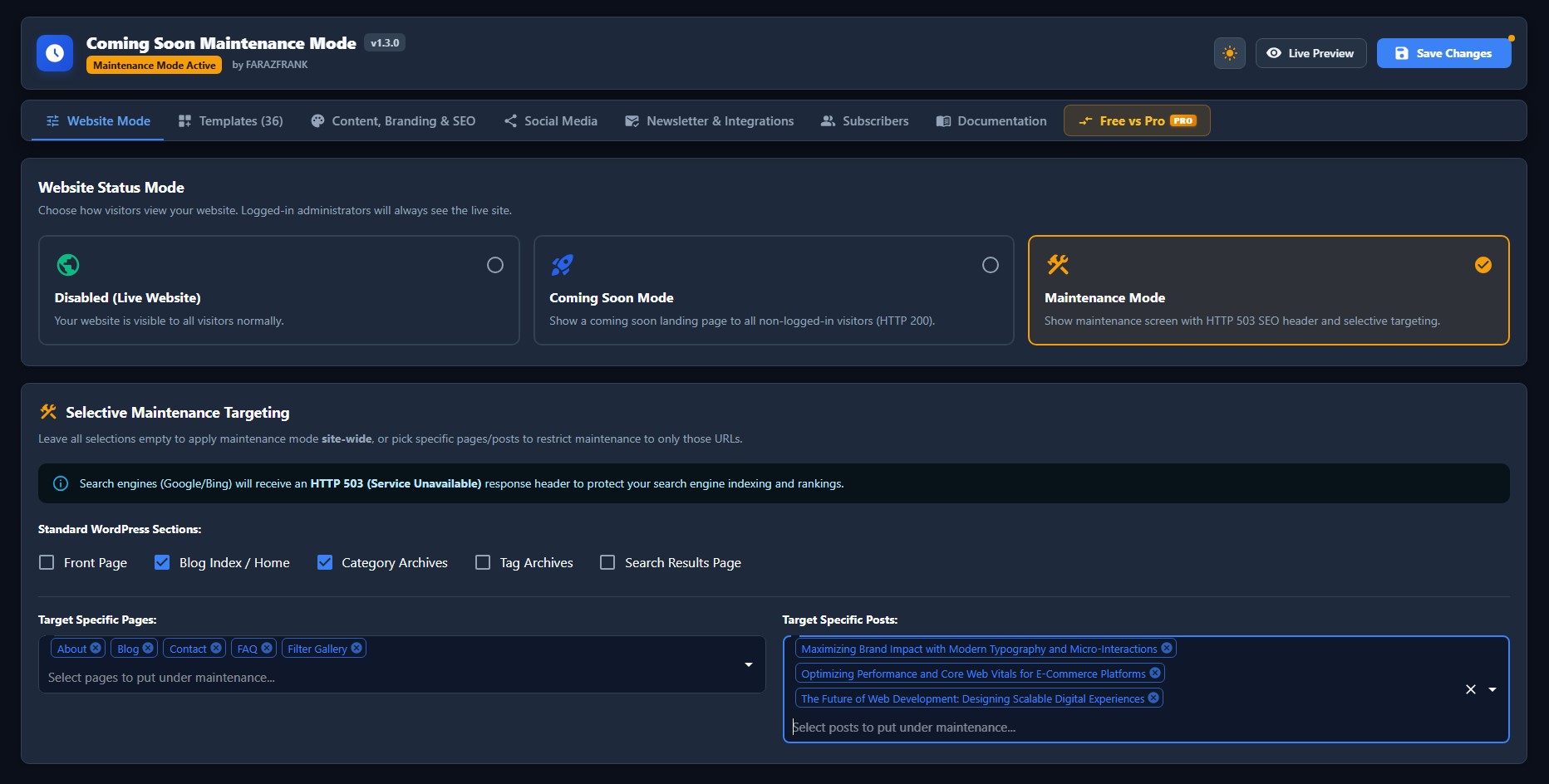
- Maintenance Mode: Display a temporary maintenance screen with an HTTP 503 status code to safeguard search engine rankings during site updates.
- Selective Page & Post Targeting: Apply coming soon or maintenance mode site-wide, or restrict it to specific Pages, Posts, or Front Page.
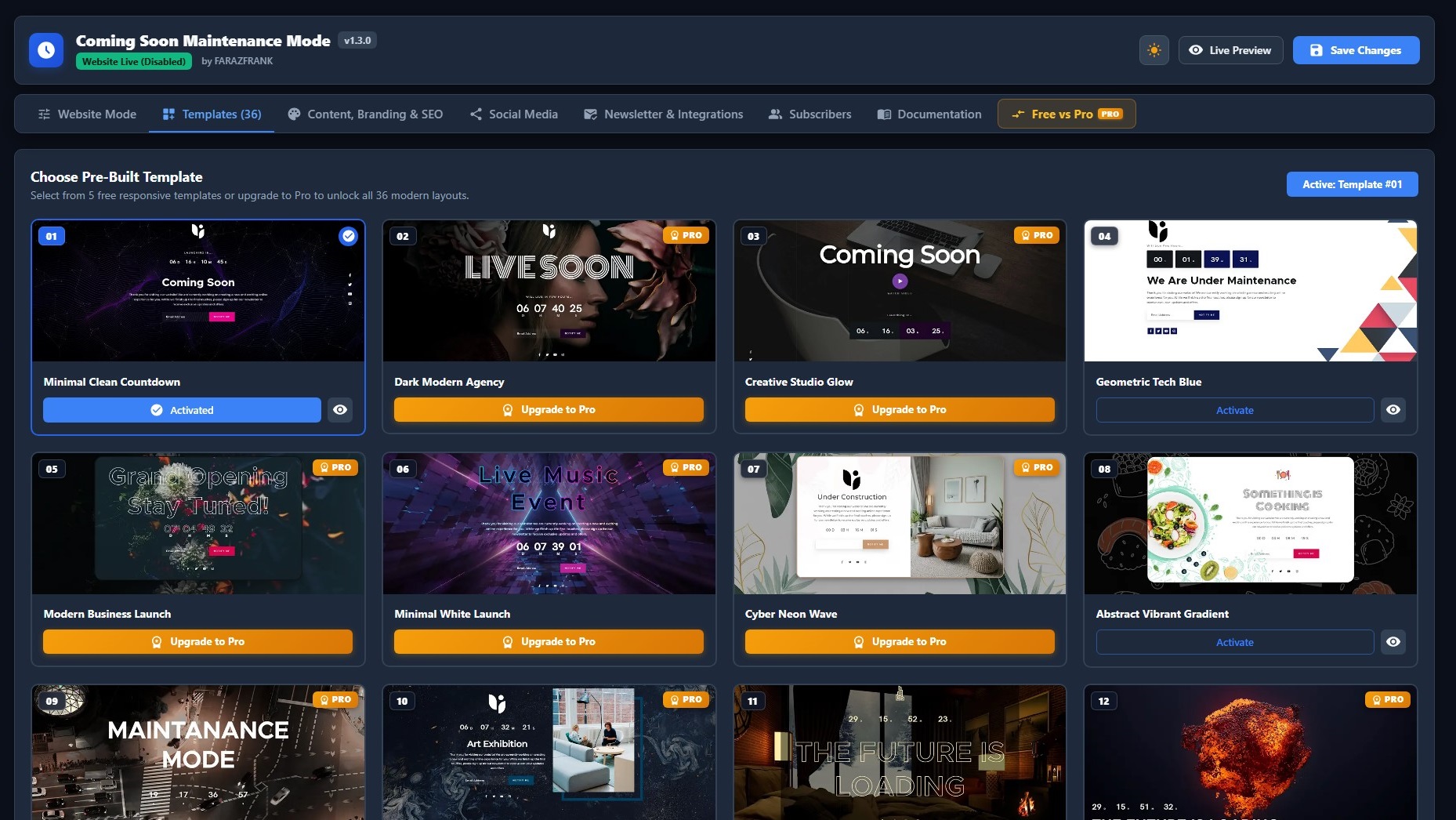
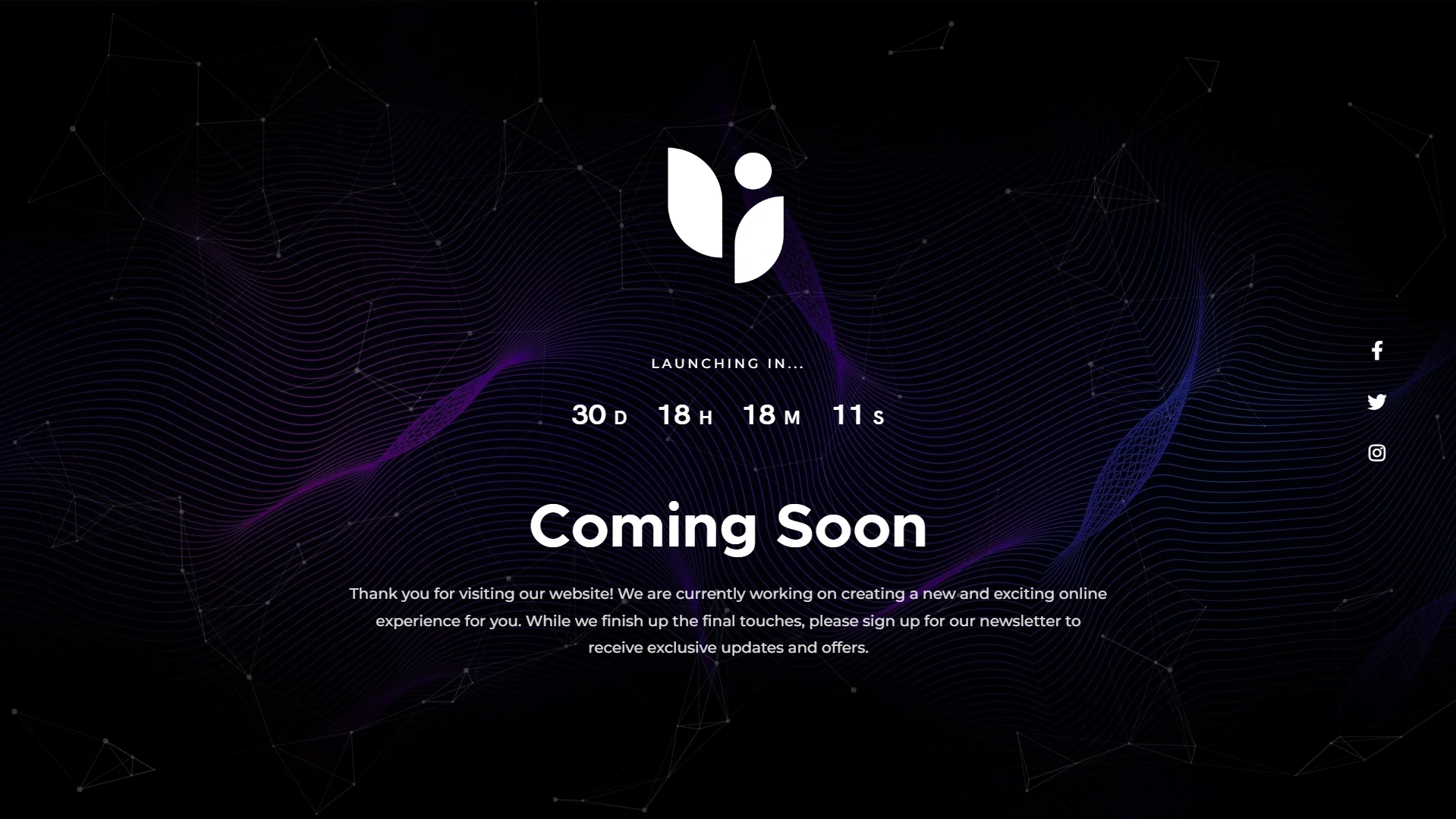
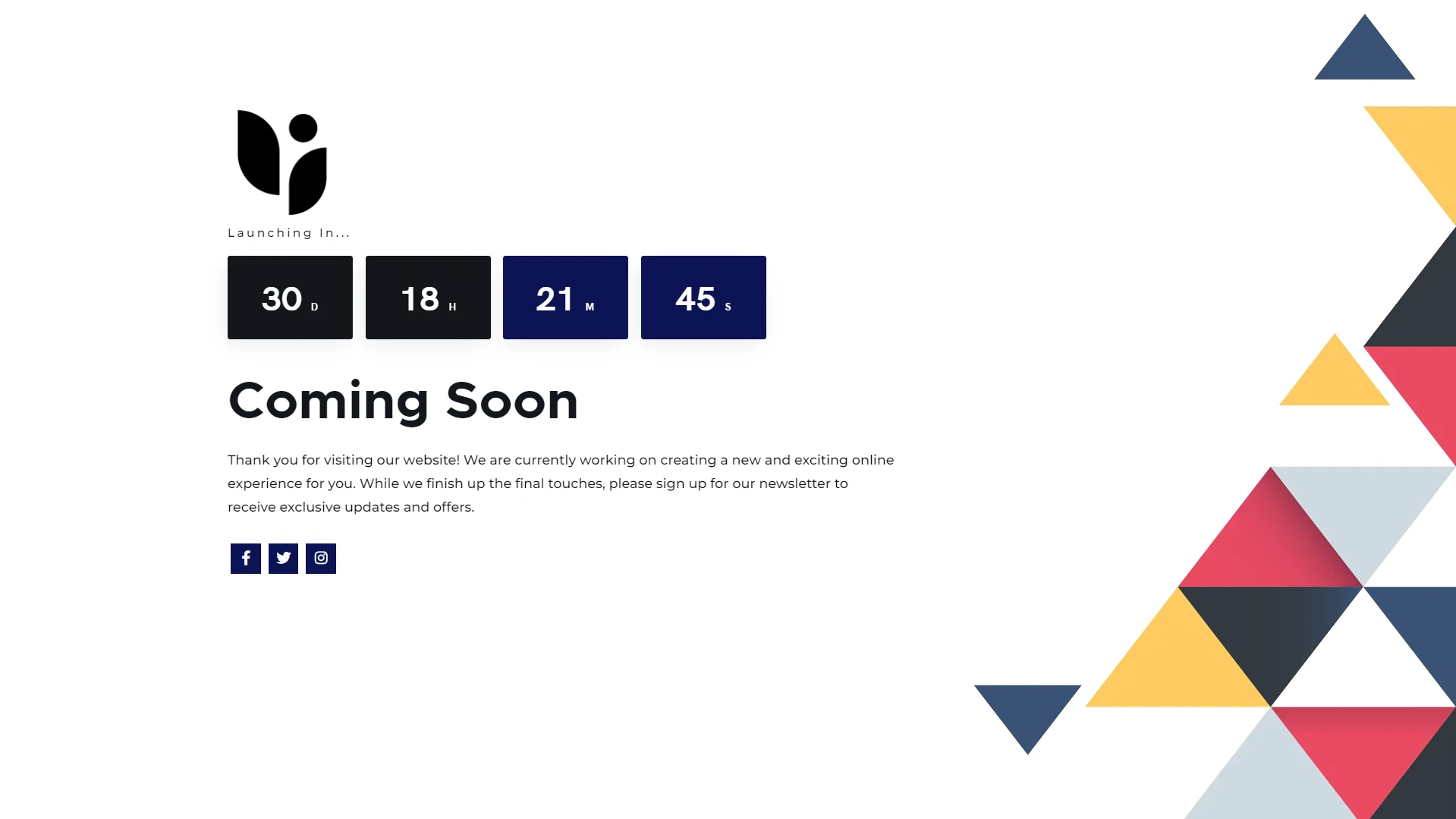
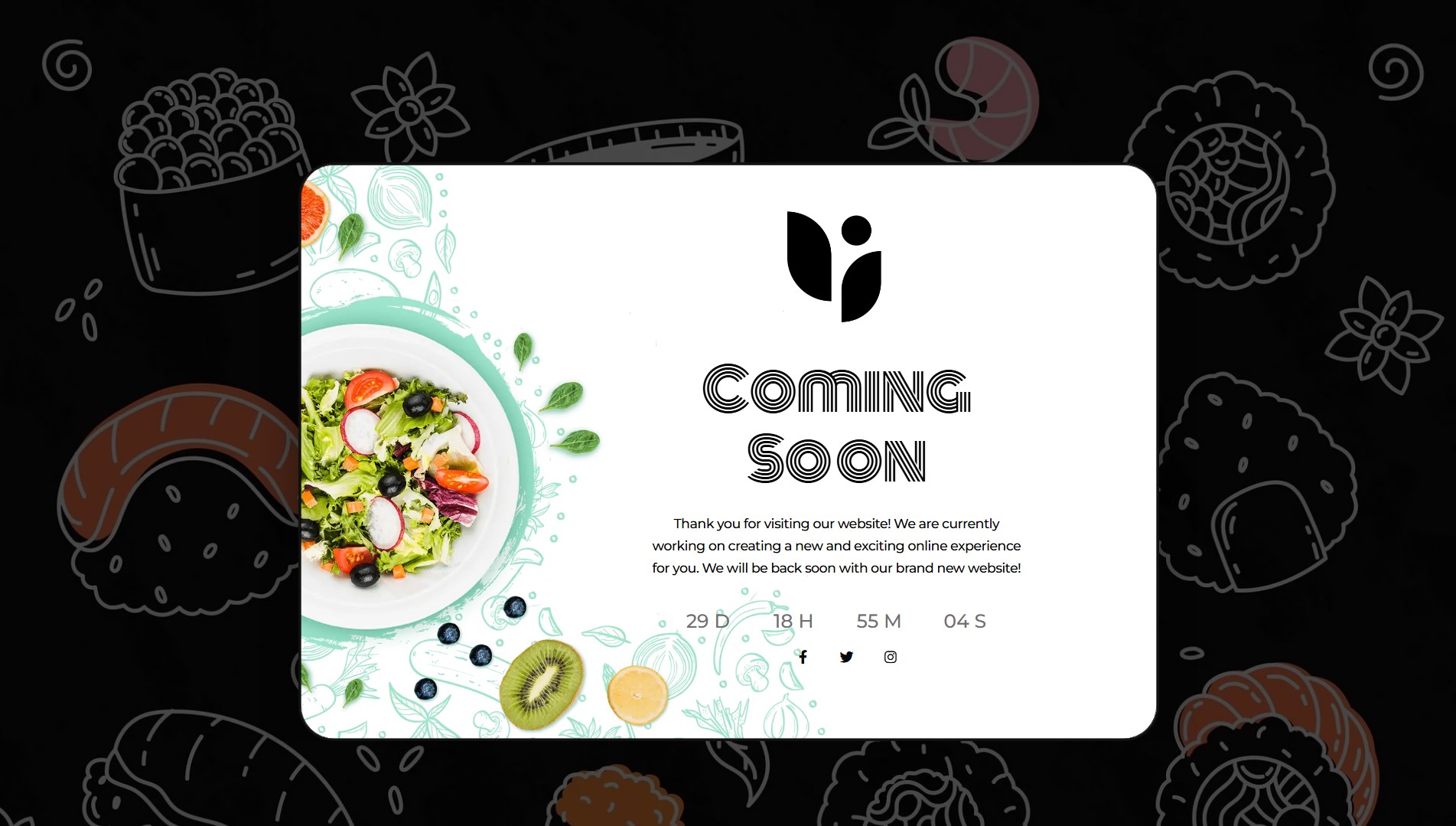
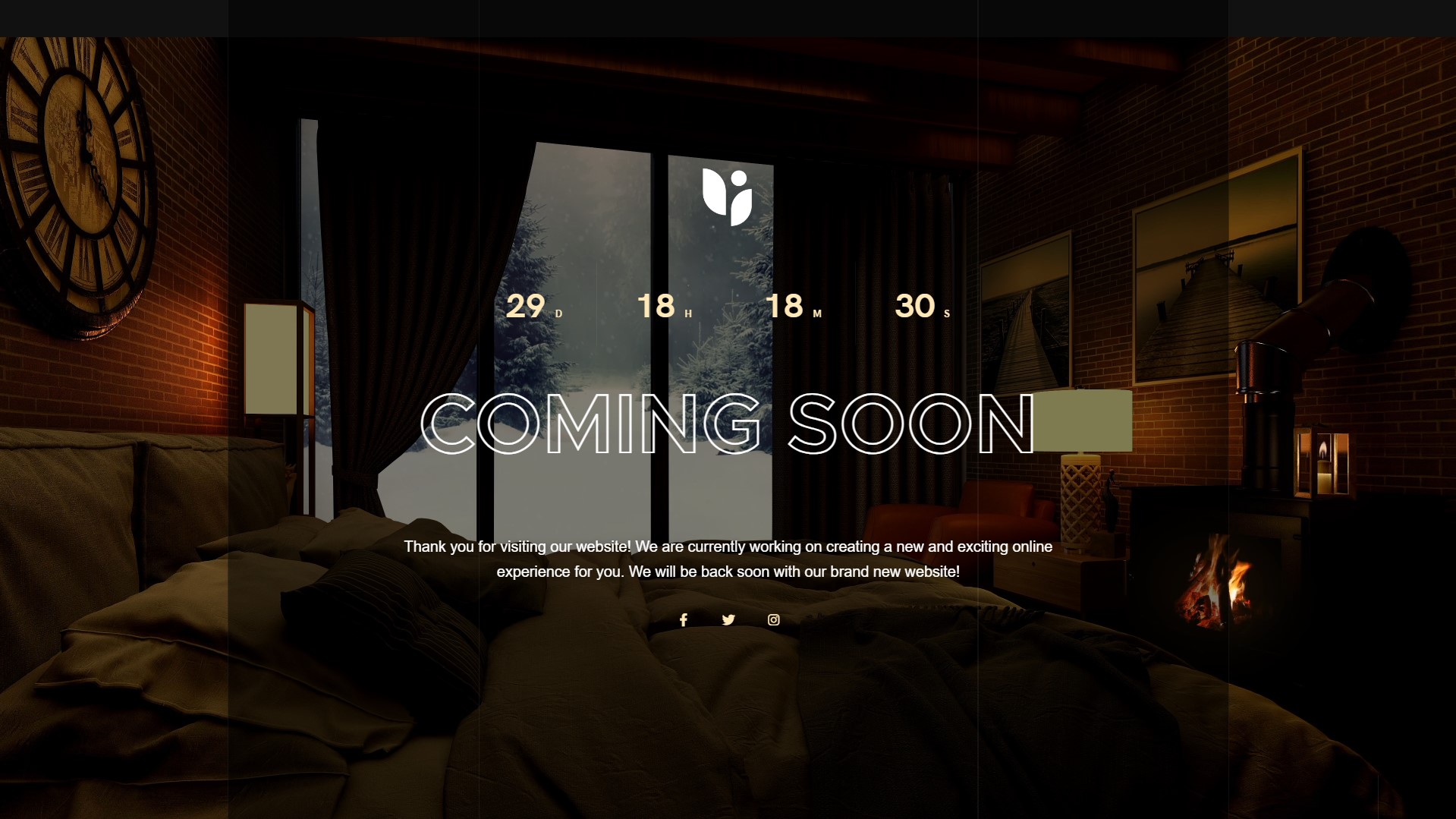
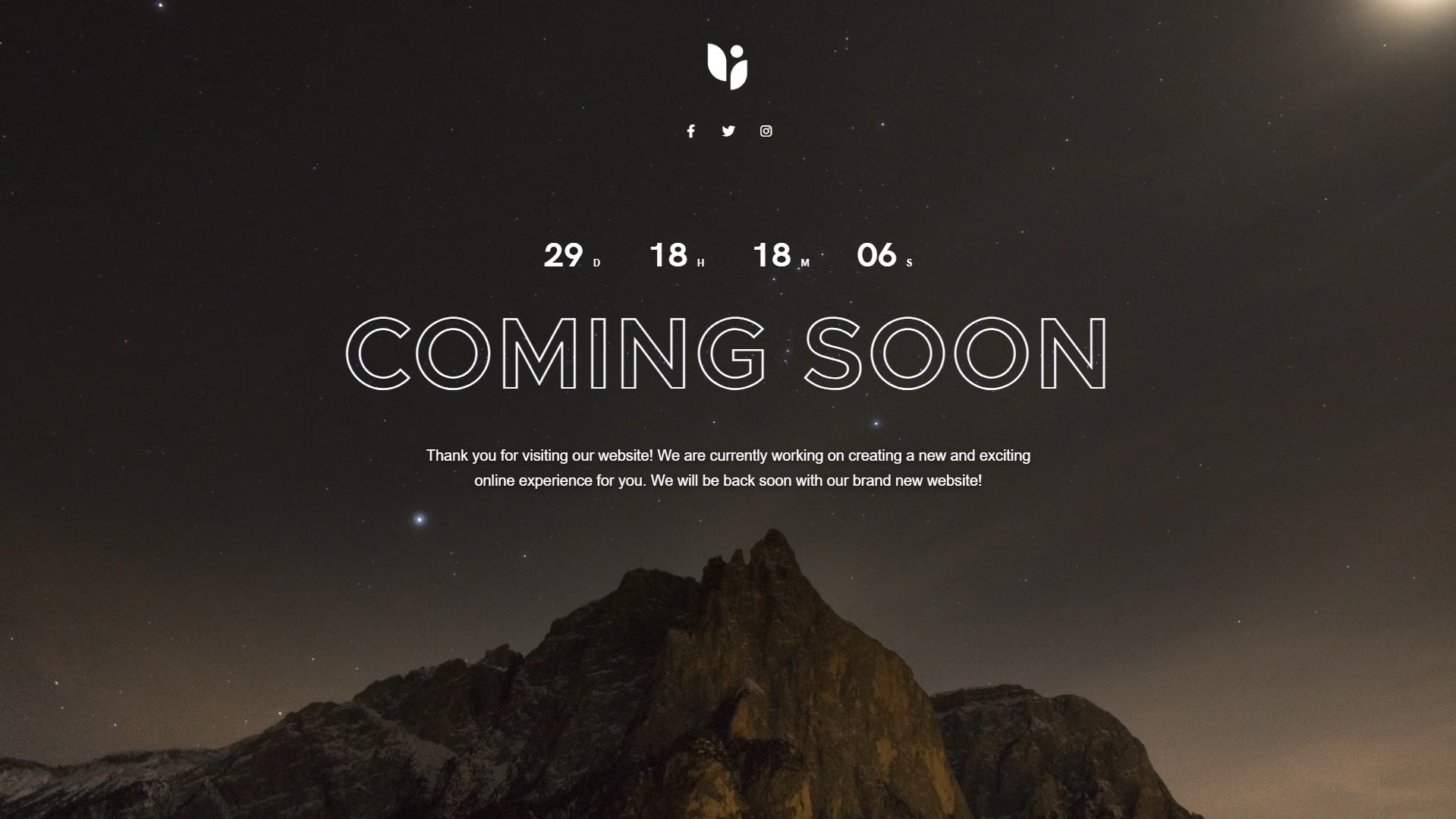
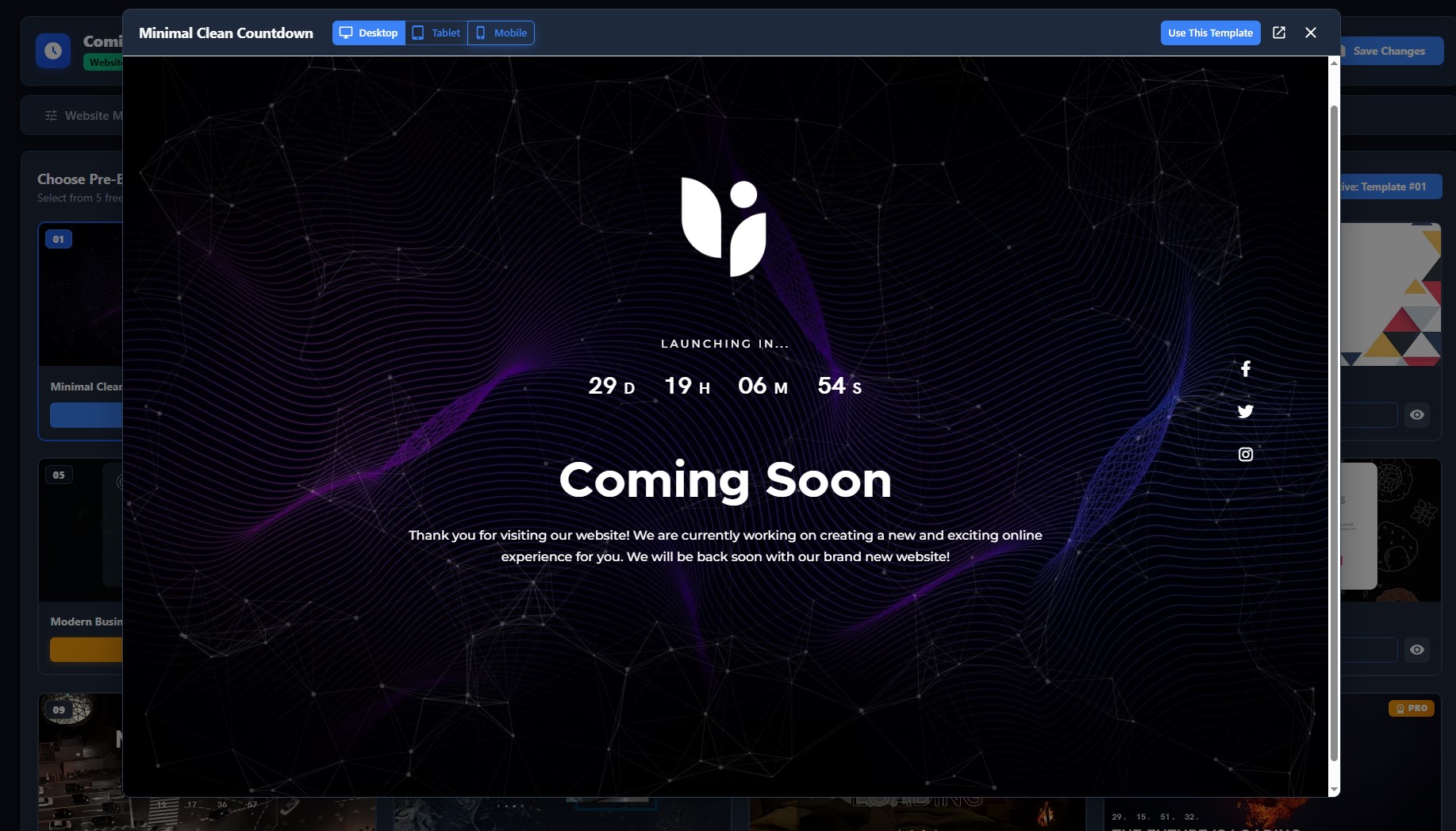
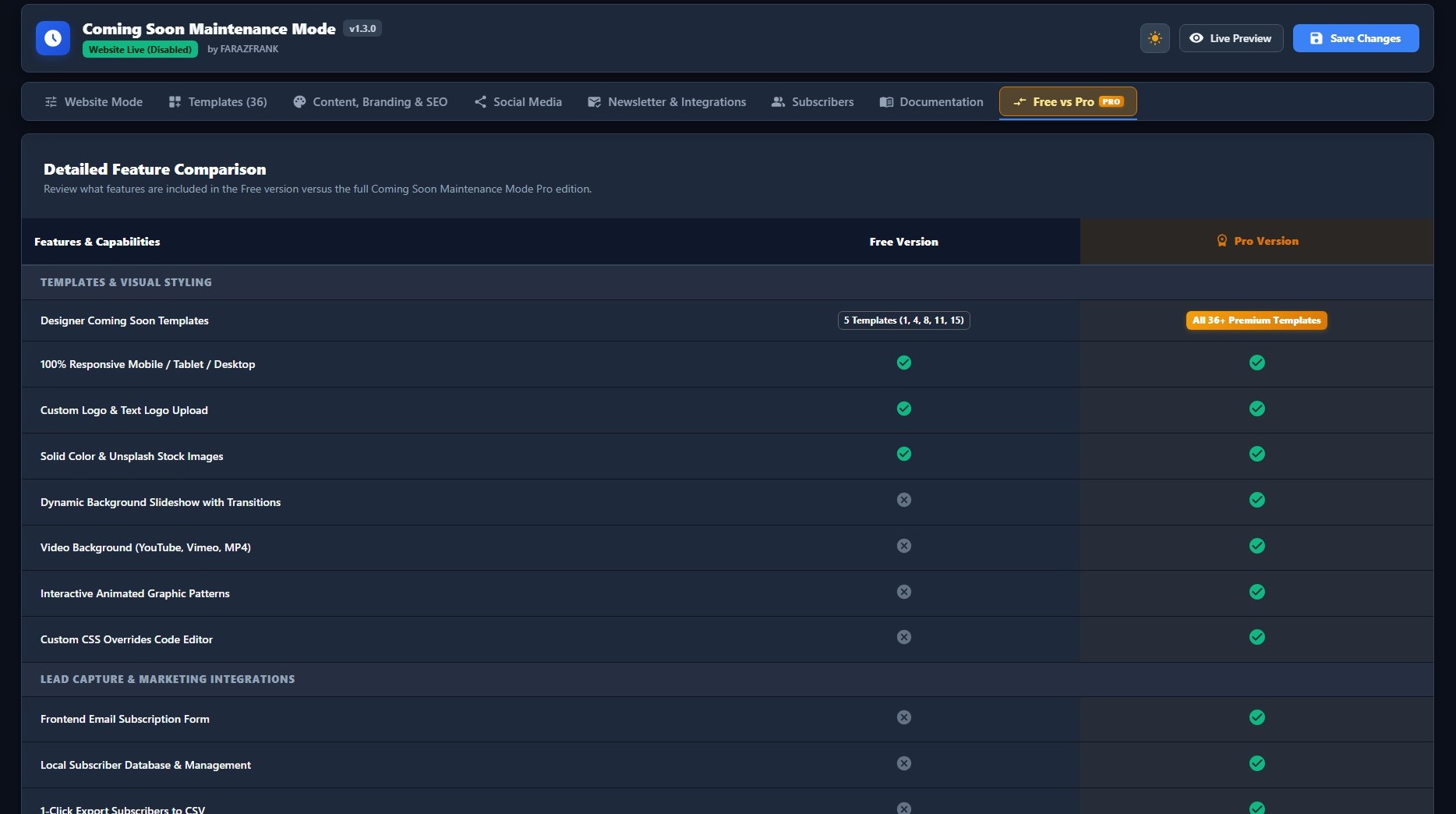
- 5 Free Responsive Templates: Includes 5 professionally crafted, mobile-optimized templates (Templates 1, 4, 8, 11, and 15) with live preview switchers (Desktop, Tablet, Mobile).
- React 18 Admin Dashboard: Modern, lightning-fast Single Page Application (SPA) powered by React 18, Vite, Material UI (MUI v5), and WordPress REST API.
- Dark Mode & Light Mode: Seamlessly switch between dark and light themes in the admin studio.
- Universal Real-Time Countdown Timer: Client-side accurate launch timer with automated timezone calculation and fallback mechanisms.
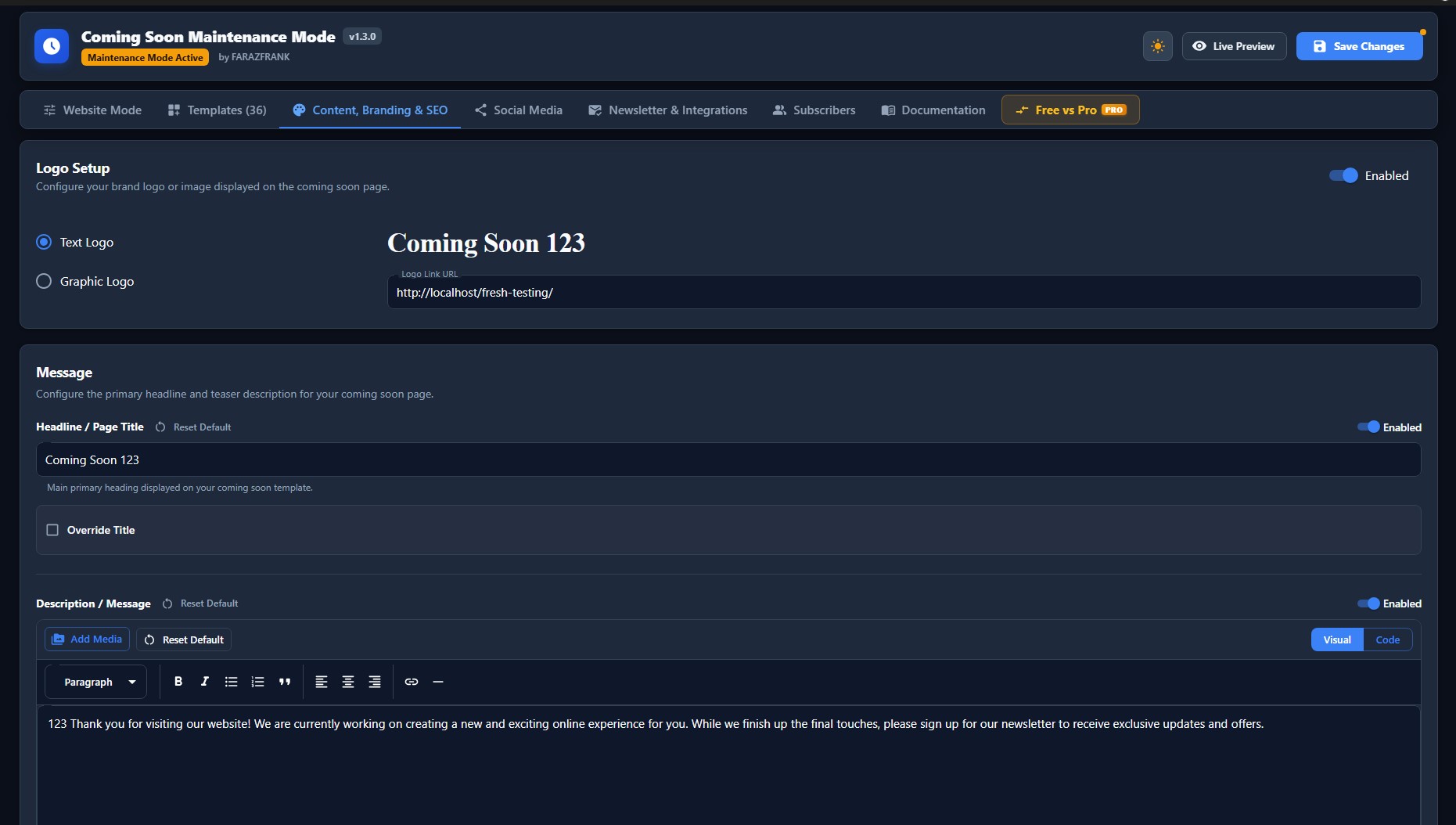
- Branding & Content Control: Upload a custom logo (graphic with height slider and link, or stylized text logo), custom headline, and rich description supporting WordPress shortcodes, HTML, and auto-embeds.
- Background Styles: Choose from default template graphics, custom background images via Media Library, or a clean solid color canvas.
- Social Media Links: Connect your Facebook, Twitter / X, and Instagram accounts to build your audience before launch.
- Settings Backup & Migration: Export your settings as a JSON file, import backups from other sites (including legacy v1.2.0 files), or one-click Factory Reset.
- Automated Database Migration: Effortlessly upgrades existing v1.2.0 (comisoma_) settings to v1.3.0 (csmm_) without configuration loss.
- Zero Remote CDN Dependencies: 100% locally bundled assets for superior privacy, GDPR compliance, and fast loading.
What You Get in the Free Version
- 1-Click Mode Activation: Switch between Live, Coming Soon, and Maintenance Mode in seconds.
- Selective Targeting: Choose whether the mode applies to the entire website or selected pages/posts.
- 5 Designer Free Templates: Fully responsive, modern templates ready to use without writing code.
- Interactive Multi-Device Previews: Test how your page looks on Desktop, Tablet, and Mobile directly inside the admin modal.
- Mobile-First Responsive Polish: Carefully optimized mobile layouts for clean centering, balanced spacing, and legibility.
- Logo & Headline Customization: Add your brand logo, adjust sizes, and configure custom typography.
- Real-Time Launch Countdown: Countdown to your launch date with client-side accurate timezone handling.
- Social Profiles: Display icons and links for Facebook, Twitter / X, and Instagram.
- JSON Import & Export: Easily migrate or backup your plugin settings across websites.
- One-Click Factory Reset: Safely restore plugin settings to default values at any time.
Upgrade to Pro for More Power
The Pro version includes everything in the free version, plus:
- 36+ Premium Designer Templates: Access the complete library of 36+ niche-specific templates (Agency, SaaS, Portfolio, Restaurant, Real Estate, E-Commerce, etc.).
- Website Auto Launch: Automatically switch your website live when the countdown timer hits zero.
- Email Lead Capture & Newsletter Integrations: Collect visitor leads and auto-sync directly to Mailchimp (v3), Brevo (v3), MailerLite, or custom Webhooks.
- Automated Email Notifications: Send instant Welcome Emails, Admin New Lead Alerts, and Site Launch Announcements via authenticated custom SMTP.
- Lead Manager & CSV Export: View, search, filter, and export captured subscriber leads to CSV directly from the dashboard.
- Video Backgrounds: Add stunning fullscreen background videos from YouTube, Vimeo, or self-hosted MP4 files.
- Advanced Backgrounds: Linear/radial gradients, 7 geometric background patterns, and live backdrop blur filter.
- 12+ Social Media Channels: Add YouTube, LinkedIn, Pinterest, TikTok, Discord, Telegram, WhatsApp, and more.
- Custom CSS Code Studio: Write custom CSS with live injection for pixel-perfect design control.
- Priority Support & Lifetime Updates: Get dedicated expert support and regular feature updates.
Video Tutorial – Pro Version
Use the Coming Soon mode when you are building a new website and want to collect leads or inform visitors before the official launch. The Maintenance Mode is suitable for existing websites that need to be taken offline temporarily for updates or troubleshooting.
Third-Party Libraries
This plugin utilizes several third-party libraries and bundled assets to provide its features. In accordance with WordPress.org guidelines, the source code and licenses for these libraries are documented below:
- Font Awesome Free (v6.2.1): https://github.com/FortAwesome/Font-Awesome
License: CC BY 4.0 (Icons), SIL OFL 1.1 (Fonts), MIT (Code) – https://fontawesome.com/license/free - Particles.js (v2.0.0): https://github.com/VincentGarreau/particles.js
License: MIT – https://github.com/VincentGarreau/particles.js/blob/master/LICENSE.md - Slick Carousel (v1.6.0): https://github.com/kenwheeler/slick
License: MIT – https://github.com/kenwheeler/slick/blob/master/LICENSE - The Final Countdown for jQuery (v2.2.0): https://github.com/hilios/jQuery.countdown
License: MIT – https://github.com/hilios/jQuery.countdown/blob/master/LICENSE.md - HTML5 Placeholder jQuery Plugin (v2.1.2): https://github.com/mathiasbynens/jquery-placeholder
License: MIT – https://github.com/mathiasbynens/jquery-placeholder/blob/master/LICENSE.txt - Modernizr (v3.3.1 Custom Build): https://github.com/Modernizr/Modernizr
License: MIT – https://modernizr.com/license/ - Pace.js (v1.0.0): https://github.com/CodeByZach/pace
License: MIT – https://github.com/CodeByZach/pace/blob/master/LICENSE - Lity (v1.6.6): https://github.com/jsorgalla/lity
License: MIT – https://github.com/jsorgalla/lity/blob/master/LICENSE - Normalize.css (v5.0.0): https://github.com/necolas/normalize.css
License: MIT – https://github.com/necolas/normalize.css/blob/master/LICENSE.md - React & React DOM (v18.2.0): https://github.com/facebook/react
License: MIT – https://github.com/facebook/react/blob/main/LICENSE - Material-UI (MUI) (v5.15.6): https://github.com/mui/material-ui
License: MIT – https://github.com/mui/material-ui/blob/master/LICENSE
Bundled Web Fonts
- Acari Sans: https://github.com/cssobral2013/acari-sans
License: SIL OFL 1.1 – http://scripts.sil.org/OFL - Domine: https://fonts.google.com/specimen/Domine
License: SIL OFL 1.1 – http://scripts.sil.org/OFL - Metropolis: https://github.com/chrismsimpson/Metropolis
License: SIL OFL 1.1 – http://scripts.sil.org/OFL - Monoton: https://fonts.google.com/specimen/Monoton
License: SIL OFL 1.1 – http://scripts.sil.org/OFL - Montserrat: https://fonts.google.com/specimen/Montserrat
License: SIL OFL 1.1 – http://scripts.sil.org/OFL - Open Sans: https://fonts.google.com/specimen/Open+Sans
License: Apache 2.0 / SIL OFL 1.1 – http://scripts.sil.org/OFL - Roboto: https://fonts.google.com/specimen/Roboto
License: Apache 2.0 – http://www.apache.org/licenses/LICENSE-2.0
Screenshots
Installation
- Upload the plugin files to the
/wp-content/plugins/directory, or install the plugin through the WordPress plugins screen. - Activate the plugin through the ‘Plugins’ screen in WordPress.
- Use the plugin settings panel to configure your Coming Soon or Maintenance Mode page.
- For detailed visual instructions, refer to the Plugin Documentation.
FAQ
-
How do I activate the Coming Soon or Maintenance Mode?
-
After installing the plugin, go to your WordPress dashboard and navigate to the plugin settings. You’ll find an option to enable either Coming Soon or Maintenance Mode. Simply select your preferred mode and save the settings.
-
Will logged-in users see the coming soon page?
-
No, by default, logged-in administrators and users with appropriate permissions can view the live site while visitors see the coming soon page. This allows you to work on your site while it’s in maintenance mode.
-
Can I customize the coming soon page design?
-
Yes, the plugin offers extensive customization options. You can change backgrounds, colors, fonts, add your logo, customize text, and choose from multiple responsive templates to match your brand.
-
How do I schedule my site to go live automatically?
-
The auto-launch feature is available in the Pro version. In the Pro version settings, you can set a specific date and time for your site to automatically switch from coming soon mode to live mode without manual intervention.
-
Does this plugin affect SEO?
-
Yes! The plugin uses intelligent HTTP status codes to protect your Google rankings:
– Coming Soon Mode returns a200 OKstatus, telling Google that your new website is actively being built and should start being indexed.
– Maintenance Mode returns a strict503 Service Unavailablestatus. This acts as a “Do Not Disturb” sign for search engines, telling them your site is just down for quick repairs and they should come back later without dropping your search rankings! -
Can I collect email addresses from visitors?
-
Yes, But only in Pro version many templates include built-in email subscription forms. You can collect visitor emails to build your audience before your official launch.
-
Will the plugin work with my theme?
-
Yes, the plugin works independently of your WordPress theme. It displays a standalone coming soon page that doesn’t rely on your theme’s design.
-
Can I preview the coming soon page before activating it?
-
Yes, you can preview your coming soon page while logged in as an administrator before making it live to visitors.
-
The plugin includes social media options in the settings panel. You can add links to your Facebook, Twitter, Instagram, and other social profiles in Pro.
-
Is the plugin compatible with caching plugins?
-
Yes, the plugin is designed to work with popular caching plugins. However, you may need to clear your cache after activating or deactivating the coming soon mode.
-
Can I use custom CSS?
-
Yes, the Pro version includes a custom CSS option that allows you to add your own styles for complete design control.
-
What’s the difference between Coming Soon and Maintenance Mode?
-
Coming Soon mode is typically used for new websites that haven’t launched yet, while Maintenance Mode is used for existing sites that are temporarily offline for updates or repairs.
-
Can I use it on commercial websites?
-
Yes, this plugin is released under the GPL license, allowing usage on any website, including commercial projects.
-
How do I switch back to a live site?
-
Go to the plugin settings and change the status to “Live” or “Disabled” to deactivate the coming soon or maintenance page and make your site publicly accessible.
-
Does it work with multisite installations?
-
Yes, the plugin is compatible with WordPress multisite installations and can be activated on individual sites within your network.
-
Can I add a countdown timer?
-
Yes, the plugin includes countdown timer functionality. You can set a launch date and the timer will automatically count down to that moment.
-
What happens if I deactivate the plugin?
-
If you deactivate the plugin, your site will immediately become publicly accessible again. All your settings will be saved if you decide to reactivate it later.
-
Is the plugin translation ready?
-
Yes, the plugin is translation ready and supports multiple languages, making it easy to create coming soon pages in your preferred language.
-
How do I get support?
-
For support questions, please visit the WordPress.org support forum for this plugin. Pro version users receive priority support through our dedicated support channels.
Reviews


Contributors & Developers
“Coming Soon Maintenance Mode” is open source software. The following people have contributed to this plugin.
Contributors


Translate “Coming Soon Maintenance Mode” into your language.
Interested in development?
Browse the code, check out the SVN repository, or subscribe to the development log by RSS.
Changelog
1.3.0 – September 17, 2026
- New: Modern React 18 single-page application (SPA) admin dashboard powered by Material UI (MUI v5) and WordPress REST API.
- New: Seamless Light Mode & Dark Mode switchers with smooth theme transitions.
- New: 5 Curated free responsive templates (Templates 1, 4, 8, 11, and 15) with live preview switchers (Desktop, Tablet, Mobile).
- New: Selective Page & Post targeting (target whole site, specific pages, posts, or front page).
- New: Settings Backup (JSON export), JSON restore/import, and one-click Factory Reset.
- New: Automated database migration engine from v1.2.0 (comisoma_) to v1.3.0 (csmm_) without losing user settings.
- New: Backward-compatible support for importing legacy v1.2.0 JSON backup files.
- New: Dedicated Free vs Pro interactive comparison tab with upgrade guidance.
- Enhancement: Optimized mobile responsive layout for Template 4 (centered logo and social icons).
- Enhancement: Optimized mobile responsive layout for Template 8 (improved content box padding, top spacing above logo, bigger centered social icons, and larger readable countdown timer).
- Enhancement: Perfected Template 1 flexbox vertical & horizontal centering across all viewports.
- Enhancement: Real-time countdown timer with automated client-side timezone calculation and safe fallback for past dates.
- Enhancement: Rich description support with WordPress auto-embeds, shortcodes, and HTML formatting.
- Performance & Security: 100% locally bundled assets with zero remote CDN dependencies, strict capability checks, and robust data sanitization.
1.2.0
- New: Added dedicated “Our Plugins” and “Our Themes” dashboard pages with responsive showcase grids (June 29, 2026).
- Security: Bundled SweetAlert2 locally to eliminate remote CDN script execution for WP.org compliance (June 29, 2026).
- Update: Modernized admin banner action buttons with custom gradients and icon designs (June 29, 2026).
- Fixed: Resolved countdown date default initialization on plugin reset and activation to current date + 1 month (June 29, 2026).
- Cleaned: Completely removed deprecated “More Products” page and cleaned up legacy assets (June 29, 2026).
- Cleaned: Removed custom promo notice banner and updated Pro version pricing to $19.00 (June 29, 2026).
1.1.9
- New: Added a dedicated Tools tab with Factory Reset and Import/Export configuration capabilities (June 17, 2026).
- Update: Replaced browser alerts with beautiful, modern SweetAlert2 popups for all confirmation dialogs (June 17, 2026).
- Update: Perfected vertical centering layout for Template 1 (June 17, 2026).
1.1.8
- Update: Overhauled responsive layouts, fixed vertical centering bugs, and perfected mobile spacing and font scaling for Templates 3, 4, and 5 (June 17, 2026).
1.1.7
- Update: Added default countdown date to current date + 1 month on plugin activation.
1.1.6
- SEO: Added proper HTTP status codes (200 OK for Coming Soon mode and 503 Service Unavailable with Retry-After for Maintenance mode) to comply with SEO best practices (June 17, 2026).
1.1.5
- Requirement: Renamed all generic function, class, constant, and variable prefixes to ‘comisoma’ for WP.org guideline compliance.
- Update: Implemented database option migration to preserve user settings during prefix rename.
- Update: Fixed case consistency for plugin constants and renamed internal JS functions.
- Update: Adjusted admin menu position to a lower priority (position 81) to comply with WordPress.org guidelines.
- Compliance: Documented third-party library sources in readme.txt for human-readable code compliance.
- Update: Replaced background videos with statically served images (
temp-11-fg.webp,temp-15-fg.webp) for Template 11 and Template 15 as per the latest requirements. - Update: Removed redundant
templates/videos/directory to further optimize plugin weight. - Update: Pruned unused third-party libraries (Lity, Pace, Modernizr, Bootstrap) and CSS to reduce plugin file size.
- Compliance: Removed restricted Pro functionality code (Custom CSS logic) from the free version.
- Update: Minimalist layout refinements for Templates 11 and 15.
1.1.4
- Security: Updated Modernizr library to 3.13.1 to resolve outdated footprint vulnerabilities.
- Update: Refactored inline scripts and styles from all templates to use WordPress core
wp_enqueue_*functions for better performance and compliance.
1.1.3
- Security: Fixed broken nonce verification in AJAX save handler
- Security: Removed unauthenticated AJAX endpoint (wp_ajax_nopriv_csmm_save)
- Security: Used require_once for core file includes (plugin-install.php, theme-install.php) per WP.org guidelines
- Fixed: Removed auto-activation of plugins after install — install and activate are now separate user actions
- Fixed: Added proper capability checks to all AJAX handlers for plugin/theme install, update, and activate
- Update: Removed duplicate inline JavaScript in favour of properly enqueued external script
1.1.2
- Update: Cleaned up plugin dashboard for WordPress.org guidelines compliance by removing Pro up-sells
- Update: Added a dedicated Pro Features menu page
- Update: UI modernization for Pro features layout
1.1.1
- Fixed: Logo upload not showing preview after selecting image
- Fixed: Logo setting not saving on form save
- Fixed: Mismatched Requires PHP version in readme.txt
- Fixed: Added direct file access protection to all template files
- Fixed: Removed offloaded remote video URLs from templates 11 and 15
- Security: Added nonce verification for logo upload AJAX request
1.1.0
- Plugin is migrated to new website
- All interlinks updated
- Plugin Check plugin all error fixed.
1.0.9
- Favicon Icon bug fixed.
1.0.8
- Testing WordPress 6.7.1
- Template 11, 15 Added
- Bug Fix: Fixed.
1.0.7
- Logo upload issue fixed
- Promo banner size issue fixed
- All PCP error fixed
1.0.6
- Vulnerability issue fixed, reported by Wordfence.com
- Admin banner code sanitized and escaped properly
1.0.5
- Updated to latest version of WordPress
- Add info banner to admin
1.0.4
- The truck version was not committed so recommitted with that version
1.0.3
- Plugin now available into 15 language translations: Arabic, Chinese, Finnish, French, German, Hindi, Hungarian, Italian, Indonesian, Japanese, Dutch, Russian, Spanish, Polish, Portuguese.
1.0.2
- Update
1.0.1
- video tutorial added and docs tab updated
1.0.0
- starter version