

Description
Bearius SEO Light gives a site the SEO groundwork it actually needs, without the weight. It is made for news sites, publishers and multilingual sites, and the features big suites often sell as add-ons, such as the Google News sitemap, are included for free.
There is no traffic light scoring of your writing and no keyword density. The audit reports facts you can check: something is missing, duplicated or blocking search engines, with a plain explanation and, where the plugin can fix it itself, a one click fix.
“Light” means light to run: every module can be switched off, and a module that is off loads no code.
Highlights
- Google News sitemap for free, one file per language
- XML sitemaps for every language of the site, with Bearius Multilingual, Polylang, WPML and TranslatePress
- A switch for every AI crawler, with a plain explanation of training versus AI search
- An audit that fetches your pages on desktop and on mobile and finds duplicated tags, maintenance pages and missing language links
- One click fixes, always with a note of what exactly changes
- An editor box with live previews of the search result and the share card, plus checks of the post
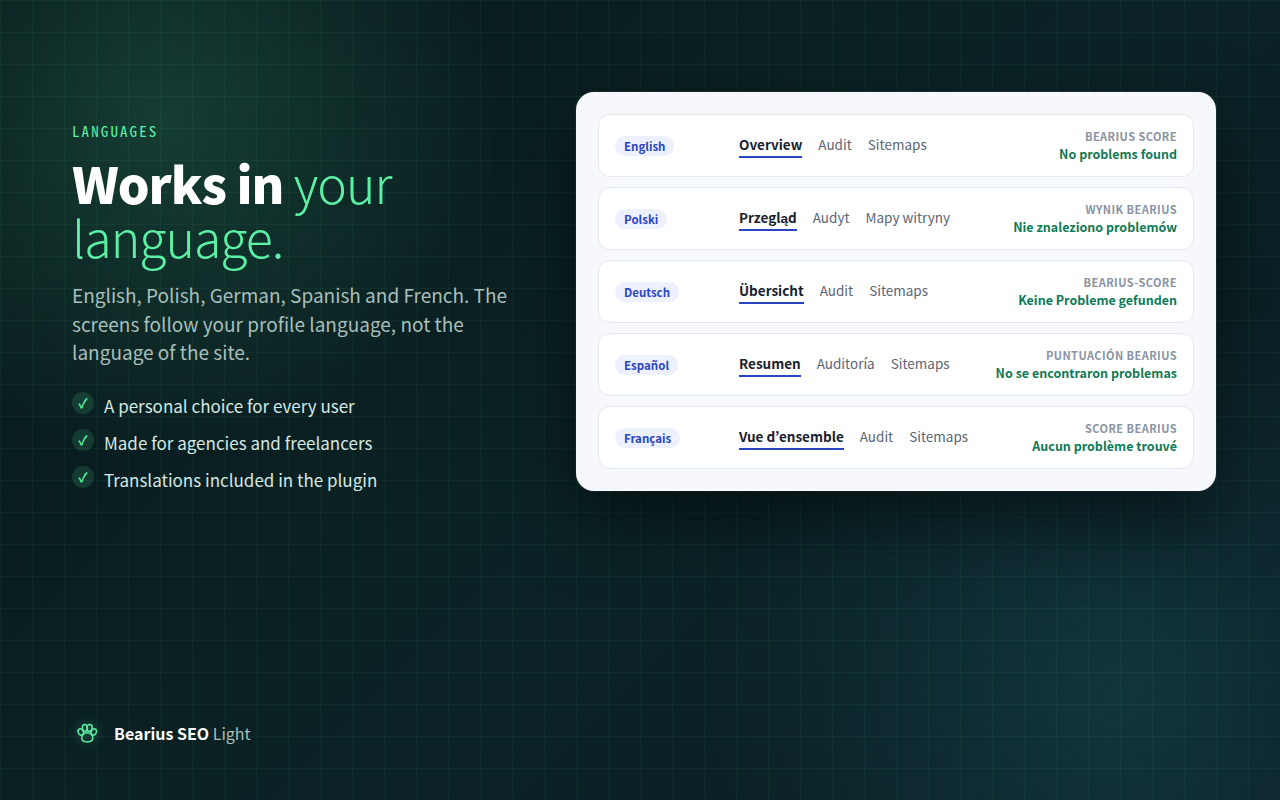
- Interface in English, Polish, German, Spanish and French, following the language of each user’s profile
Meta tags and structured data
- Meta description, canonical link, Open Graph and X Card tags, each one switchable
- Correct canonical links on paginated archives and on posts split into pages
- Schema.org data as one connected graph: Organization, WebSite with search action, Article or NewsArticle, BreadcrumbList and CollectionPage
- SEO title, description and noindex for categories, tags and other archives
- og:locale:alternate for every language version of a page
- An option to load the featured image right away instead of lazily
Sitemaps
- An XML sitemap that replaces the one built into WordPress, readable in every browser without XSLT
- A preview in the settings with every sitemap file and its addresses as clickable links
- A Google News sitemap with articles from the last two days, at most 1000, and a list of categories to leave out
- Separate files for every language, for Bearius Multilingual, Polylang, WPML and TranslatePress, including the free version of TranslatePress
- Noindex content, empty archives and password protected entries are left out
- Fast on large sites: files are split by ID ranges and their map is cached until content changes
- The old WordPress sitemap address and the address used by other SEO plugins redirect to the new one
Robots.txt and AI crawlers
- Keeps the WordPress rules and adds the sitemap lines and your own rules
- A switch for each AI crawler of OpenAI, Anthropic, Perplexity, Google, Apple, Meta, Common Crawl and ByteDance
- Presets: allow all, block training but allow AI search, or block all. Nothing is blocked until you choose
- Shows the robots.txt crawlers really receive and warns when something else blocks them
- A rule that would block the whole site for everyone or for Google cannot be saved by accident
Audit
- Technical checks of settings, sitemaps, robots.txt and the IndexNow key file, also shown in Tools, Site Health
- The home page and the latest post are fetched as a visitor on desktop and on mobile: duplicated canonical tags, descriptions, Open Graph tags or structured data, headings, viewport, hreflang links and large image previews for Google Discover
- Recognises maintenance and coming soon pages, including the dangerous case of a maintenance page sent with status 200
- Performance hints read from the HTML: response time, page weight, render blocking files, a lazy loaded first image, images without dimensions and document size
- A content audit on live database queries: duplicate titles and descriptions, missing images, featured images too small for Discover, long titles, very short content and images without alt text
- An AI view: which AI crawlers may visit and what text they receive without JavaScript
- A score of our own and a printable report that can be saved as PDF
- A dashboard widget, notices for critical problems and optional e-mail alerts
Feeds, tags, comments and archives
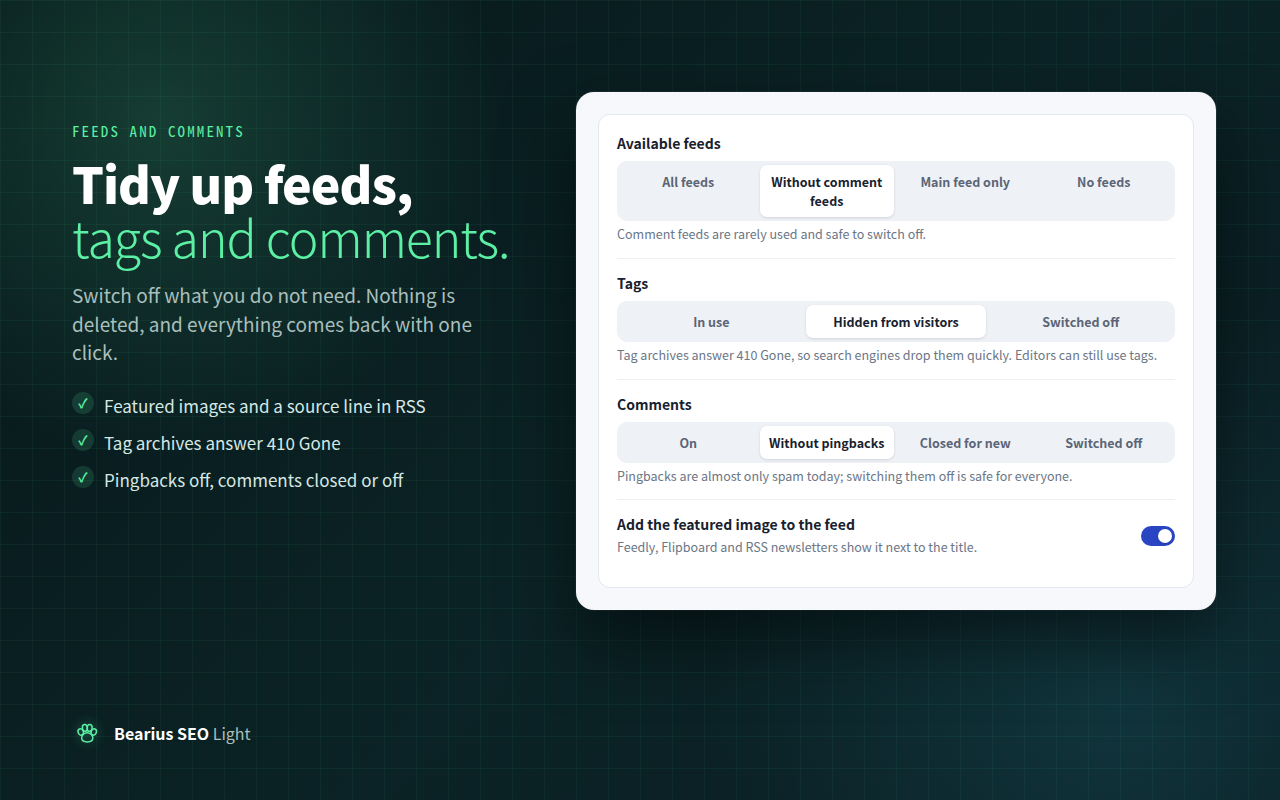
- RSS: switch off comment feeds, archive feeds or all feeds, add the featured image, add a source line with links, delay new posts and leave out noindex entries or chosen categories
- Tags: hide them from visitors, with tag archives answering 410 Gone, or switch them off completely
- Comments: switch off pingbacks, close new comments or switch comments off everywhere
- Author and date archives: indexed, not indexed or switched off
- Nothing is deleted: switch back and everything returns
Also included
- IndexNow notifications for Bing, Yandex, Seznam, Naver and Yep, off until you switch them on
- Verification tags for Google Search Console, Bing, Seznam, Yandex, Naver, Baidu and Pinterest
- Breadcrumbs as a block, a shortcode and a template function
- An importer for Yoast SEO, Rank Math and All in One SEO data
- A getting started checklist on the Overview screen, with no wizard and no redirect after activation
- An optional “Powered by Bearius” footer link, off by default, nofollow, and shown only once even with several Bearius plugins
Works with other SEO plugins
When Yoast SEO, Rank Math, SEOPress, All in One SEO, The SEO Framework, Slim SEO or Squirrly SEO is active, only the modules that would duplicate it are paused: meta tags, structured data, XML sitemap, robots.txt and verification. The Google News sitemap, IndexNow, the audit and the importer keep working, so you can add a free news sitemap to a site that runs another SEO plugin.
Languages
The plugin ships complete translations into Polish, German, Spanish and French. The plugin screens follow the language of the user’s profile, not the language of the site, so you can work in your own language on a site in any language. Each user can also pick a language for these screens on the Overview screen.
Data
All values are stored in native post meta, term meta and a few option rows. The plugin creates no database tables.
External services
This plugin connects to one external service, and only after you switch it on.
IndexNow is used to tell search engines that a page was published, updated or removed. When the IndexNow option on the Indexing screen is on, the plugin sends a request to https://api.indexnow.org/indexnow each time a public entry is published, updated, unpublished or moved to the trash. The request contains the host name of your site, the IndexNow key generated by the plugin, the address of the key file and the addresses of the changed entries. Nothing else is sent. The service is operated by Microsoft and shared with the other participating search engines. Terms of use: https://www.indexnow.org/terms. Privacy statement: https://www.microsoft.com/en-us/privacy/privacystatement
The audit sends requests only to your own site, to read your pages, sitemaps, robots.txt and the IndexNow key file.
Screenshots


Blocks
This plugin provides 1 block.
- Breadcrumbs
Installation
- Install the plugin through the Plugins screen, or upload it to your plugins directory.
- Activate it.
- Open Bearius SEO in the admin menu and follow the getting started checklist on the Overview screen.
- Switch off any module your theme or another plugin already covers.
- Run the checks on the Audit screen.
FAQ
-
Run the checks on the Audit screen: it fetches your pages and shows exactly which tags appear twice. Where the duplicate comes from this plugin, a one click fix switches ours off. The plugin cannot see SEO code added by the theme or a snippet manager, so in that case remove the other code or switch off the matching option under Meta and schema.
-
Does it replace the WordPress sitemap?
-
Yes, while the XML sitemap module is on. The new sitemap lives at /sitemap.xml and the old /wp-sitemap.xml address redirects to it. Switch the module off to go back to the WordPress sitemap.
-
Why are the links in the sitemap not clickable in the browser?
-
Browsers are removing XSLT, the only way to turn an XML file into a page with links, so the sitemap files are styled with CSS. A list with clickable links is available on the Sitemaps screen. Search engines read the XML and are not affected.
-
Which multilingual plugins are supported?
-
Bearius Multilingual, Polylang, WPML and TranslatePress. Each language gets its own sitemap files and its own Google News file. For TranslatePress the translated addresses are added even without its paid SEO add-on.
-
Should I block AI crawlers?
-
That is your decision, and the plugin changes nothing until you make it. Blocking training keeps your texts out of new AI models but still lets assistants quote and link your pages. Blocking AI search means assistants cannot quote or link you. Google Search, including its AI Overviews, is not affected by either choice. The AI visibility screen explains every option.
-
Why is IndexNow off by default?
-
It sends data to an outside service, and WordPress.org asks plugins to do that only after the site owner agrees. Switching it on is that consent. Google does not use IndexNow; it reads your sitemaps.
-
Can I change the language of the plugin screens?
-
Yes. By default they follow the language of your user profile. On the Overview screen, under Language of these screens, you can pick English, Polish, German, Spanish or French just for yourself.
-
Will e-mail alerts always arrive?
-
The plugin uses the mail function of your server. Many hosts limit or block it, and messages may land in spam. Send a test e-mail from the Notifications screen first; an SMTP plugin makes delivery reliable. Critical problems are always shown in the dashboard as well.
-
What is the Bearius score?
-
A simple measure of the problems found: twenty points off per critical problem, six per warning and two per suggestion. It is not a Google or PageSpeed score.
-
Does the audit slow down my site?
-
No. Visitors never trigger it. The full check runs once a day in the background or when you start it, and the content audit runs only when you open it.
-
Should I turn on news publisher mode?
-
Only if you actually publish news. NewsArticle is meant for reporting on current events.
-
How do I move from Yoast SEO, Rank Math or All in One SEO?
-
Open the Import screen and pick the plugin. SEO titles, descriptions, noindex flags and social titles and images are copied, template variables become plain text, and nothing is deleted from the other plugin. Deactivate the other plugin afterwards and the paused modules start on their own.
-
Does it work with page caching and Cloudflare?
-
Yes. Clear the page cache after changing settings, so visitors get pages with the new tags. The audit tells you when visitors still get an old cached copy, and it warns when the server answers the IndexNow key file itself instead of passing it to WordPress.
-
What happens to my data when I delete the plugin?
-
Deleting the plugin from the Plugins screen removes its settings and the SEO fields it stored for posts and archives. Deactivating keeps everything. To move to another SEO plugin, run its importer first if it has one.
-
Can I change what goes into the structured data?
-
Yes. The graph passes through the bearius_seo_schema_graph filter before it is printed, and the post types that get the editor box can be changed with bearius_seo_post_types.
Reviews
There are no reviews for this plugin.
Contributors & Developers
“Bearius SEO Light” is open source software. The following people have contributed to this plugin.
Contributors
Translate “Bearius SEO Light” into your language.
Interested in development?
Browse the code, check out the SVN repository, or subscribe to the development log by RSS.
Changelog
1.1.0
- New: Bearius SEO has its own admin menu with quick links. Old bookmarks of the Settings page redirect.
- New: XML sitemap with separate files per language, replacing the WordPress sitemap, with a clickable preview in the settings.
- New: Google News sitemap with one file per language under a shared index and a list of categories to leave out.
- New: support for Bearius Multilingual, Polylang, WPML and TranslatePress.
- New: robots.txt with your own rules, a switch for each AI crawler, presets and protection against blocking the whole site.
- New: audit with technical checks, desktop and mobile page scans, maintenance page detection, hreflang and Google Discover checks, performance hints, a content audit, an AI view, a score and a printable report.
- New: one click fixes for findings the plugin controls itself.
- New: checks panel in the editor box.
- New: feed, tag, comment and archive settings.
- New: IndexNow notifications, off until switched on.
- New: verification tags for Google, Bing, Seznam, Yandex, Naver, Baidu and Pinterest.
- New: dashboard widget, notices and optional e-mail alerts for critical problems.
- New: SEO fields for categories, tags and other archives.
- New: breadcrumbs block, shortcode and template function.
- New: importer for Yoast SEO, Rank Math and All in One SEO.
- New: getting started checklist and an optional “Powered by Bearius” footer link.
- New: translations into Polish, German, Spanish and French; the plugin screens follow each user’s profile language, with a personal choice on the Overview screen.
- New: extension points for add-ons.
- Changed: redesigned settings with a switch for every module and every tag.
- Changed: when another SEO plugin is active, only the overlapping modules are paused.
- Fixed: entries marked noindex are no longer listed in the sitemap.
- Fixed: paginated archives point their canonical link to the current page instead of page one.
1.0.0
- Initial release.