
Description
Forge12 Accessories for WooCommerce lets you link accessory products to your WooCommerce products and product categories. Selected accessories are displayed on the product page so customers can add them to the cart alongside the main product.
Whether you sell electronics with compatible cables, furniture with matching cushions, or cameras with lenses – this plugin makes it easy to suggest the right accessories at the right time.
Key Benefits
- Increase Average Order Value – Suggest relevant accessories directly on the product page.
- Save Time – Assign accessories to entire categories instead of individual products.
- Cart Crossselling – Catch customers at checkout with accessory suggestions in the cart.
- Full Control – Choose position, layout, headings and which accessories to show.
Free Features
- Optional Accessories – Assign accessories per product or per product category.
- Category Assignment – Assign accessories to entire product categories at once.
- Cart Crossselling – Display accessories on the cart page for products already in the cart.
- Grid, List & Checkbox Layouts – Display accessories in a responsive grid, list or “Frequently Bought Together” checkbox layout.
- Inline Accessories – Show accessories between price and Add to Cart button with checkboxes and live total.
- Design System – Customize colors, border radius and shadows with a visual design editor and preset themes.
- Display Options – Control which product details are shown (image, title, price, stock, SKU, description).
- Configurable Grid Columns – Choose between 2, 3 or 4 columns.
- Configurable Position – Choose where accessories appear on the product page.
- Custom Headings – Set a custom title and description for the accessories section.
- Drag & Drop Sorting – Reorder accessories via drag and drop in the admin.
- Shortcode – Use
[f12-woo-accessories]to place accessories anywhere. - Template Overrides – Override plugin templates from your theme.
- Responsive Design – Optimized for desktop, tablet and mobile.
- HPOS Compatible – Fully compatible with WooCommerce High-Performance Order Storage.
Optional Features (Free)
These features can be enabled individually from the Features page:
- Gutenberg Block – Place accessories via the block editor.
- REST API – Access accessory data programmatically.
- Schema.org Markup – Add structured data for accessories (isAccessoryOrSparePartFor).
- Stock Alerts – Show stock status indicators on accessory items.
- Product Preview Modal – Quick-view modal for accessory details.
- Accessory Grouping – Group accessories by category with collapsible sections.
- Recommended Badge – Highlight recommended accessories with a visual badge.
- Bulk Assignment – Assign accessories to multiple products at once.
- Inventory Check – Overview of accessory stock levels and warnings.
- Import / Export – Import and export accessory assignments via CSV.
Pro Add-on
Unlock powerful features with Forge12 Accessories Pro:
- Required Accessories – Automatically add mandatory products to the cart.
- Cart Lock – Prevent customers from removing required accessories.
- Price Summary – Show combined price of product and accessories.
- Product Hint – Display required accessories below the product excerpt.
- Quantity Sync & Quantity Control – Sync accessory quantities with the main product.
- AJAX Live Price – Update the combined price dynamically without page reload.
- Bundle Discounts – Offer discounts when accessories are purchased together.
- Variable Products – Use variable products as accessories with attribute selection.
- Conditional Logic – Show or hide accessories based on product variations or cart contents.
- Smart Rules – Auto-assign accessories based on categories, tags, attributes or price ranges.
- Analytics Dashboard – Track accessory performance, revenue and conversion rates.
- Slider, Accordion & Tabs Layouts – Additional display layouts for accessories.
Screenshots
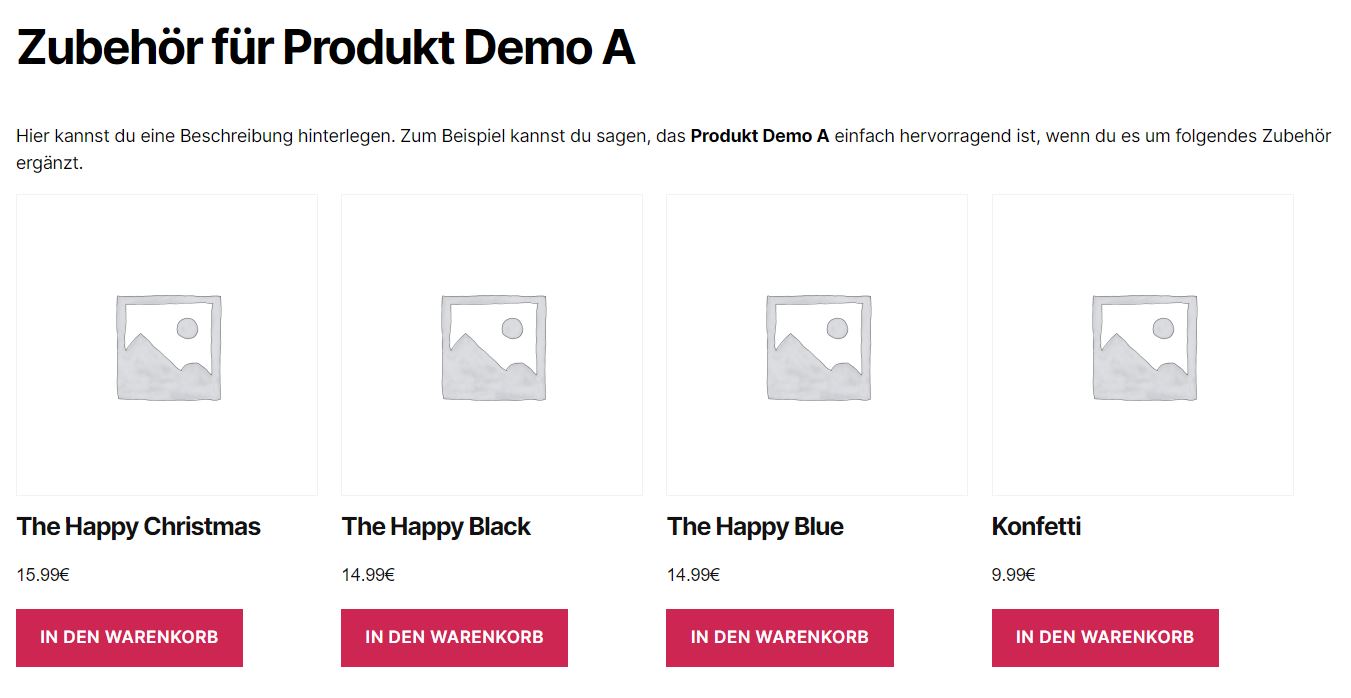
Accessories displayed on the product page (Grid layout). 
Admin dashboard with quick stats and feature overview. 
Assigning accessories on the product edit screen. 
Feature toggle page for enabling optional features. 
Cart crossselling with accessory suggestions. 


Blocks
This plugin provides 1 block.
- F Woo Accessories Accessories
Installation
- Upload the
f12-woo-accessoiresfolder to/wp-content/plugins/. - Activate the plugin through the Plugins menu in WordPress.
- Go to Forge12 Accessories in the admin menu to configure settings.
- Edit any WooCommerce product and assign accessories in the Optional Accessories metabox.
Requirements
- WordPress 5.8 or higher
- WooCommerce 6.0 or higher
- PHP 7.4 or higher
FAQ
-
How do I assign accessories to a product?
-
Edit the product in WooCommerce and use the Optional Accessories metabox to search and add accessory products.
-
Can I assign accessories to an entire category?
-
Yes. Go to Products > Categories, edit a category and assign accessories there. All products in that category will automatically show those accessories.
-
Where do accessories appear on the product page?
-
By default, accessories appear below the Add to Cart button. You can change the position in Forge12 Accessories > Settings or use the
[f12-woo-accessories]shortcode to place them anywhere. -
Can I customize the appearance?
-
Yes. Choose between Grid, List or Checkbox (Frequently Bought Together) layouts. You can configure the number of columns, headings and descriptions. For full control, override the template in your theme.
-
Can I override the template?
-
Yes. Copy
templates/woo-accessories.phpfrom the plugin folder toyourtheme/f12-woo-accesoires/woo-accessories.phpin your theme directory. -
Is the plugin compatible with WooCommerce HPOS?
-
Yes. The plugin is fully compatible with WooCommerce High-Performance Order Storage (HPOS).
-
Does the plugin work with variable products?
-
The free version supports simple products as accessories. Variable product support is available in the Pro add-on.
-
Can I show accessories in the cart?
-
Yes. Enable the Cart Crossselling feature in the settings. Accessories will be suggested for products already in the cart.
Reviews
There are no reviews for this plugin.
Contributors & Developers
“Forge12 Accessories for WooCommerce” is open source software. The following people have contributed to this plugin.
Contributors
Translate “Forge12 Accessories for WooCommerce” into your language.
Interested in development?
Browse the code, check out the SVN repository, or subscribe to the development log by RSS.
Changelog
2.3.6
- Fix: Hidden products (catalog visibility set to “hidden”) no longer show blank spaces in accessory displays.
- Fix: Draft, private and trashed products excluded from all accessory templates regardless of user role.
- Fix: Array to string conversion warning in cart crossselling when multiple products with accessories are in the cart.
- Fix: Cart crossselling template now uses a flat, deduplicated accessory ID list for consistent rendering.
- New:
f12_woo_accessories_cart_templatefilter allows Pro layouts (Slider, Accordion, Tabs) to override the cart template. - Improved: Autoplay setting uses toggle switch instead of checkbox for better UX consistency.
2.3.5
- Fix: Fatal error “Call to undefined function is_product()” when WooCommerce is not active. Added function_exists() guards for all WooCommerce conditional functions (is_product, is_cart, is_checkout) and global namespace prefix in namespaced classes.
2.3.4
- Fix: Dashboard “Settings” quick action button linked to non-existent page (
_optionalinstead of_optional_accessoire).
2.3.2
- New: “Upgrade to Pro” action link on the plugins page when Pro add-on is not active.
2.3.1
- Fix: XSS vulnerability – product titles are now escaped in placeholder replacements.
- Fix: Sidebar callable check in admin UI was validating the wrong parameter.
- Fix: Dead sorting code removed from Accessory Overview (uasort always returned 0).
- Fix: Missing null-check on WC()->cart in cart crossselling and REST API bulk-add.
- Fix: PHP notice for undefined
$_GET['page']in admin UI rendering. - Fix: PHP 8.2+ deprecation – declared missing
$menuproperty in UI class. - Fix: Null-check added for deleted products in cart accessories template.
- Fix: Missing
isset()on nonce field in category save handler. - Improved: Capability check added to category accessories save handler.
- Improved: Nonce verification added to inline accessories add-to-cart.
- Improved: REST API
cart/bulk-addendpoint now requires WP REST nonce. - Improved:
_e()replaced withesc_html_e()in category admin templates. - Improved: Design system element labels are now translatable.
- Improved: JavaScript guard for
F12AccessoriesAdminexistence before toast calls.
2.3.0
- New: Modal Design System – fully customizable product preview modal with 8 design elements (overlay, modal body, close button, title, description, price, button, stock badge).
- New: Modal-specific settings for max width, overlay color and overlay opacity.
- New: Modal typography controls (font size, weight, family, color) for title, description, price and button elements.
- New: Modal spacing and border controls for all modal elements.
- New: Modal live preview in the Design editor – updates in real time as you adjust settings.
- New: All modal styles use CSS Custom Properties (
--f12-modal-*) for easy theme overrides. - New: AJAX to REST API migration – all 12 AJAX endpoints replaced with WordPress REST API endpoints for CDN compatibility.
- New: REST namespace
f12-accessories/v1with public and admin endpoints. - New: Backward-compatible AJAX wrappers with
_deprecated_function()notices for existing integrations. - New: “Reset to Defaults” button on the Design page – saves default values directly to the database with confirmation dialog.
- Improved: REST API always initialized (no longer dependent on feature toggle).
- Improved: Frontend modal element order matches admin preview (title, stock badge, rating, description, price, actions).
- Improved: Modal image size uses
woocommerce_thumbnailfor consistent display. - Improved: Modal buttons with correct border and background styling, resistant to WooCommerce CSS overrides.
- Fix: Modal skeleton loader correctly hidden after content loads.
- Fix: Modal flex layout applied to correct container element.
- Updated: German (de_DE, de_DE_formal), Spanish (es_ES) and French (fr_FR) translations.
2.2.0
- New: Enhanced design preview – live preview now reflects all element settings (container, product card, section title, description, product title, price and button).
- New: Preview shows section title and description elements above product cards.
- New: Container padding, margin and border are reflected in the design preview.
- New: Card padding, margin and border are reflected in the design preview.
- New: Typography settings (font size, weight, family, color override) for all elements reflected in the design preview.
- New: Spacing (padding, margin) and border settings for all elements reflected in the design preview.
- New: Dedicated “Accessories” tab in WooCommerce product data panel (replaces Linked Products section).
- New: Unified accessory picker with sortable list, search, and inline add/remove for product and category edit pages.
- New: Feature tooltips with detailed descriptions for all toggleable features on the Features page.
- New: Customizable “Recommended” badge text setting (under Features > Recommended Badge).
- New: Stock alert badges now displayed in checkbox and inline accessory layouts.
- New:
f12_woo_accessories_container_attrsfilter for adding custom attributes to accessory containers. - New:
f12_woo_accessories_item_class,f12_woo_accessories_item_attrs, andf12_woo_accessories_item_badgehooks in checkbox and inline templates. - Improved: Default padding for product title (10px 12px 4px 12px) so text doesn’t stick to card edges.
- Improved: Default padding for price (4px 10px) for better visual spacing.
- Improved: Default button margin (8px 12px 0 12px) so all card elements align properly.
- Improved: Category accessory assignment uses the same sortable picker UI as product pages.
- Improved: Required Accessories Pro upsell section moved inside the Accessories tab panel.
- Improved:
f12_woo_accessories_beforeaction now passes product ID and accessory IDs. - Fix: Recommended star toggle no longer shows for required accessories.
- Fix: AccessoryGrouping::renderGroupTabs() parameters are now optional.
- New: Complete translation template (POT) regenerated with all plugin strings.
- New: German translation added (de_DE informal and de_DE_formal).
- New: Spanish (es_ES) translation added.
- New: French (fr_FR) translation added.
- Updated: Added missing translation strings for feature tooltips, accessory picker, and admin UI.
2.1.0
- New: Design System with customizable colors, border radius and box shadow via CSS Custom Properties.
- New: Design settings page with color pickers, preset themes (Default, Dark, Warm, Minimal) and live preview.
- New: Display Options for optional accessories (show/hide image, title, price, rating, stock, SKU, short description).
- New: Maximum accessories limit setting to cap the number of displayed accessories.
- New: Inline Accessories layout – display accessories between price and Add to Cart button with checkboxes.
- New: Live total price calculation for Inline and Checkbox layouts.
- New: Checkbox layout with “Frequently Bought Together” style, select/deselect all, selection counter and AJAX add-to-cart.
- New: List layout CSS with horizontal product cards.
- New: CSS support for Required Accessories inline info layout (used by Pro add-on).
- Fix: Layout selection not saving (always reverting to Grid) when Pro plugin is active.
- Fix: LayoutManager overriding base plugin hooks for non-Pro layouts (list, checkbox).
- Fix: Priority select not handling string value “inline” correctly.
2.0.2
- Fix: Accessory Overview showing stale product names after renaming a product.
2.0.1
- New: Layout sub-settings (autoplay, slides per view, accordion behavior) for optional accessories when Pro is active.
- Fix: Undefined variable warning when renaming a product without accessories assigned.
- Fix: Typo in footer logo alt attribute.
2.0.0
- New: Complete rewrite with Free/Pro architecture.
- New: Freemium system with granular feature gating.
- New: Centralized Settings class with get/set/default pattern.
- New: Dashboard with quick-stats and quick-action buttons.
- New: Feature toggle page with section cards and dependency warnings.
- New: Accessory Overview with sortable columns and CSV export.
- New: Grid, List and Checkbox (FBT) layout options.
- New: Configurable grid columns (2/3/4).
- New: Drag & Drop sorting for accessories in admin.
- New: SKU and price displayed in admin product search dropdowns.
- New: Gutenberg Block, REST API, Schema.org Markup as toggleable features.
- New: Stock Alerts, Product Preview Modal, Accessory Grouping, Recommended Badge.
- New: Bulk Assignment, Inventory Check and Import/Export tools.
- New: Shortcode support
[f12-woo-accessories]. - New: Category-based accessory assignment.
- New: Cart crossselling feature.
- New: Template override system.
- New: Toast notifications and AJAX save with unsaved-changes warning.
- New: Pro feature previews with Pro badges in free version.
- New: WordPress 6.7 compatibility (deferred translation loading).
- New: WooCommerce HPOS compatibility.
- Improved: Modernized codebase with namespaces and autoloader.
- Improved: Compact admin panel header with version and quick-links.
- Improved: Responsive admin and frontend layouts.
- Improved: Accessibility with focus rings, ARIA attributes and keyboard navigation.
- Improved: Frontend CSS and admin CSS loaded only where needed.
1.3.7
- Fix: Fixed a bug causing the validation of the license to fail.
1.3.6
- New: Accessories in Cart – display optional accessories on the cart page.
- New: Cart accessories customization (custom title and text).
- Fix: Bug fixed hiding the product title in the cart.
- Fix: Bug fixed causing the license link not to work.
1.3.5
- Fix: Output fixed for Group Products in Product Edit screen.
- New: Added option to add custom text for title & description on product detail page.
1.3.4
- Fix: Fixed an issue causing a PHP error while selecting Optional Accessories.
- New: Changed the main folder to match the free version on the WordPress plugin directory.
- Fix: Escaped output content.
- New: Optional Accessories are now free to use.
- Fix: Removed empty elements from array causing the parent product to be displayed as accessories.
- Fix: CSS fixed to properly display the accessories.
1.3.3
- Fix: Fixed spelling errors.
1.3.2
- New: Enable/disable locking of mandatory products in the settings.
- New: Required/optional accessories for product categories.
- New: Display assigned group accessories on the product edit page.
1.3.1
- Fix: CSS issue when optional accessories are disabled.
- Fix: Price calculation condition.
1.3
- New: Required accessories.
- New: Additional settings to customize accessories.
- New: Automatically add required accessories to the cart.
- New: Automatically calculate the product price including required products.
1.2
- New: Custom title and description for accessories.
- New: Global enable/disable option.
- New: Configurable position for accessories.
- New: Manually change title tag for accessories.
- Improved: Storage changed from serialized to comma-separated IDs.
1.1
- New: License & Update functionality.
1.0
- Initial release.