
Description
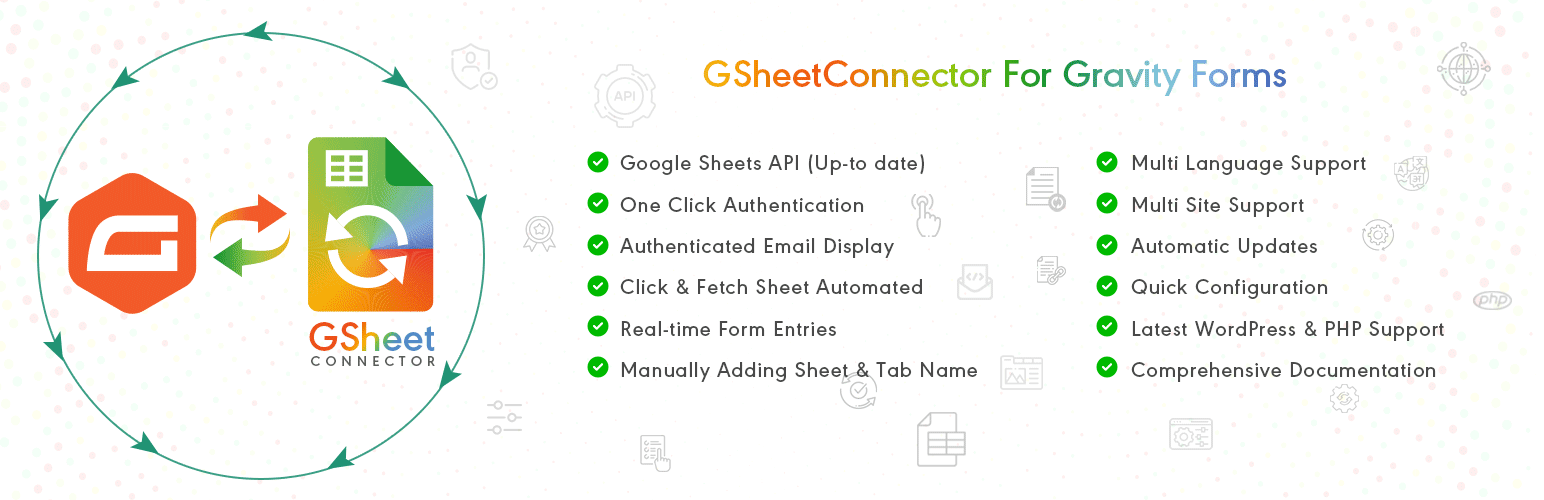
GSheetConnector for Gravity Forms is a powerful Gravity Forms Google Sheets integration plugin that allows you to send Gravity Forms entries to Google Sheets in real-time.
This plugin automatically syncs Gravity Forms submissions to your selected Google Spreadsheet the moment a form is submitted. No manual CSV export, no copy-paste, and no third-party automation tools required.
If you are looking to connect Gravity Forms to Google Sheets, export Gravity Forms entries to a spreadsheet, or automate Gravity Forms data syncing — GSheetConnector provides a secure and reliable solution.
Every form submission is added as a new row inside your connected Google Sheet, making it easy to manage leads, contact form data, registrations, payments, surveys, and other form entries directly inside Google Sheets.
Built specifically for Gravity Forms users, this plugin delivers structured spreadsheet integration with secure Google OAuth authentication and real-time data synchronization.
Homepage | Documentation | Support | Demo | Premium Version
Why Use GSheetConnector for Gravity Forms?
✔ Send Gravity Forms entries to Google Sheets automatically
✔ Real-time Gravity Forms to Google Sheets sync
✔ Secure Google OAuth authentication
✔ Field-to-column mapping support
✔ Lightweight and performance optimized
Perfect for agencies, developers, marketers, and businesses who need automated Gravity Forms spreadsheet integration.
How Gravity Forms to Google Sheets Sync Works
When a user submits a Gravity Form on your website, GSheetConnector instantly sends the form entry to Google Sheets in real-time.
Each submission is inserted as a new row inside your selected Google Spreadsheet. Form field values are matched with corresponding column headers in your sheet.
Submission date is captured automatically, and advanced metadata options are available in the Pro version.
Secure Google authentication ensures safe and encrypted data transfer between Gravity Forms and Google Sheets.
Core Features (Free Version)
Real-Time Gravity Forms Sync
Automatically send Gravity Forms submissions to Google Sheets immediately after form submission.
One-Click Google Authentication
Authenticate your Google account once and enable continuous syncing.
Field & Column Mapping
Match Gravity Forms field labels with Google Sheet column headers for structured data organization.
Submission Date Capture
Automatically record entry submission date inside your spreadsheet.
View Connected Spreadsheet
Access and open your connected Google Sheet directly from plugin settings.
Secure Google OAuth Integration
Uses official Google APIs to ensure safe and reliable data transfer.
Full Compatibility
Works with the latest versions of Gravity Forms, WordPress 6.9+, and modern PHP environments.
🛠️ How to Send Gravity Forms Entries to Google Sheets
Follow these simple steps:
Step 1: Authenticate with Google
Navigate to Forms Google Sheet Integration tab and connect your Google account.
Step 2: Configure Sheet Details
Open your Gravity Form Settings Google Sheet.
Enter your Sheet Name, Sheet ID, Tab Name, and Tab ID.
Step 3: Match Column Headers
Ensure your Google Spreadsheet has column headers in the first row that match your Gravity Forms field labels.
Submit a test entry — your Gravity Forms submission will instantly appear in Google Sheets.
🎥 Video Tutorial
Gravity Forms Google Sheets Connector Introduction:
🚀 Pro Features
Upgrade to Gravity Forms Google Sheets Connector PRO for advanced automation and extended control.
Automatic Sheet & Header Creation
Automatically fetch and connect Google Sheets from dropdown selection.
Synchronize Existing Entries
Bulk sync previously submitted Gravity Forms entries.
Advanced Field Management
Enable, disable, reorder, and rename fields before syncing.
Extended Entry Metadata
Capture IP address, browser information, and additional entry details.
Freeze Header Rows
Freeze header rows inside Google Sheets for improved readability.
Header & Row Styling
Customize header colors and alternate row styling.
Manual API & Service Account Authentication
Supports manual Google API credentials and Service Account authentication for enterprise setups.
Learn more about the PRO version:
https://www.gsheetconnector.com/gravity-forms-google-sheet-connector?wp-repo
Important Notes
Ensure your Sheet Name, Sheet ID, Tab Name, Tab ID, and Column Headers match exactly with the values entered in plugin settings.
• Use exact Gravity Forms field labels as column headers
• Avoid special characters in header names
• Keep naming consistent between form and spreadsheet
Incorrect configuration may prevent proper Gravity Forms to Google Sheets synchronization.
Screenshots
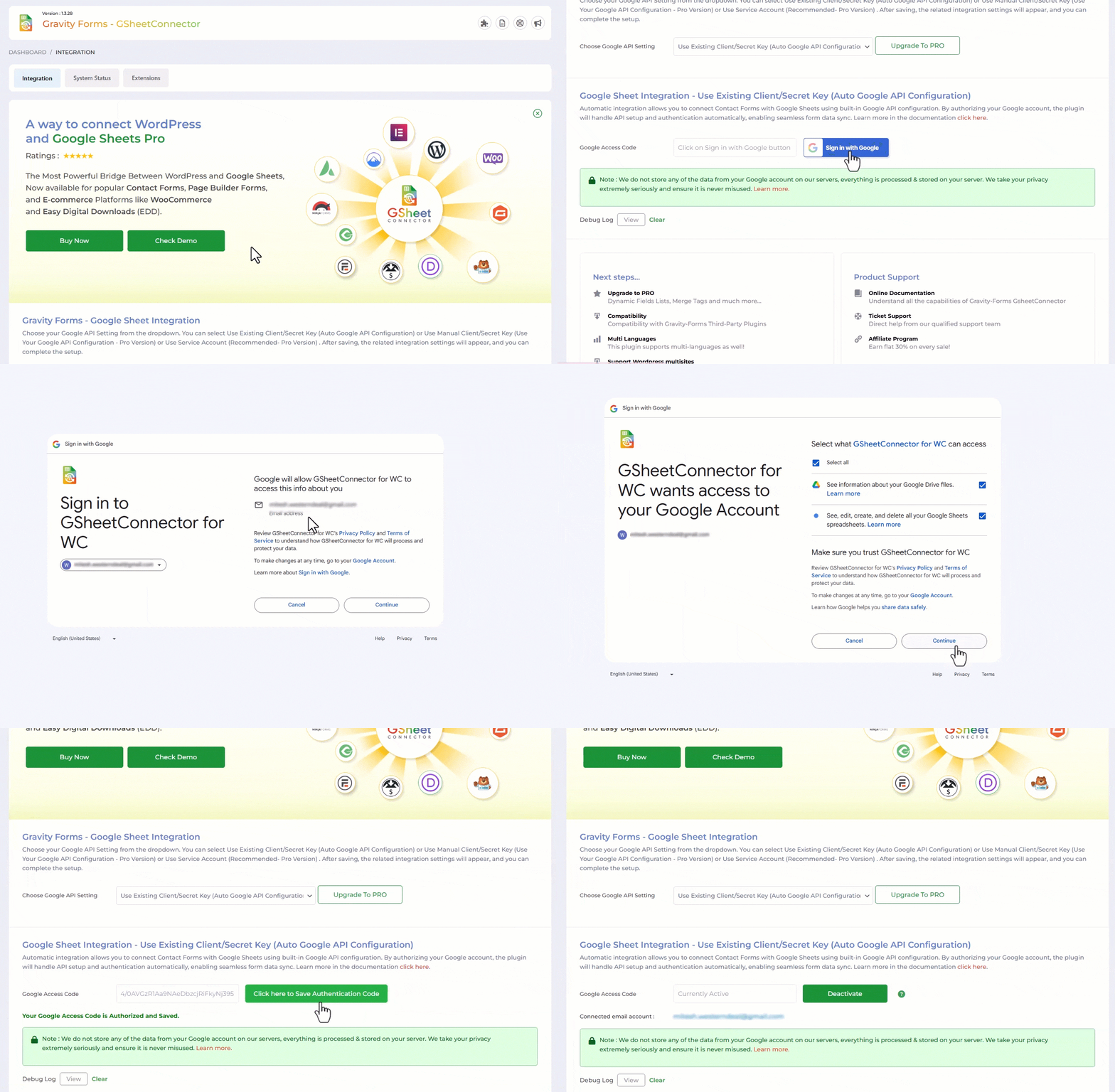
Google Sheet Authentication Screen 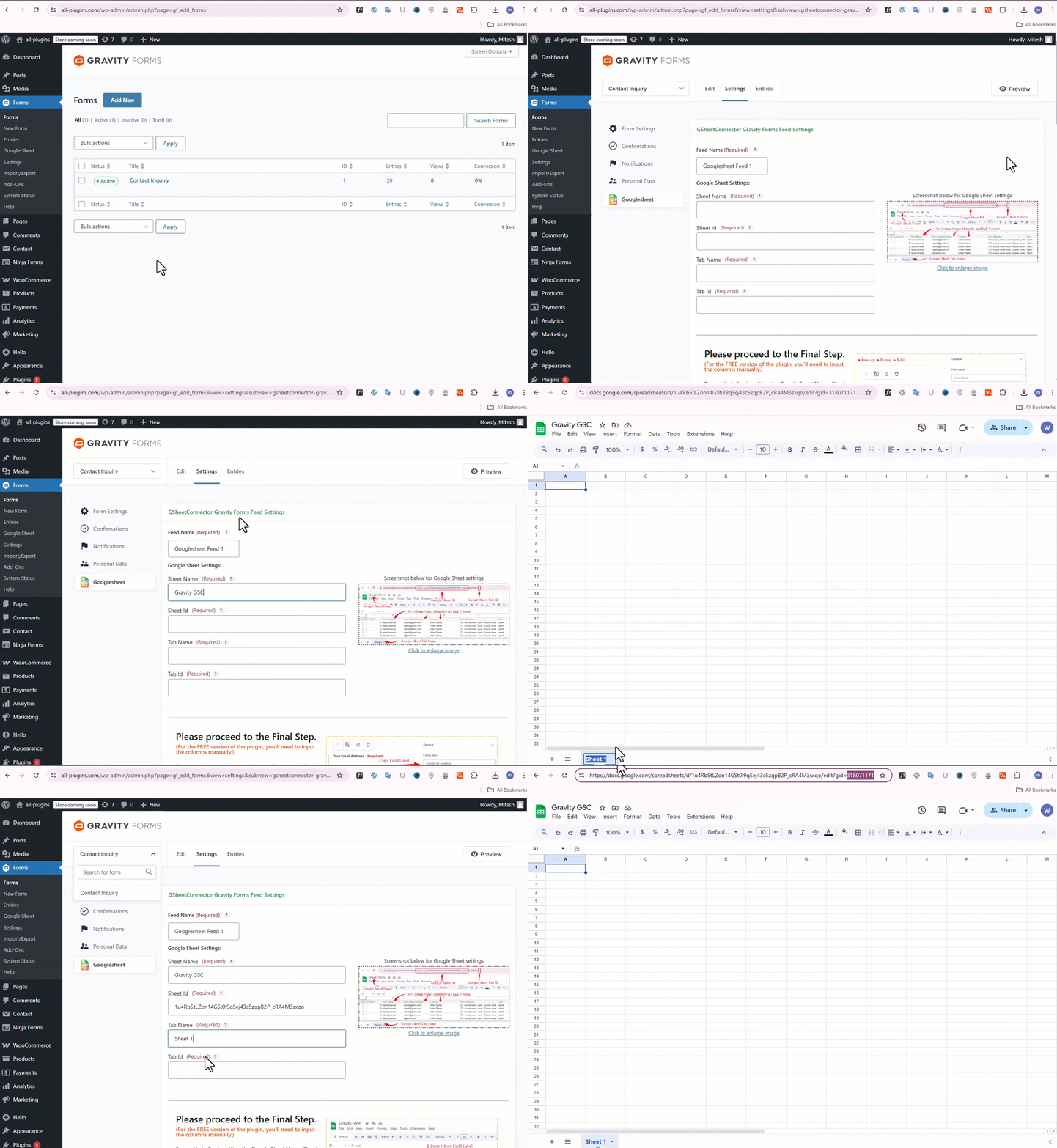
Gravity Form Settings 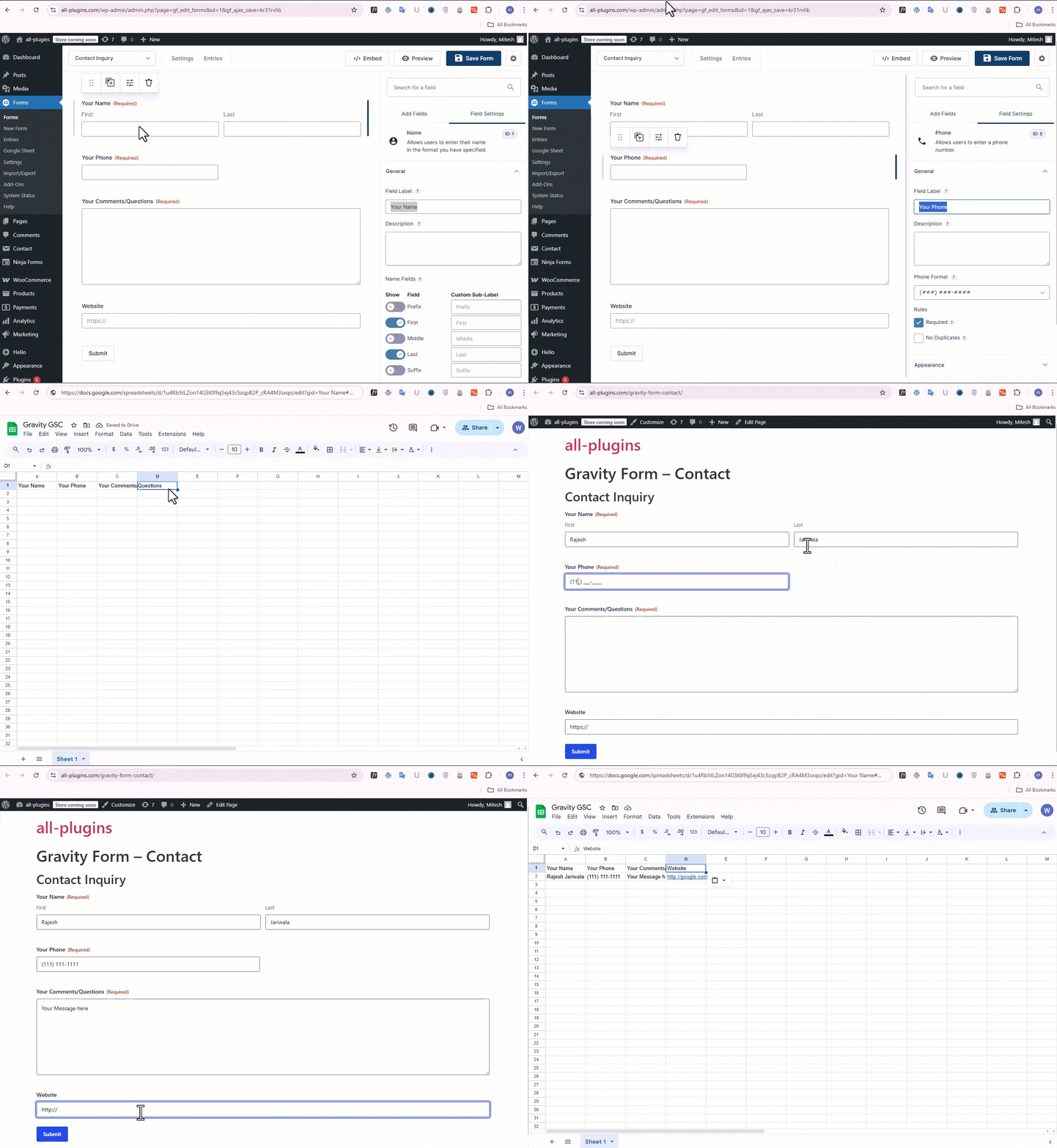
Feed Configuration 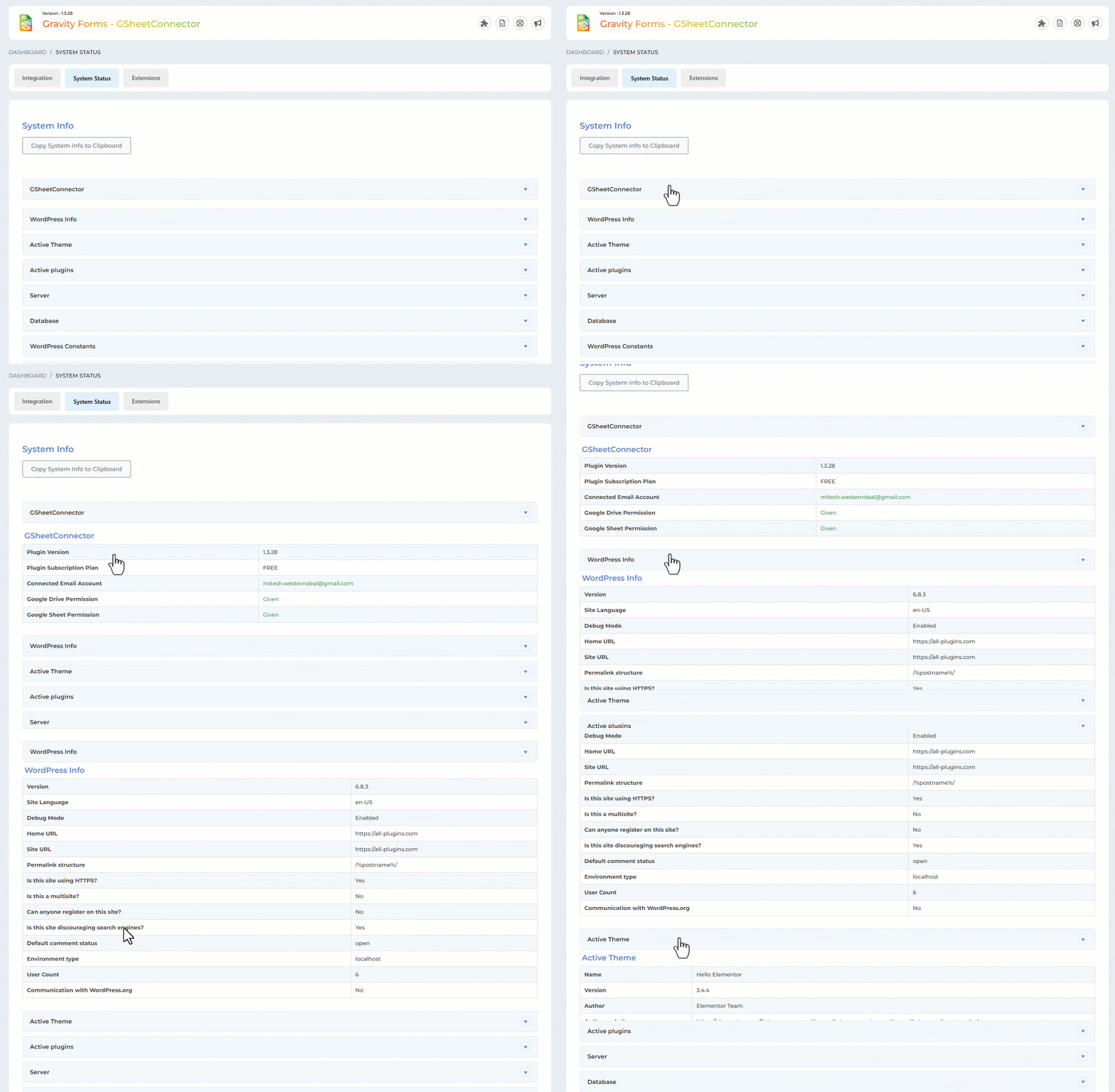
System Status 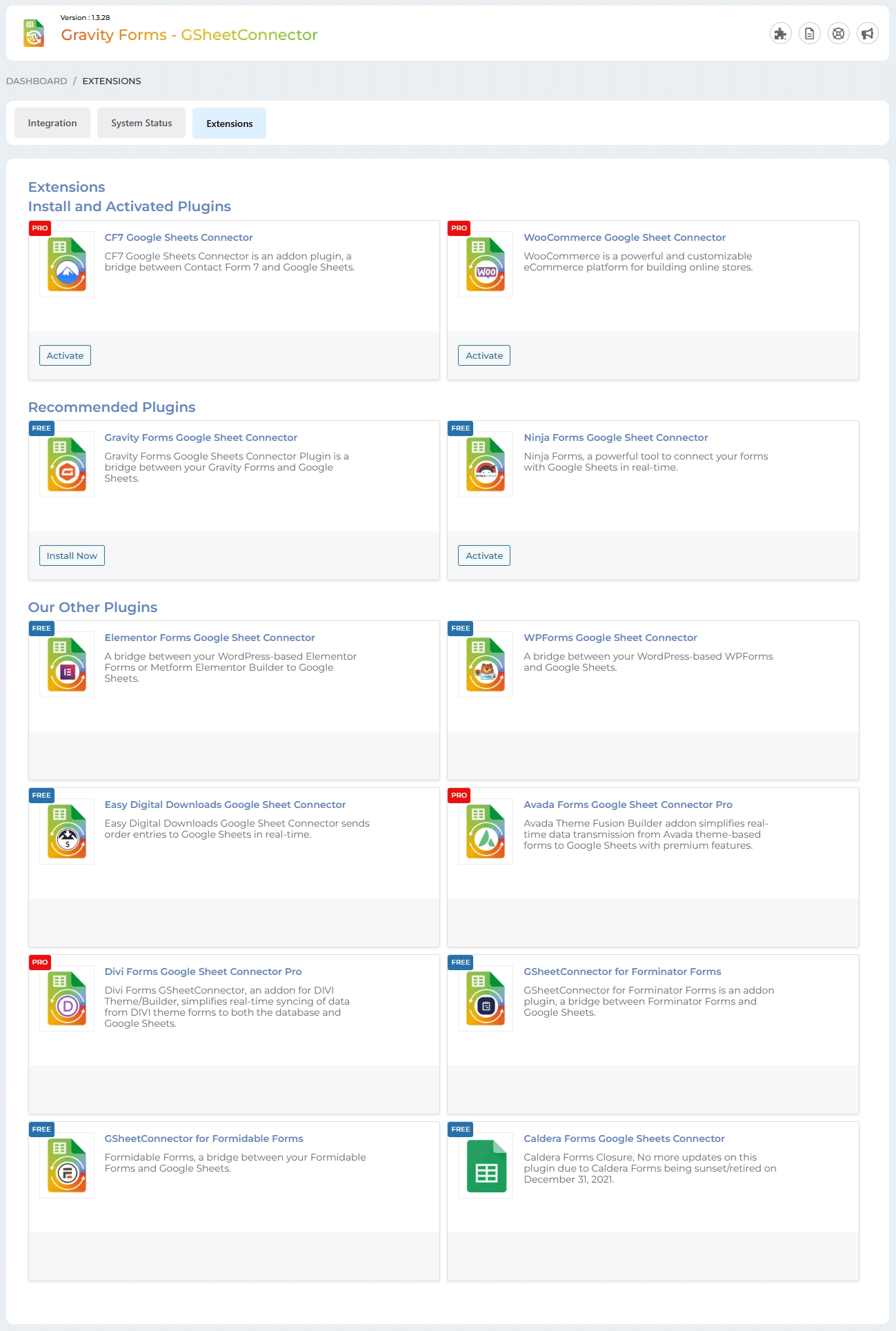
Extensions
Installation
- Upload
gsheetconnector-gravity-formsto the/wp-content/plugins/directory or install it directly from the WordPress Plugins screen. - Activate the plugin.
- Navigate to Forms Google Sheet Integration tab.
- Authenticate your Google account and configure sheet details.
Your Gravity Forms submissions will now sync automatically to Google Sheets in real-time.
FAQ
-
Why are Gravity Forms entries not appearing in Google Sheets?
-
Check the Integration tab and review the Debug Log for error details.
Ensure:
- Google authentication is valid
- Sheet Name, Sheet ID, Tab Name, and Tab ID are correct
- Column headers match Gravity Forms field labels exactly
Reauthenticate if necessary and verify sheet configuration.
-
Can I connect multiple Gravity Forms to different Google Sheets?
-
Yes. Each Gravity Form can connect to a different Google Spreadsheet.
Pro version supports multiple feeds per form. -
Does this plugin support syncing existing entries?
-
Bulk synchronization of previous entries is available in the Pro version.
-
Is manual Google API setup required?
-
No. The free version supports one-click Google authentication.
Manual API and Service Account authentication options are available in Pro. -
Why do I see “This app isn’t verified”?
-
This may appear when using custom API credentials (Pro version).
Free version uses simplified Google authentication.
Reviews


Contributors & Developers
“GSheetConnector for Gravity Forms – Send Gravity Forms Entries to Google Sheets in Real-Time” is open source software. The following people have contributed to this plugin.
Contributors


Interested in development?
Browse the code, check out the SVN repository, or subscribe to the development log by RSS.
Changelog
1.3.31
(01-01-2026)
* Fixed: Added compatibility with the Gravity Forms Webhooks plugin.
1.3.30
(18-11-2025)
* Added: Added new CSS and updated the UI.
1.3.29
(10-10-2025)
* Updated: Title and description design updates.
* Fixed: Fixed system status footer issue.
1.3.28
(01-09-2025)
* Fixed: Missing Authorization for authenticated users.
* Fixed: Cross-Site Request vulnerability.
1.3.27
(15-08-2025)
* Fixed: Undefined method error.
* Fixed: Compatibility issues with Pro version.
1.3.26
(12-08-2025)
* Added: Added new CSS and updated the UI.
1.3.25
(05-08-2025)
* Removed direct links to 5-star reviews to comply with WordPress plugin guidelines.
* Updated “Tested Up To” value to reflect compatibility with the latest WordPress version.
* Replaced static and tags with wp_enqueue_script and wp_enqueue_style for proper asset loading and dependency management.
* Eliminated all remote file inclusions to improve security and meet WordPress repository requirements.
* Escaped all variables and options before outputting to the frontend or admin interface.
* Corrected text domain to match the plugin slug for consistent internationalization support.
* Blocked direct file access by adding appropriate file-level checks (e.g., defined( ‘ABSPATH’ ) || exit;).
* Implemented proper nonce verification and security best practices throughout AJAX and form submissions.
* Passed Plugin Check review with all critical issues resolved.
1.3.23
(16-07-2025)
* Tested up to latest version of WordPress 6.8.1.
* Confirmed compatibility with the latest versions of Gravity forms pro.
1.3.22
(07-07-2025)
* Added: Uninstall Plugin Settings.
* Fixed: Resolved an issue where the system status was not working correctly.
1.3.21
(19-06-2025)
* Fixed: Resolved an issue where fields named “Product” were not syncing to Google Sheets on form submit.
1.3.20
(21-04-2025)
* Added: Moved saving of credentials to database for Auto API Integration.
1.3.19
(05-03-2025)
* Fixed: Address field data now correctly appears in the sheet, separated according to headers.
* Added: Included requires statements for the parent plugin.
* Added: Implemented a condition for upgrading to PRO.
* Added: Log error statements for detecting and handling Quota Limit issues.
* Added: Conditional Logic in Extension Tab: Integrated conditions based on plugin activation to optimize extension tab behavior.
1.3.18
(04-02-2025)
* Fixed: Minor UI changes.
1.3.17
(27-01-2025)
* Fixed: Minor UI changes.
1.3.16
(03-01-2025)
* Added: The “Copy Log” button has been added.
* Fixed: Undefined error when clicking the “Copy to Clipboard” button in the System Info tab.
* Fixed: The issue with the Debug Log view and the close button has been fixed.
* Fixed: Dashboard widget formatting has been improved.
1.3.14
(10-08-2024)
* Added: Display a notification when authentication expires.
1.3.13
(30-07-2024)
* Fixed: Google hasn’t verified this app error.
1.3.12
(19-04-2024)
* Added : UI Changes.
1.3.11
(11-03-2024)
* Added : Added links for support,docs,upgrade to pro.
= 1.3.10
* Fixed : Solved the problem with the consent form field not showing in sheet.
= 1.3.9
* Fixed : Resolved the problem with the Admin dashboard widget.
* Fixed : Resolved debugging view open and close problem.
= 1.3.8
* Google Api Client Library Updated With Version 2.12.6 With Guzzle Http Version 7.4.3 .
* System Status Integration by providing essential information, including version details and authentication status.
* Developed a streamlined mechanism to verify and communicate account connection status.
* Ensured secure access by hiding the button when users are not authenticated.
* Added Google Sheet Connector dashboard widget for quick access to the contact form connected with Google Sheet.
* Fixed : Debug log mechanism issues.
= 1.3.7
* Fixed : Solved Tab Id while adding tab id 0 by default.
* Fixed : Sheet URL and other links.
1.3.6
(08-08-2023)
* Fixed : Vulnerabilities issues.
1.3.5
(29-05-2023)
* Fixed : Vulnerabilities issues.
* Integraton : Conditions.(22-6-23)
* Fixed : Css Styles of integration.(22-6-23)
* Pro : Shows Pro Features.(22-6-23)
* System_Status_Added: (5-7-23)
* Logs_Func:(6-7-23)
1.3.4
(01-05-2023)
* Added : Remove access permission from google account while deactivating authentication.
* Fixed : Vulnerabilities issues.
1.3.3
(02-08-2022)
* Fixed “undefined function is_plugin_active()” issue.
1.3.2
(01-08-2022)
* New Google Integration method implemented using web app.
1.3.1
- Added Validation for “Google Sheet Settings” Form.
- Added “Open Sheet” Link and “Preview Sheet” Link under GSheetConnector feed settings page.
- Allow use to fetch “Entry Date” in Google Sheet.
- Displayed SpreadSheet Preview in under GSheetConnector feed settings page.
- Displayed message While added wrong Auth tokens.
1.3
- Compatible with Gravity Forms Version 2.5.8.2
- Solved Date issues – Passing in Google Sheet
- Solved Checkbox, Dropdown and other fields entries to Google Sheet
1.2
- Fixed fatal error.
1.1
- Fixed not saving of field type like checkbox, radio buttons, etc.
- Updated API Library.
1.0
- First public release
- Integrated Gravityforms with Google sheets.