Description
This plugin acts as a bridge and enhancement for the GTranslate service. By using this plugin, you are also bound by the GTranslate Terms of Service and Privacy Policy.
GTranslate is an incredible tool for making your site multilingual instantly. However, if you use it, you’ve probably run into two frustrating problems:
1. Missed Texts: Some buttons, checkout fields, or custom theme texts are completely ignored and remain in the original language.
2. Robotic Translations: Sometimes the automatic translation is too literal, loses the context of your brand, or simply sounds unnatural to native speakers.
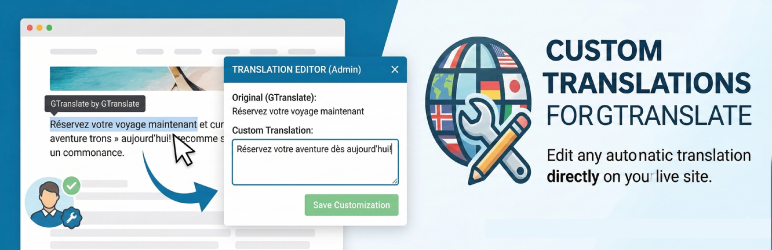
The GT Visual Translator Addon (Lite) is the definitive extension to bridge that gap. We bring a novel translation approach to the table: an intuitive, visual frontend selector that lets you manually “override” GTranslate’s output.
If GTranslate missed it, you can translate it. If GTranslate translated it poorly, you can fix it.
✨ How it works (Lite Version)
- Navigate to the frontend of your website.
- Select the specific string visually right from the UI (like a stubborn “Add to Cart” button or a poorly translated paragraph).
- Type your custom, perfect translation.
- Save it. Your custom text will now seamlessly override the automatic one whenever visitors switch to that language!
🛑 Scope of the Free Version
The Lite version of GTranslate Visual Addon is a fully functional tool designed for specific use cases and targeted fixes:
– It allows you to translate/override a maximum of 10 visual elements.
– It supports 1 target language active at a time.
This version is perfect for small websites or for addressing a handful of critical translation issues.
🚀 For Unlimited Power, Discover the Pro Version
Need to correct hundreds of strings across multiple languages?
The Pro Version is a separate plugin that offers additional features for GTranslate power users:
– Unlimited Visual Elements translated without restrictions.
– All Languages Supported simultaneously.
– CSV Import/Export: Manage thousands of translations in Excel and upload them in seconds.
– SEO Title & Meta Translation: Translate your <title> and <meta description> tags to rank every language on Google!
👉 Discover GT Visual Translator Addon Pro here
(Note: This is an independent addon designed to enhance GTranslate. You must have the core GTranslate plugin installed and active for this to work).
Screenshots
Visual Selection – Click any text element on your live website frontend to capture it. 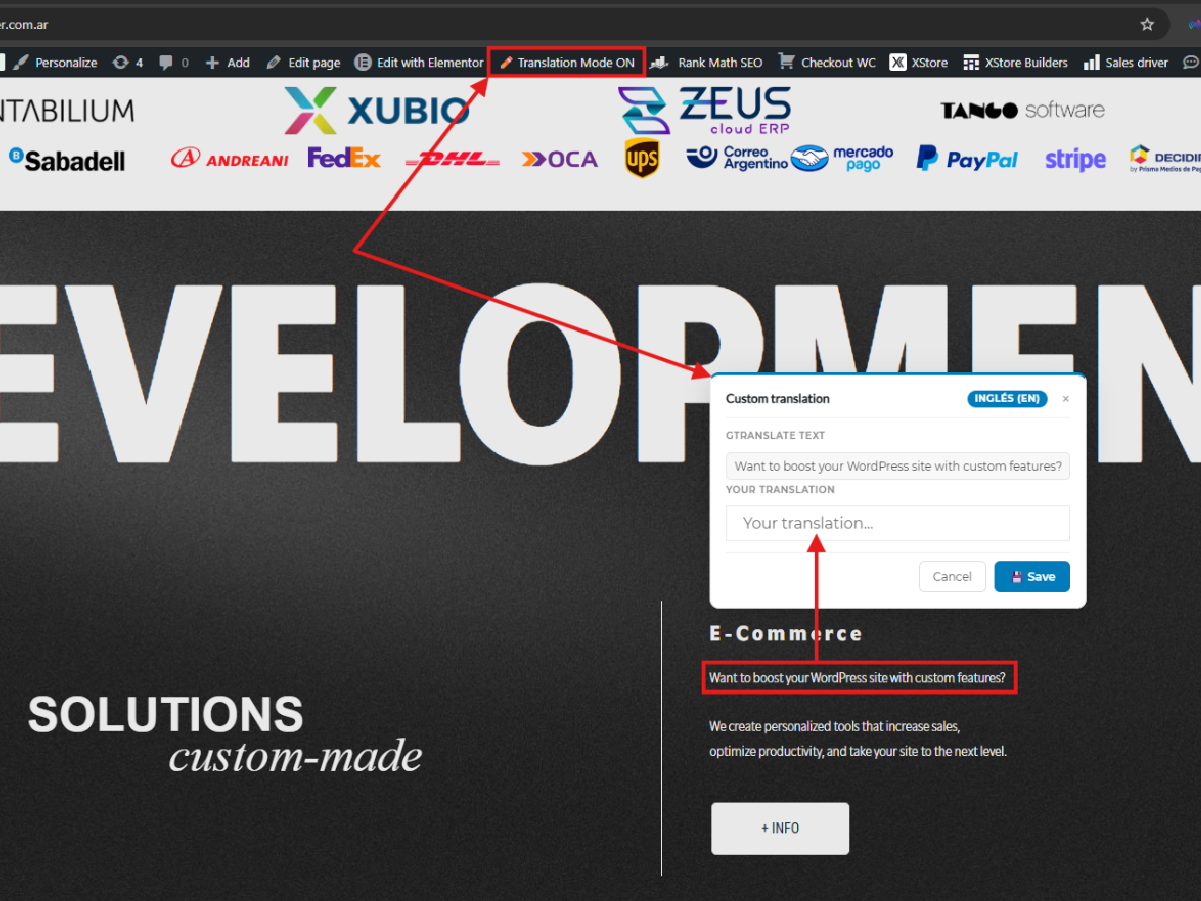
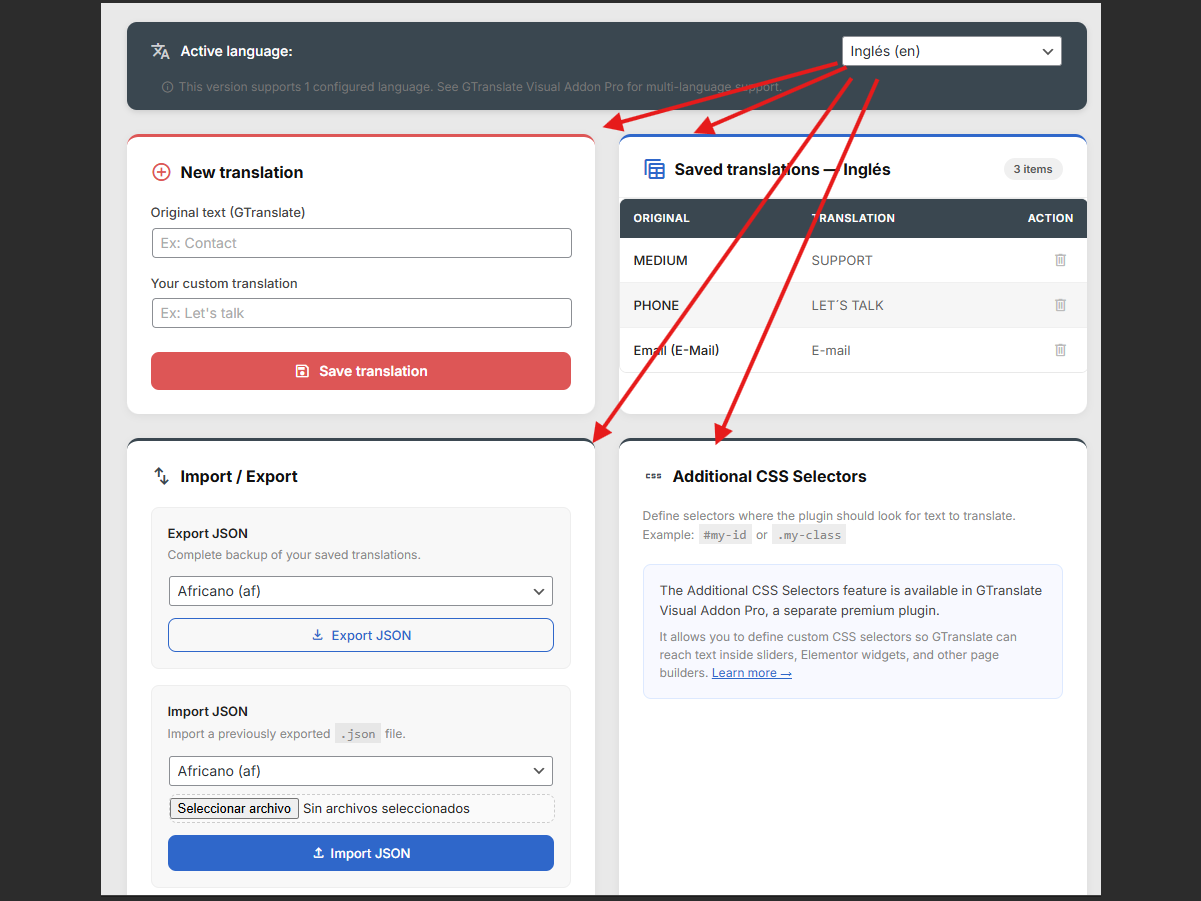
Language Setup – The intuitive centralized dashboard to manage your substituted strings. 
Live Result – See the custom-translated text immediately override the automatic translation.
Installation
- Go to your WordPress Dashboard -> Plugins -> Add New.
- Search for
GTranslateand ensure it is installed and active. - Upload the
gtranslate-visual-addonfolder to the/wp-content/plugins/directory, or install it directly via the WP Plugin directory. - Activate the plugin through the ‘Plugins’ menu in WordPress.
- Go to the new “GTranslate Visual Addon” menu in your dashboard, select your target language, and start selecting visual elements on your frontend!
FAQ
-
Do I need GTranslate installed for this to work?
-
Yes. This plugin acts as an addon for GTranslate. It relies on GTranslate’s core architecture to switch languages, giving you the power to manually override specific strings that the automatic system gets wrong or misses entirely.
-
Can I edit a translation that GTranslate already did?
-
Absolutely! That is one of our main features. If GTranslate’s automatic translation is too literal or incorrect, simply click that text with our visual selector and type your custom translation. Your version will take priority.
-
Why does the free version allow only up to 10 elements or 1 language?
-
The Lite (Free) version of GTranslate Visual Addon is designed to be a complete solution for users who need to fix a handful of specific translation errors on small sites. Its scope is intentionally set to provide a fully functional experience within these parameters.
-
How can I get unlimited translations, multiple languages, and CSV Support?
-
These professional features are available in the separate GTranslate Visual Addon Pro plugin. Click here to learn more about the Pro Version.
Reviews
There are no reviews for this plugin.
Contributors & Developers
“GTranslate Visual Addon” is open source software. The following people have contributed to this plugin.
Contributors
Translate “GTranslate Visual Addon” into your language.
Interested in development?
Browse the code, check out the SVN repository, or subscribe to the development log by RSS.
Changelog
3.4.1
- Initial public release on the WordPress Repository.
- Added visual frontend string capturer.
- Integrated base GTranslate bridging system.
- Added feature to override automatic translations.
- Implemented Lite restrictions (10 strings, 1 language).