

Description
Smart Calculators Suite is a comprehensive collection of modern, responsive, and user-friendly calculators designed for websites that need practical decision-making tools.
Whether you run a financial website, real estate business, consulting firm, or service-based company, this plugin helps you engage users, improve conversions, and provide real value through interactive calculations.
Included Calculators:
- Loan Calculator Live Preview
- Mortgage Calculator Live Preview
- Home Affordability Calculator Live Preview
- Retirement Savings Growth Calculator Live Preview
- Compound Interest Calculator Live Preview
- Investment Growth Calculator (Coming Soon)
- Savings Calculator (Coming Soon)
- Rent vs Buy Calculator (Coming Soon)
- Home Budget Planner (Coming Soon)
- Solar Panel Cost & Savings Calculator (Coming Soon)
- Cleaning Cost Calculator (Coming Soon)
- Service Pricing Estimator (Coming Soon)
- Custom Cost Estimation Calculators (Coming Soon)
Key Features:
- Easy shortcode-based integration
- Mobile-friendly and responsive design
- Fast loading and lightweight
- Works with any WordPress theme
- Built-in Lead Form and Contact Form
- Ideal for lead generation and user engagement
More calculators and enhancements are continuously added to make this suite even more powerful.
Live Previews
Plugin Usage Data
This plugin may collect non-sensitive usage data to help us improve the usual bugs and design conflicts to provide you best experience ever.
Screenshots
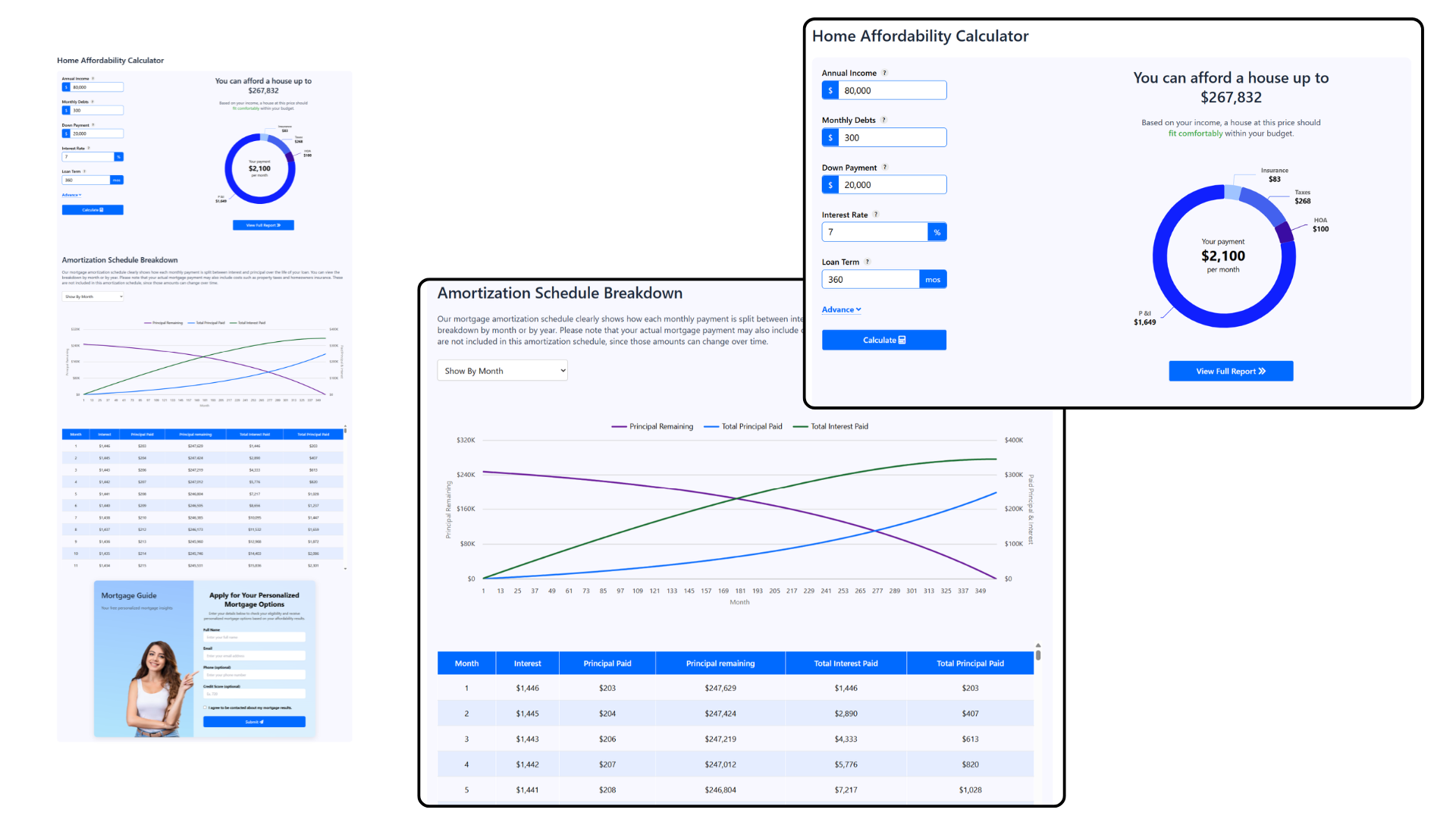
Calculators with built-in contact forms. 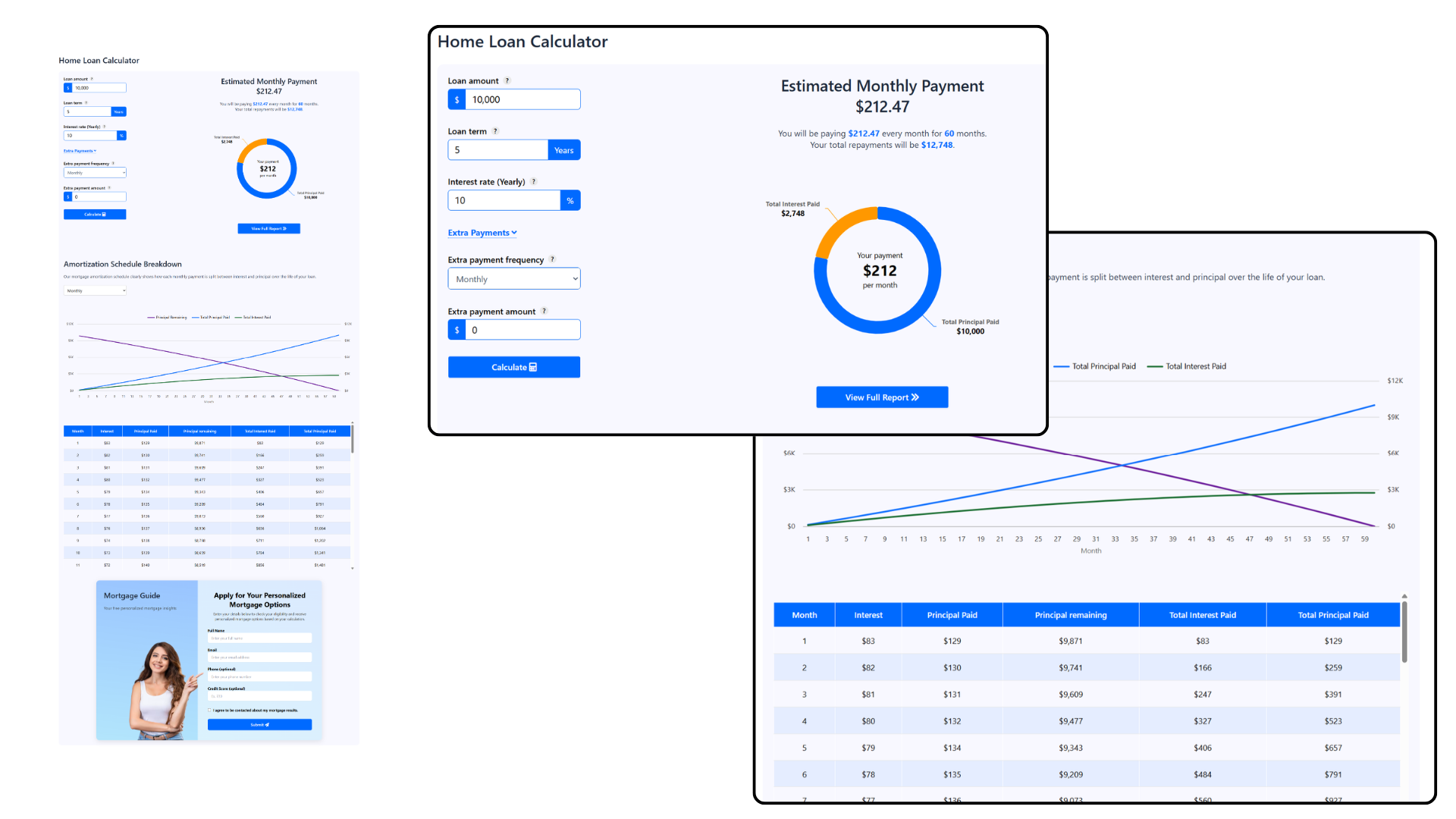
Customize Design. 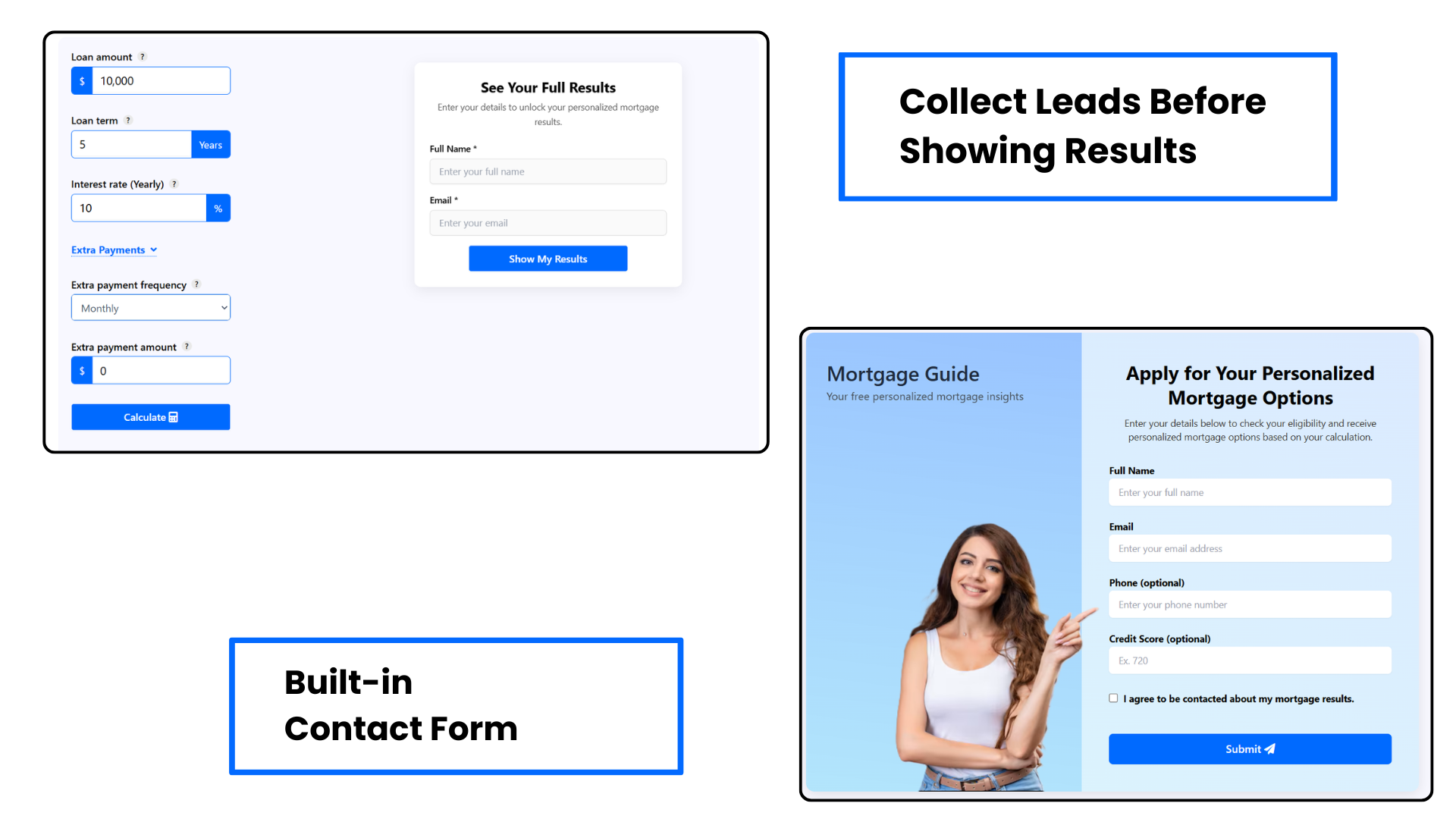
Collect Leads before showing results.
Installation
Installation of the plugin is really simple.
- Install using one of these options:
- Install directly from WordPress Admin panel: go to Plugins -> Add New -> Search for “Smart Calculators Suite”, and click the Install button.
- Download the ZIP manually from WordPress’ plugins repository, and upload it through WordPress Admin panel: go to Plugins -> Add New -> Upload Plugin, browse to the downloaded Zip and upload it.
- Download the ZIP, extract it and manually upload the extracted folder through FTP to the
/wp-content/plugins/directory of your WordPress installation.
- Activate the plugin through the ‘Plugins’ menu in WordPress.
- That’s it!
FAQ
-
Can I change currency of the calculator?
-
Yes, you can use any currency in the calculator. You can change currency setting from admin menu.
-
Can I update design according to my web theme?
-
We provide exclusive options to change look of the calculator by changing colors , shadow and labels that best fit your requirements.
-
Can I collect leads through these calculators?
-
Yes. The plugin includes a built-in Lead Form and Contact Form.
-
The Lead Form appears before the calculator results and can be turned on or off by the admin from the calculator settings. When enabled, users must enter their name and email to view the results.
-
The Contact Form appears below the calculator and is completely optional, allowing visitors to contact you if they wish.
-
Reviews
There are no reviews for this plugin.
Contributors & Developers
“Smart Calculators Suite” is open source software. The following people have contributed to this plugin.
Contributors

Translate “Smart Calculators Suite” into your language.
Interested in development?
Browse the code, check out the SVN repository, or subscribe to the development log by RSS.