

Description
✨ Powerful WooCommerce wallet with cashback, store credit, and partial payment. Simplify checkout and boost customer loyalty with ease.
Maximize convenience and savings for your customers with Wallet for WooCommerce (TeraWallet). This all-in-one digital wallet and store credit system is specifically designed to streamline the checkout process and boost customer loyalty. TeraWallet empowers your customers to deposit funds into their personal accounts, transfer money to other users, and make purchases effortlessly using their wallet balance. By reducing the need for repeated payment detail entries, you provide a frictionless shopping experience that encourages repeat business. Beyond core wallet functionality, TeraWallet features a robust Cashback Rewards System. Incentivize purchases by offering rewards based on cart totals, specific products, or categories. You can even convert WooCommerce coupons into wallet rewards, providing a unique way to drive engagement.
👉 Try the live demo: https://demo.standalonetech.com/
👉 Read full documentation: https://docs.standalonetech.com/
✨ Why choose Wallet for WooCommerce?
- 🚀 Frictionless Checkout: One-click payments via wallet balance reduce cart abandonment.
- 💰 Automated Cashback: Automated rewards keep customers coming back for more.
- 🏦 Store Credit System: Easily handle refunds by crediting the user’s wallet instantly.
- 🔄 Wallet Transfers: Allow customers to share funds with friends and family.
🛠 Features
- 🏦 Core Wallet Management: A centralized ledger system that tracks every credit and debit with 100% accuracy using SQL-level locking to prevent race conditions.
- 💰 Dynamic Cashback System:
- Cart-Wise: Rewards based on the total order value.
- Product-Wise: Granular control over rewards for individual items.
- Category-Wise: Rewards based on product taxonomies.
- 💳 Smart Checkout Options:
- Full Payment: Pay for the entire order using the wallet gateway.
- Partial Payment: Use wallet balance for part of the total and pay the rest via other gateways (Stripe, PayPal, etc.).
- Auto-Deduct: Automatically apply available balance as a discount at checkout.
- 🔄 User Empowerment:
- Wallet Top-ups: Customers can add funds via their dashboard using any supported payment method.
- Peer-to-Peer Transfers: Securely send wallet balance to other registered users via email.
- 🎁 Engagement Rewards: Credit users for specific actions:
- New user registration bonus.
- Daily login rewards.
- Product review rewards.
- 🛠 Admin Control Center:
- View all user balances and transaction history.
- Manually adjust (credit/debit) any user’s balance with detailed notes.
- Lock/Unlock user wallets for security and fraud prevention.
- 🔗 Seamless Integrations:
- Full support for WooCommerce Blocks checkout.
- Compatible with WPML, Multi Currency switchers, and WooCommerce Subscriptions.
- Built-in support for Dokan, WCFM, and WCMarketplace.
🚀 Pro Features
Upgrade to unlock advanced wallet features and specialized integrations:
- 💸 Wallet Withdrawal: Allow customers to request withdrawals from their wallet balance to their bank or other payment methods.
- ⌛ Wallet Expiry: Set expiration dates for wallet balance or cashback to encourage timely spending.
- 🎟️ Wallet Coupons: Create exclusive coupons that can only be redeemed into the user’s wallet.
- 📥 Wallet Importer: Easily bulk import wallet balances and transaction history from CSV files.
- 🤝 AffiliateWP Integration: Automatically credit affiliate commissions directly to the user’s wallet.
“Upgrade to unlock advanced wallet features and integrations.”
Screenshots
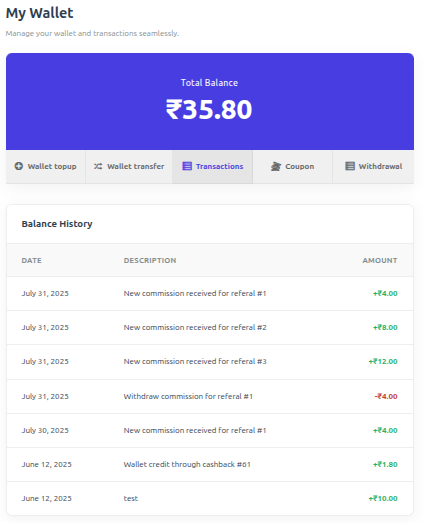
User wallet dashboard page. 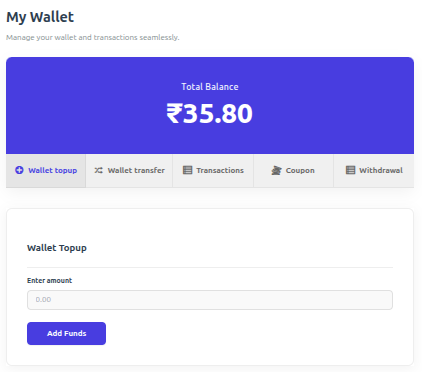
Wallet topup page. 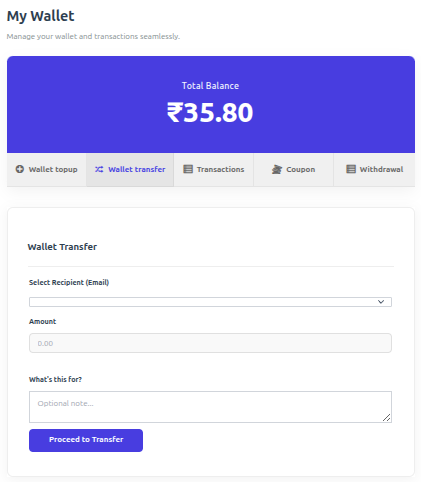
Transfer wallet balance. 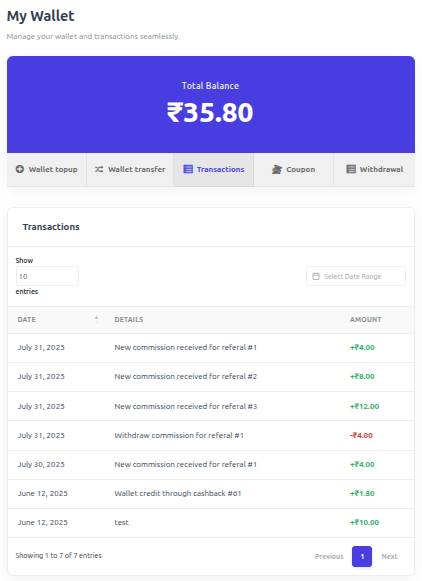
Transaction details page. 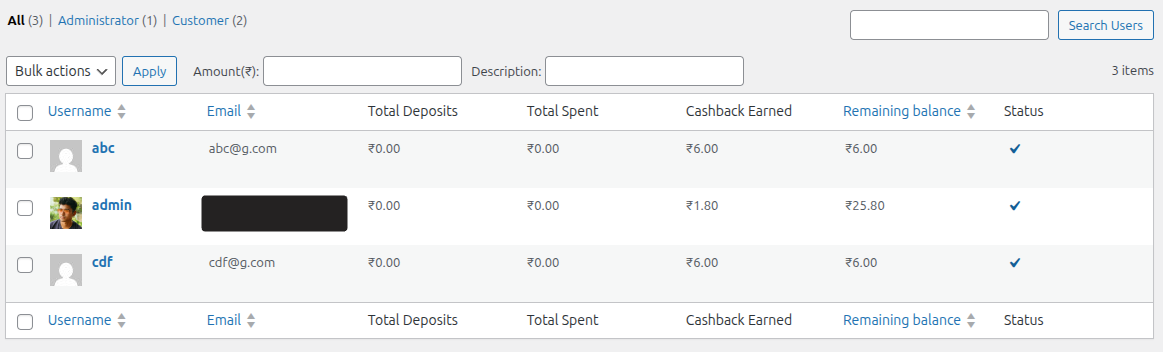
Admin wallet details page. 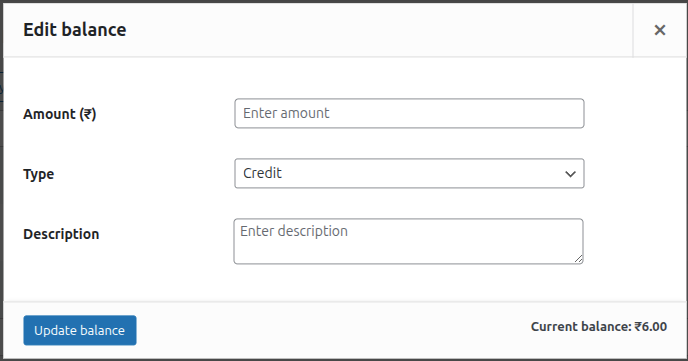
Admin adjust wallet balance. 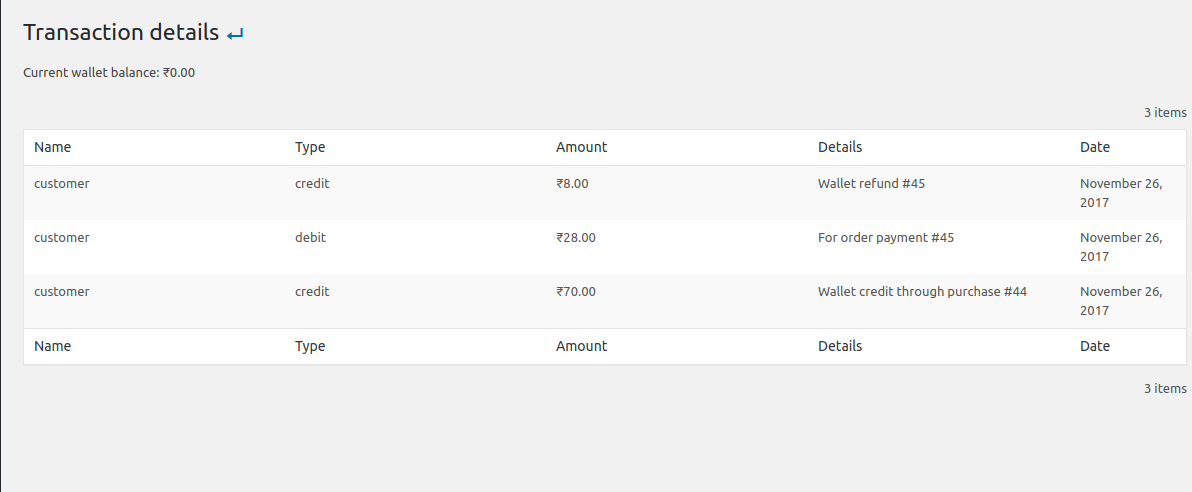
Admin wallet transaction details page. 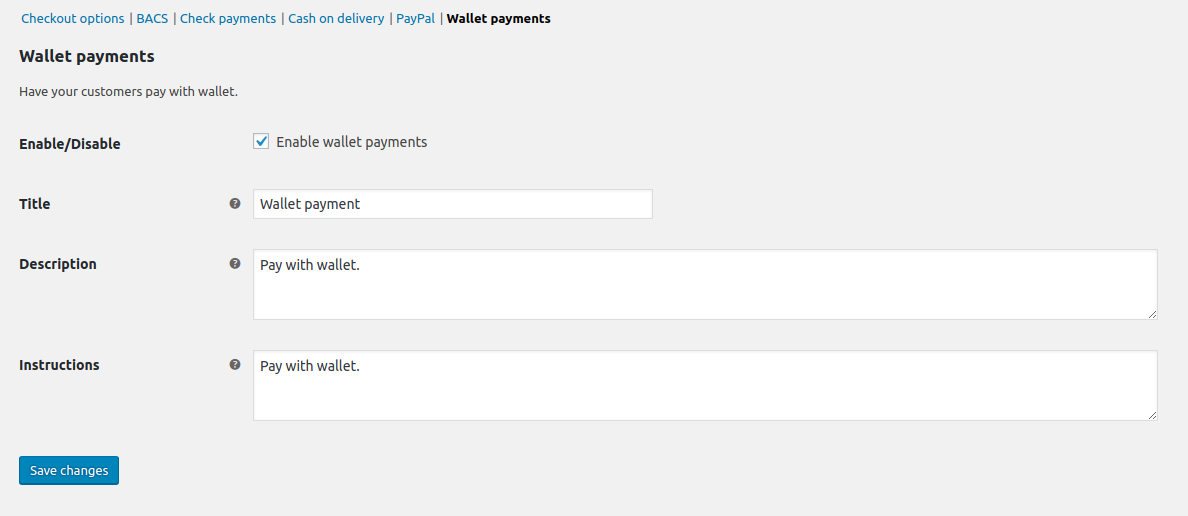
Wallet payment gateway. 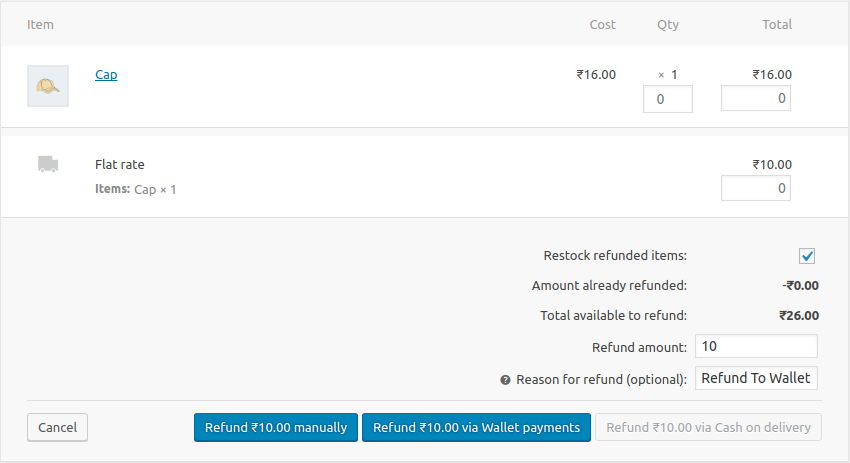
WooCommerce refund. 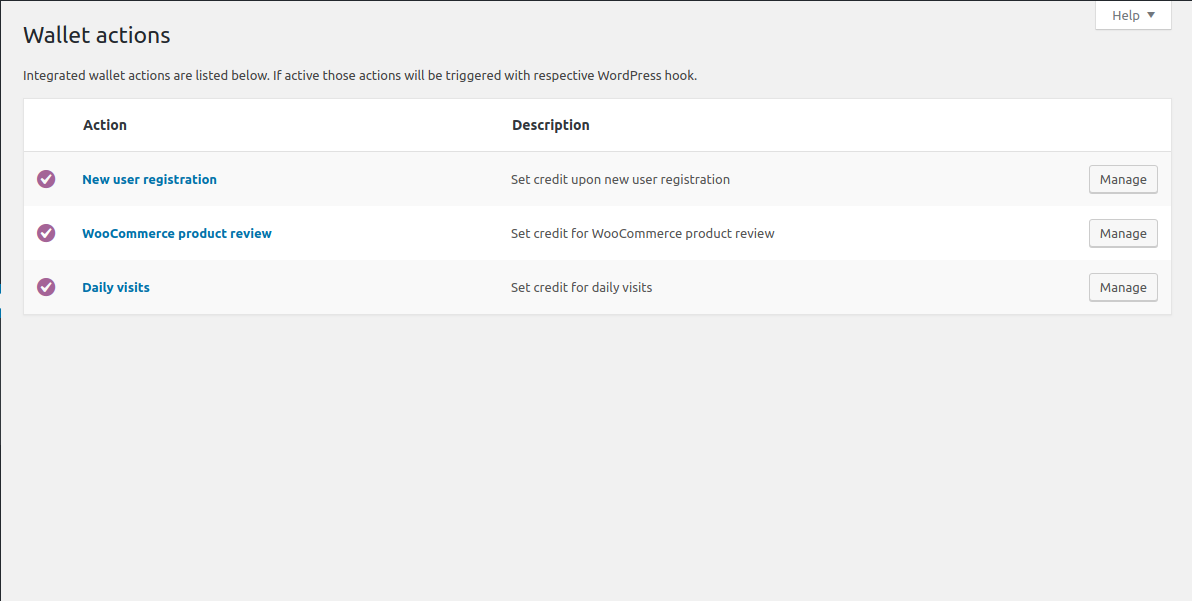
Wallet actions.
Installation
Minimum Requirements
- PHP 7.4 or greater is required (PHP 8.0 or greater is recommended)
- MySQL 5.6 or greater, OR MariaDB version 10.1 or greater, is required
- WordPress 6.0 or greater is required
- WooCommerce 7.2 or greater is required
Automatic installation
Automatic installation is the easiest option as WordPress handles the file transfers itself and you don’t need to leave your web browser. To do an automatic install of WooCommerce Wallet Payment, log in to your WordPress dashboard, navigate to the Plugins menu and click Add New.
In the search field type “WooCommerce Wallet Payment” and click Search Plugins. Once you’ve found our WooCommerce Wallet Payment plugin you can view details about it such as the point release, rating and description. Most importantly of course, you can install it by simply clicking “Install Now”.
Manual installation
The manual installation method involves downloading our plugin and uploading it to your webserver via your favourite FTP application. The WordPress codex contains instructions on how to do this here.
Updating
Automatic updates should work like a charm; as always though, ensure you backup your site just in case.
If on the off-chance you do encounter issues with the wallet endpoints pages after an update you simply need to flush the permalinks by going to WordPress > Settings > Permalinks and hitting ‘save’. That should return things to normal.
Important
A hidden “Wallet Topup” product is automatically created upon activation. Ensure it remains Published and Private.
FAQ
-
How does wallet payment work?
-
Wallet payment acts as a native WooCommerce gateway. Customers with sufficient balance can select “Wallet” at checkout to pay for their order instantly.
-
Does it support partial payment?
-
Yes! If enabled in settings, customers can use their wallet balance to pay for a portion of the order and cover the remainder with another gateway like Stripe or PayPal.
-
When is cashback applied?
-
Cashback is triggered by order status changes. You can configure which status (e.g., ‘Completed’ or ‘Processing’) triggers the reward in the plugin settings.
-
Why is the wallet not visible at checkout?
-
Ensure the Wallet gateway is enabled in WooCommerce > Settings > Payments. Also, check if “Hide if empty” is enabled in TeraWallet settings if the user has a zero balance.
-
Where can I get support?
-
You can ask for help in the WordPress Plugin Forum or email us at support@standalonetech.com.
-
Where is the REST API documentation?
-
You can find the documentation for our Wallet REST API here.
Reviews


Contributors & Developers
“Wallet for WooCommerce” is open source software. The following people have contributed to this plugin.
Contributors


“Wallet for WooCommerce” has been translated into 12 locales. Thank you to the translators for their contributions.
Translate “Wallet for WooCommerce” into your language.
Interested in development?
Browse the code, check out the SVN repository, or subscribe to the development log by RSS.
Changelog
v1.5.17 (March 12, 2026)
– Fix:- Remove space in limit parameter for wallet transactions query.
– Fix:- Simplify wallet transactions query preparation by removing redundant parameter checks.
v1.5.16 (February 12, 2026)
– Tweak:- Enhance SQL query construction for wallet transactions with improved safety and readability.
– Tweak:- Remove return type declarations for compatibility and enhance permission checks in content handling.
– Tweak:- Update version retrieval for script and style assets.
– Tweak:- Enhance partial payment validation in frontend.
– Tweak:- Add checks for zero currency rates in multi-currency conversion methods
– Tweak:- Database Lock to serialize requests for the same user.
– Tweak:- Adjust wallet transfer logic to debit before crediting, ensuring proper transaction flow.
v1.5.15 (December 10, 2025)
– New:- User wallet dashboard design.
– Tweak:- Replace thickbox with wc backbone modal.
– Fix:- Removed moment js and used WordPress core momentjs Library.
– Added:- WordPress 6.9 support.
v1.5.14 (October 08, 2025)
– Fix:- RTL CSS issue.
v1.5.13 (August 21, 2025)
– Fix:- PHP warning.
v1.5.12 (August 21, 2025)
– New:- Date range filter in wallet transaction page.
– New:- Settings panel design.
– New:- Now site admin can enable/disable wallet topup.
– Fix:- Partial payment issue.
– Fix:- Cashback display issue on cart and checkout page.
v1.5.11 ( May 08, 2025)
– Fix:- Text Domain loading issue.
v1.5.10 ( December 12, 2024)
– Fix:- Refund issue.