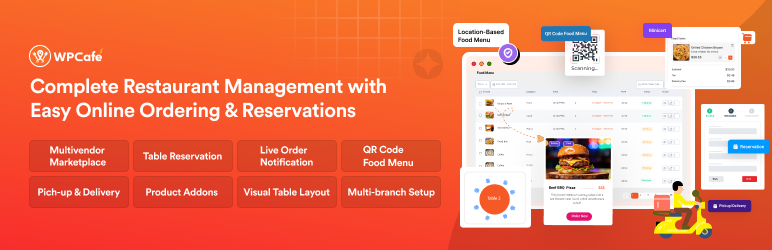

Description
WPCafe is a restaurant menu and online food ordering plugin for WordPress built for restaurants, cafes, cloud kitchens, takeaway businesses, catering services, and multi-location food chains.
WPCafe lets you create a responsive restaurant menu, accept online food orders through WooCommerce, manage food delivery and pickup schedules, handle table reservations and restaurant booking, and run your entire restaurant business from one WordPress dashboard.
Live Demo | Documentation | Roadmap | Tutorials | Restaurant Theme | Upgrade to Pro
Need help setting up your online food ordering website? 👉 Contact Support
Why Thousands of Restaurants Choose WPCafe
⭐⭐⭐⭐⭐ “WPCafe V3.0 is more than a menu plugin — it’s a complete restaurant management solution with smooth online ordering and a powerful table booking system.”
— Barham, Lead Generation & Sales Optimization Strategist
⭐⭐⭐⭐⭐ “Our team transformed a basic WooCommerce website into a complete restaurant online ordering system using WPCafe.”
— Keyd, IT Manager, Wokai Restaurant — France
👉 Read all WPCafe reviews on WordPress.org
With WPCafe, you can:
✔ Create a modern, responsive restaurant menu with 34+ templates
✔ Accept online food orders via WooCommerce — delivery, pickup, and dine-in
✔ Manage delivery zones, pickup schedules, and food delivery time slots
✔ Handle restaurant reservations and table booking with automated email notifications
✔ Let guests order using QR code ordering for contactless dine-in
✔ Let customers pick their exact table from a visual interactive table layout
✔ Manage multiple restaurant locations from a single dashboard
✔ Track sales, top dishes, and customer trends in the analytics dashboard
Unlike plugins that only handle menus or only handle bookings, WPCafe combines restaurant menu + online food ordering + restaurant booking system + delivery management + QR ordering + visual table reservation into one plugin — no extra platform needed.
Who is WPCafe For?
WPCafe is the ideal restaurant management system for:
- Restaurant Owners (dine-in, takeaway, and delivery)
- Cloud Kitchen and Virtual Restaurant Operators
- Café and Coffee Shop Owners
- Catering Companies and Event Caterers
- Street Food Vendors and Food Trucks
- Multi-Location Restaurant Chains and Franchises
- Online Food Delivery and Food Service Businesses
- Multi-Vendor Food Marketplace Owners
The Problems We Solve 💪
Running an online restaurant, café, or takeaway business comes with real operational challenges — especially when you depend on a food ordering or restaurant reservation system for daily operations. Here is how WPCafe solves them.
📌 Problem: Managing online food orders manually is time-consuming and prone to errors.
Solution: WPCafe automates online food ordering with real-time order notifications, live order tracking, and order preparation time settings to keep customers informed.
📌 Problem: Overbooking and no-shows disrupt table reservations.
Solution: WPCafe provides a smart table booking and restaurant reservation system that you can set up in minutes, with branch-wise seat capacity control to prevent overbooking.
📌 Problem: Keeping the restaurant menu updated is difficult for multi-location businesses.
Solution: WPCafe offers a location-based restaurant menu and menu-of-the-day options so you can update offerings instantly for each branch.
📌 Problem: A poor ordering experience leads to abandoned carts and lost sales.
Solution: WPCafe delivers a mobile-friendly food ordering experience with QR code ordering and a customizable floating mini cart for smooth checkout.
📌 Problem: Delays in communication cause customer dissatisfaction.
Solution: WPCafe sends real-time notifications and live order alerts to keep your kitchen and customers in sync.
📌 Problem: Managing multi-location restaurants from separate tools is complex.
Solution: WPCafe supports multi-branch management from a single dashboard, including delivery zone settings and Google Maps integration.
📌 Problem: Outdated menu designs and poor page builder compatibility turn customers away.
Solution: WPCafe offers customizable food menu templates for Elementor, Gutenberg, Divi, and other page builders to match your brand.
📌 Problem: Lack of data makes menu and staffing decisions difficult.
Solution: WPCafe’s sales reports and analytics dashboard give you the data to optimize menu items, promotions, and staffing.
WPCafe FREE Features – Essential Tools for Every Restaurant
The free version of WPCafe gives you everything you need to run an online restaurant business. Every feature is purpose-built for restaurants, cafés, and food ordering businesses.
🍕 Food Menu Design
34+ Food Menu Templates
WPCafe offers 34+ pre-made layouts for creating a modern, responsive food menu using Gutenberg blocks, Elementor widgets, shortcodes, and more — no coding required.
Food Menu List Widget
Display your dishes in a clean, organized list view so customers can browse and add items to their cart quickly.
Food Menu Tab Widget
Organize your restaurant menu into category tabs — Breakfast, Lunch, Dinner, Drinks — for a smoother, faster ordering flow.
📅 Restaurant Reservation System
Single & Multiple Slot Reservation
A modern restaurant reservation system fully customizable for your schedule — for example, lunch reservations from 12:00–3:00 PM or dinner from 6:00–10:00 PM.
Seat Capacity & Guest Number Control
Set the maximum number of guests per reservation or time slot so your table booking system never allows overbooking.
Reservation Email Notifications
Automatically send confirmation, cancellation, and reminder emails to customers when their reservation status changes.
Customizable Reservation Form Builder
Build the reservation form your restaurant needs. Add custom fields and tailor the booking experience for your guests.
🚴 Food Pickup & Delivery Features
Weekly Delivery & Pickup Schedule
Define the exact days and hours your restaurant offers food delivery or pickup — so you only receive orders when your kitchen is ready.
Time Interval Selection
Let customers choose specific pickup or delivery time slots (e.g., every 15 or 30 minutes) for food delivery control and reduced kitchen pressure.
🛒 Floating Mini Cart
Quantity Picker
Customers can adjust item quantities directly in the minicart without navigating back to the menu — making the ordering experience faster.
Minicart Style and Icon
Customize your minicart for a branded WooCommerce food ordering experience with various cart icon styles.
Minicart Empty Button
Let customers clear their cart with a single click — especially useful for dine-in QR code sessions.
✨ Additional Free Features
Product Add-ons
Let customers customize their order with extras, toppings, and add-ons to increase average order value. See product addons
Order Bump (Cross-sell at Checkout)
Suggest relevant items during checkout — when a customer orders a burger, suggest fries or a drink. A proven way to increase revenue per order.
Advanced Search & Filtering
Help customers find exactly what they want by filtering by category, ingredients, or dietary preferences — especially useful for large menus.
Detailed Sales Reports
Track revenue, best-selling dishes, and customer trends to make smarter menu and staffing decisions.
Shortcodes
Add your food menu, ordering button, or reservation form to any page with WPCafe shortcodes — no coding required.
WPCafe PRO — More Power, Automation & Control 🏆
The PRO version includes everything in the free version plus advanced features to help you scale your restaurant, automate operations, and deliver a premium customer experience.
🖼️ Visual Interactive Table Reservation (Exclusive to WPCafe)
Limited WordPress restaurant plugin offers this. Design your restaurant’s floor plan visually — place tables, set capacities, and label sections. Customers browse your actual layout and choose exactly where they want to sit when booking.
📲 QR Code Ordering – Contactless Dine-In & Takeaway
Generate QR codes for individual tables, the full menu, or your takeaway page. Guests scan with their phone, browse the menu, and order — fully contactless, no staff interaction required.
🍽 Advanced Food Menu Features
Menu of the Day
Highlight daily specials or best-selling dishes with a dynamic restaurant menu section that refreshes automatically.
Menu Popup & Limited-Time Offers
Display timed popups to promote happy hours, seasonal specials, or events — converting browsing visitors into ordering customers.
Location-Based Food Menu
Show a different menu per branch or delivery zone — ideal for chains, franchises, and multi-concept restaurants.
📅 Advanced Reservation Features
Holiday & Special Event Scheduling
Create custom booking rules for holidays and special occasions — Valentine’s Day dinner, Mother’s Day brunch, or holiday banquets — without disrupting your regular schedule.
Food Pre-Ordering with Table Reservation
Let customers order their meal while booking their table. Your kitchen prepares in advance, improving table turnover and guest satisfaction.
Branch-Wise Seat Capacity Management
Set and automate seat availability for each branch. Bookings are blocked automatically when capacity is reached.
🍜 Advanced Online Food Ordering Features
Live Order Notifications with Sound & Visual Alert
Get instant audible alerts and pop-up notifications for every new order — your kitchen never misses an incoming request during peak hours.
Set Order Preparation Time
Communicate accurate wait times to customers for both delivery and pickup.
Minimum Order Amount
Set a minimum spend for delivery or pickup to protect order profitability.
⚖️ Food Order Discounts & Promotions
- Percentage-based discounts on total orders or individual items
- Fixed-amount standard discounts
- Custom discount messages displayed at checkout
🚴 Enhanced Delivery & Pickup Features
Pickup & Delivery Time Interval Control — Set structured time slots to keep kitchen flow smooth and driver schedules manageable.
Holiday Availability Settings — Pause delivery or pickup on specific dates while keeping future ordering open.
Google Maps Autocomplete — Speed up checkout by letting customers confirm their delivery address automatically.
Pickup/Delivery Custom Messages — Add instructions or notes at the checkout stage for a better customer experience.
Percentage & Flat Tip Options — Offer tipping at checkout for both delivery and dine-in.
🏪 Multi-Vendor Restaurant Marketplace
Turn your WordPress site into a food delivery marketplace where multiple restaurant vendors operate independently — each with their own menu, delivery zones, orders dashboard, and product control — with centralized admin oversight for you. Powered by Dokan Multi-vendor integration.
🎁 Loyalty Program for Repeat Customers
Run a restaurant loyalty program that rewards returning diners with points, discounts, or exclusive offers — built directly into WordPress, no third-party app required.
✳️ Extra PRO Features
- RTL language support (Arabic, Hebrew, and other right-to-left scripts)
- Thermal printer integration for kitchen order tickets
- Deposit & partial payment support (Deposet integration)
- Bit Integrations & Bit Flows for advanced workflow automation
- Zapier and Pabbly for connecting external apps and automating restaurant workflows
Integrations
➕ WooCommerce — The foundation of WPCafe’s online food ordering system. All payments, checkout, and orders run through WooCommerce.
➕ Elementor Page Builder — Dedicated food menu widgets and reservation widgets available directly in the Elementor editor.
➕ Gutenberg (Block Editor) — Native Gutenberg blocks for food menus, ordering buttons, reservation forms, and location selectors. Learn more
➕ Divi Page Builder — Customize your restaurant menu with Divi without switching themes.
➕ Oxygen Page Builder — Full visual design control over your restaurant website from header to footer.
➕ Dokan Multi-Vendor — Build a multi-vendor food marketplace with WPCafe and Dokan.
➕ Bricks Builder — Compatible with Bricks Builder for visual restaurant website design.
➕ Zapier — Connect WPCafe to thousands of apps to automate ordering workflows and notifications.
➕ Pabbly — Automate restaurant workflows from order alerts to customer follow-up emails.
➕ Bit Integrations & Bit Flows — Connect WPCafe with hundreds of tools and create multi-step automation workflows for complex restaurant operations.
➕ OpenStreetMap — Delivery zone mapping without requiring a Google Maps API key.
Trusted and Featured by WordPress Industry Leaders
- Elegant Themes: “Complete restaurant management plugin for WordPress that offers a full range of features to help manage virtually every aspect of a food business.”
- WPLeaders: “Besides food ordering, WP Cafe also gives you the ability to create beautiful responsive restaurant menus for your website. The menus are highly customizable and let you set food availability based on location.”
- ThemeGrill: “Complete food menu, restaurant reservation, food delivery and pickup for WooCommerce.”
Support and Documentation
- Documentation: support.themewinter.com/docs/plugins/docs/wp-cafe/
- Support Forum: wordpress.org/support/plugin/wp-cafe/
- Feature Roadmap: themewinter.com/wpcafe-roadmaps/
Community
- Join the Facebook Community Group
- Watch tutorials on the YouTube Channel
- Leave a review on WordPress.org
- Rate us on Trustpilot
More Plugins from the WPCafe Team
- Eventin — AI-powered event management and ticket selling for WordPress.
- WP Timetics — AI-powered appointment scheduling with visual seat arrangement.
- Booktics — Free all-in-one online booking solution for service businesses.
- Poptics — Popup builder for WordPress designed to increase leads and conversions.
Visit ThemeWinter for more WordPress tools, restaurant tips, and marketing guides.
Screenshots
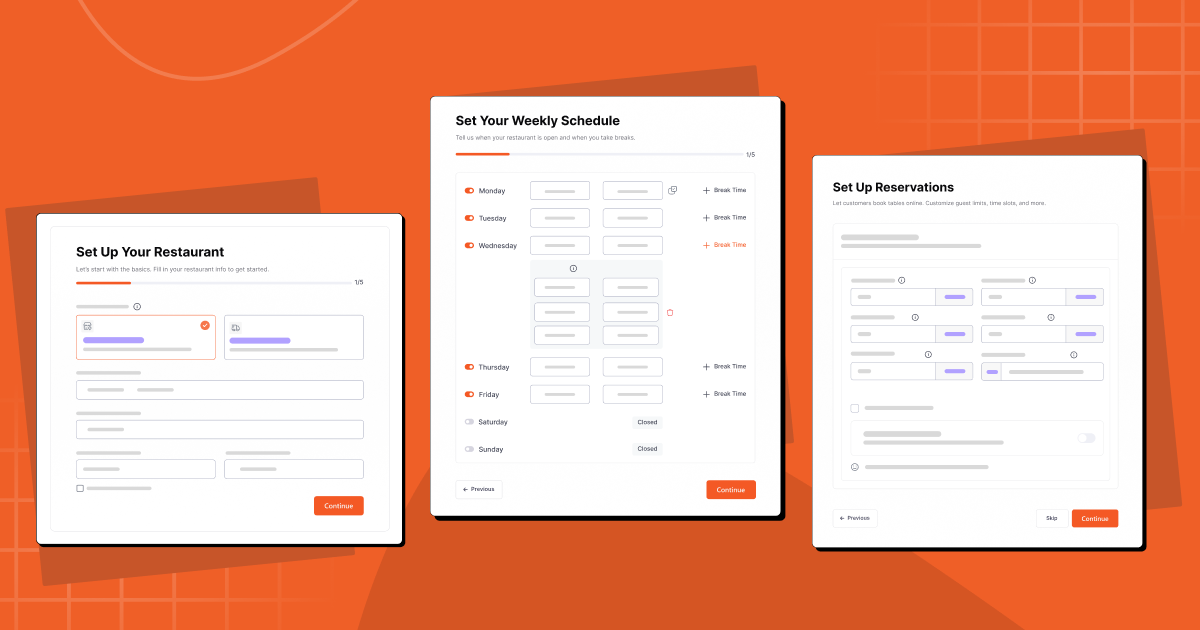
Onboarding wizard — get started in minutes 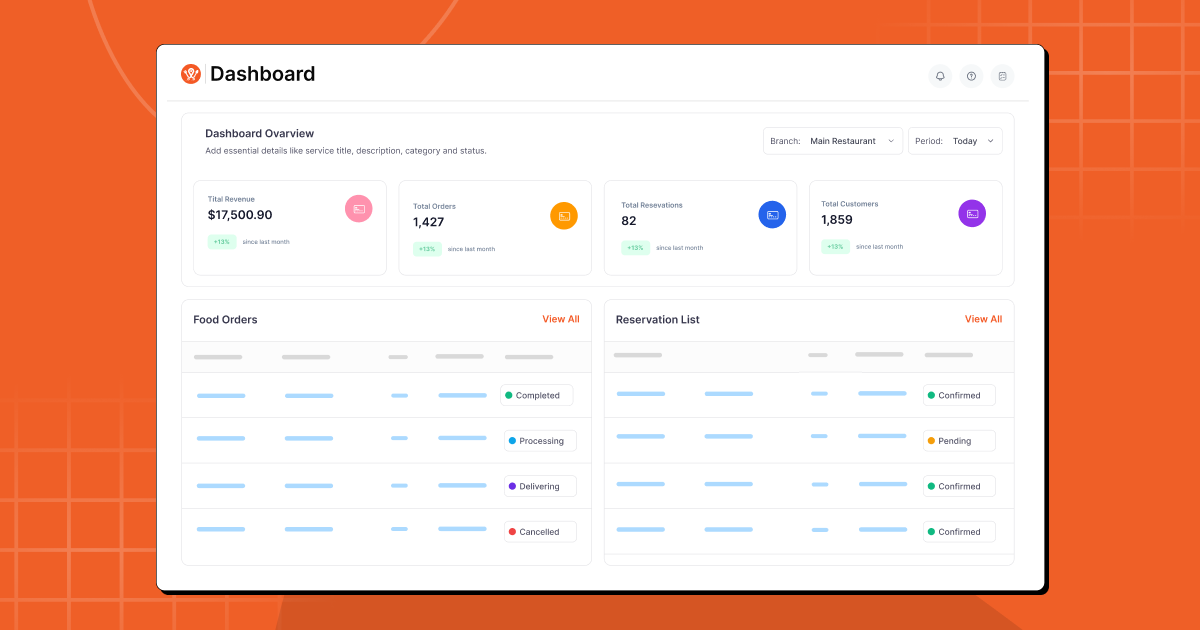
Dashboard Overview — sales, orders, and reservations at a glance 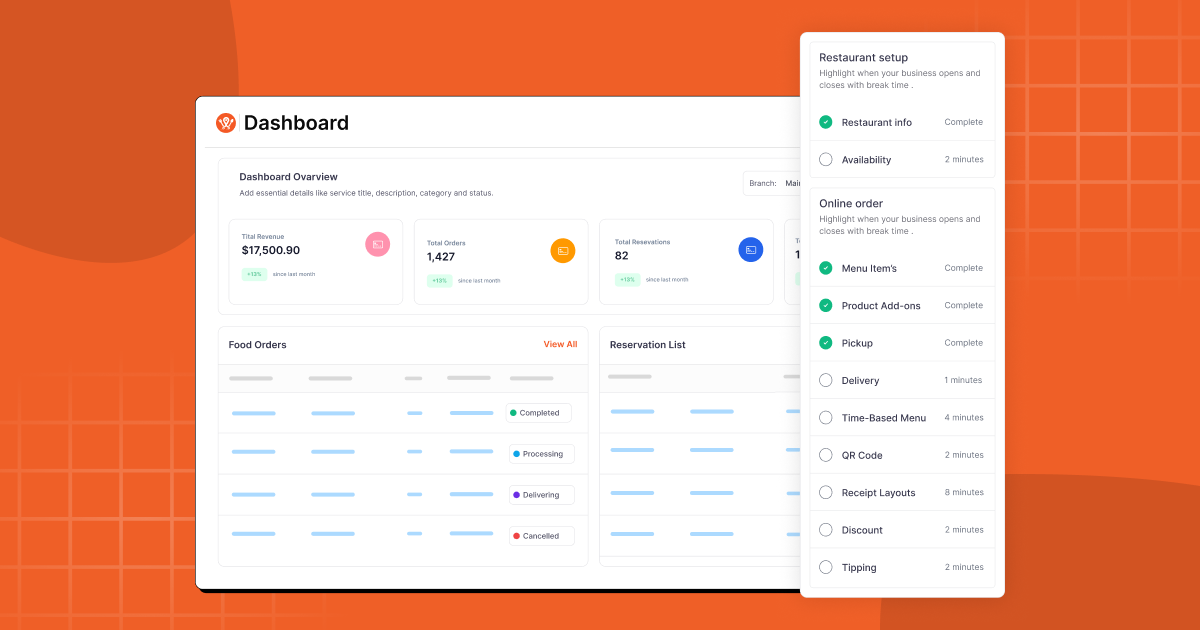
Dashboard Classic view 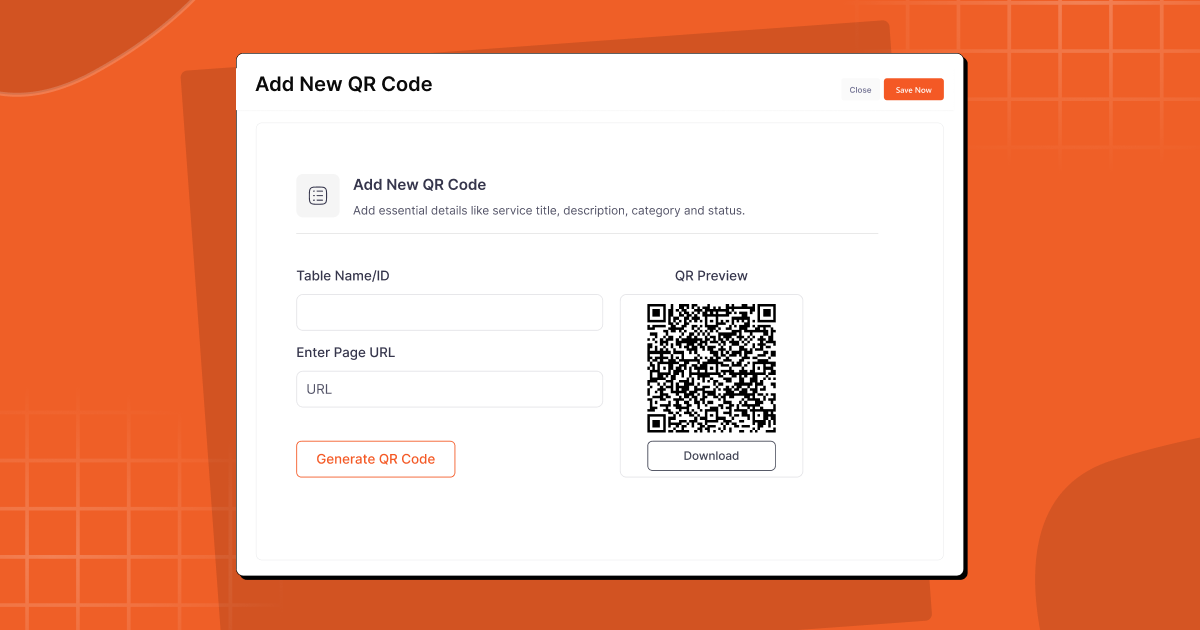
QR Code ordering for contactless dine-in 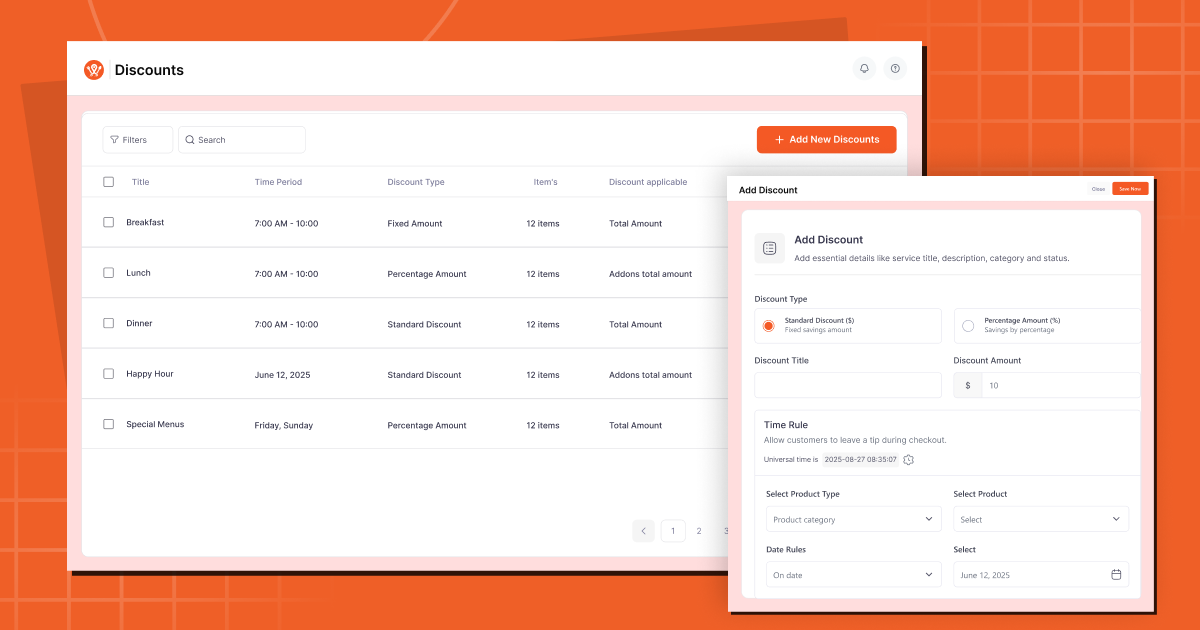
Discount options on the food menu 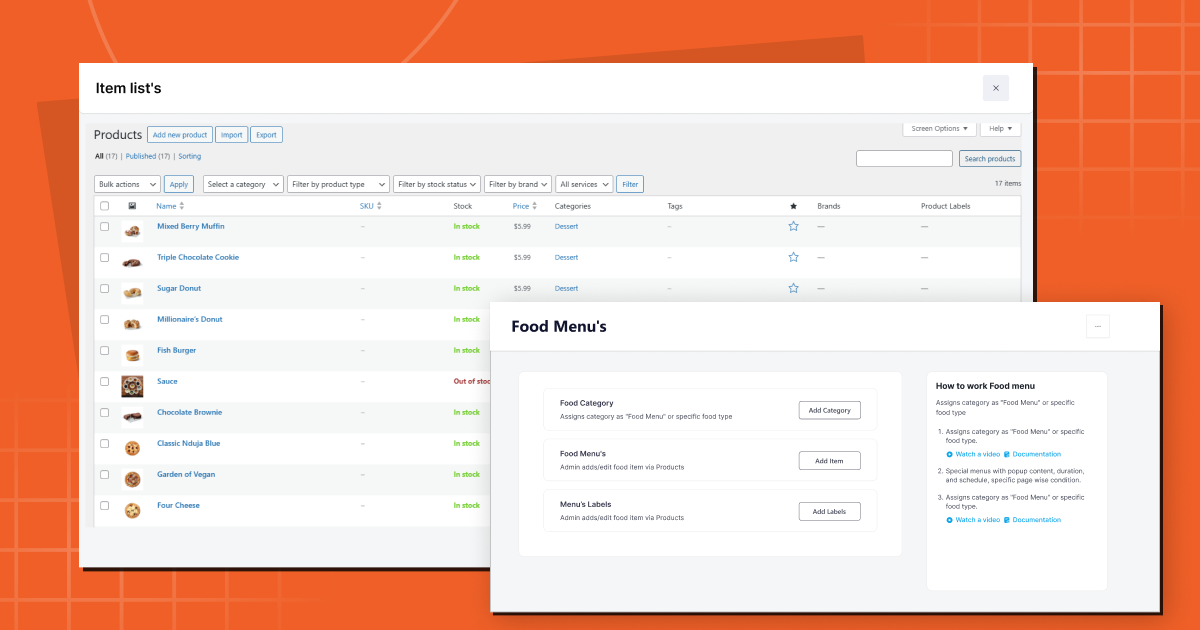
Food menu with 34+ layout templates 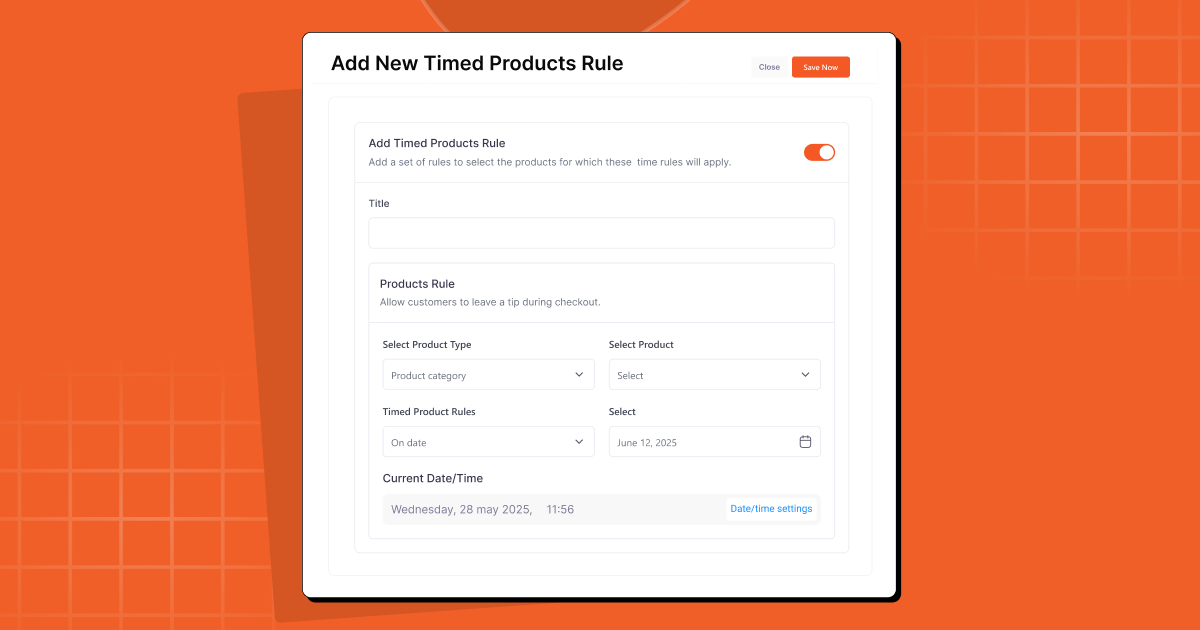
Time-based product availability (breakfast, lunch, dinner) 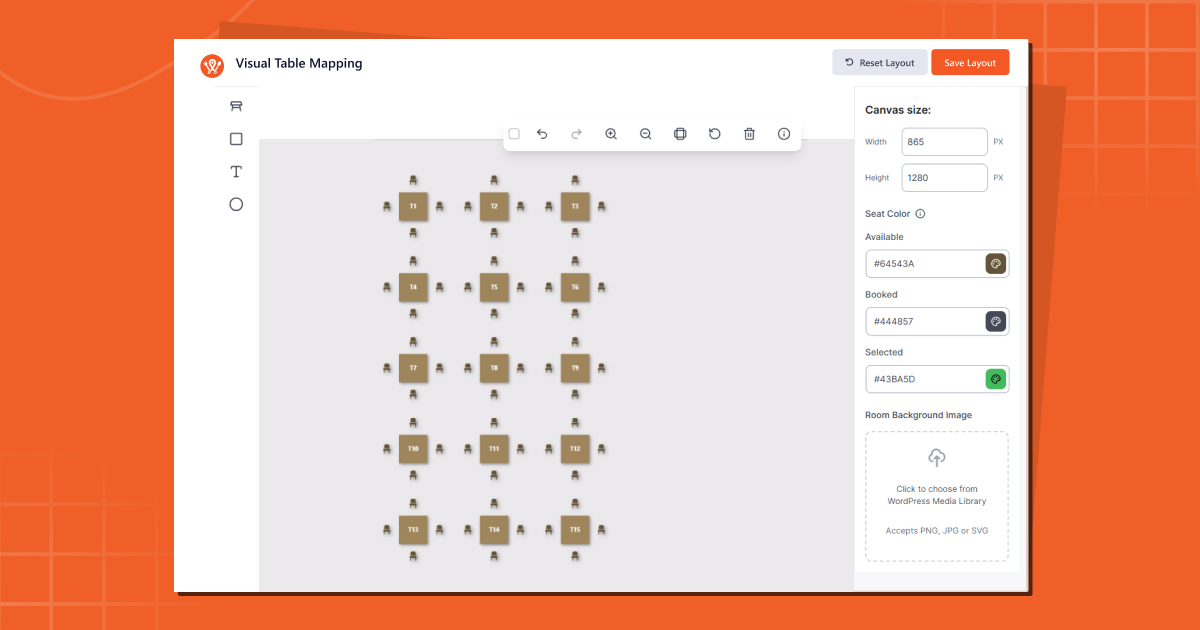
Visual interactive table layout reservation 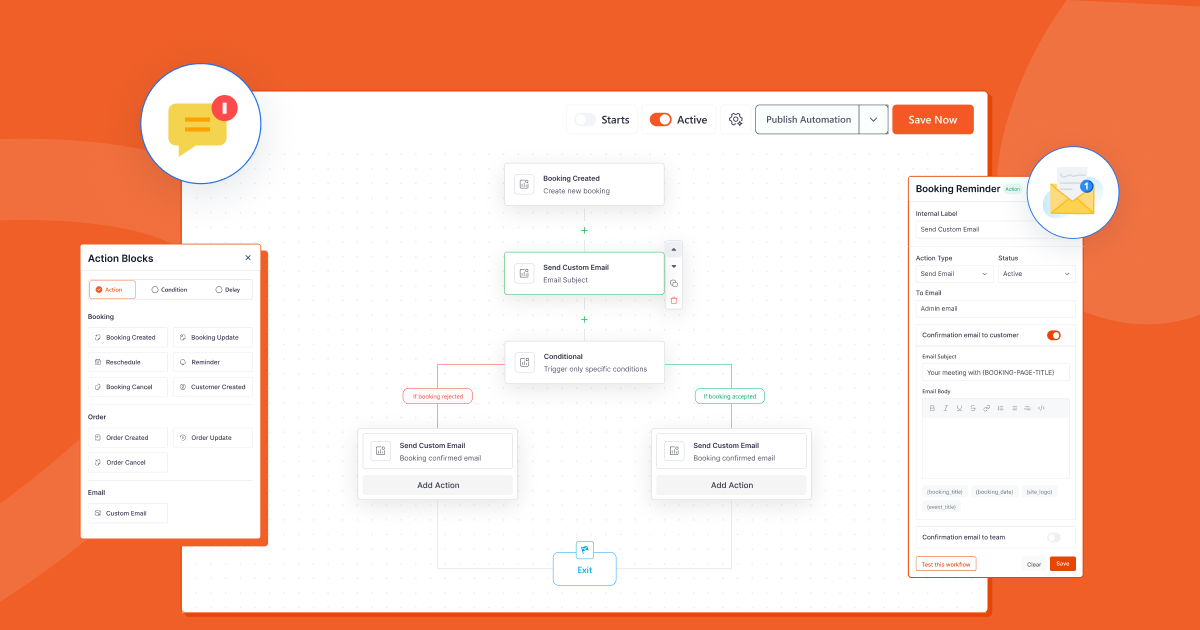
Email automation for reservations and orders 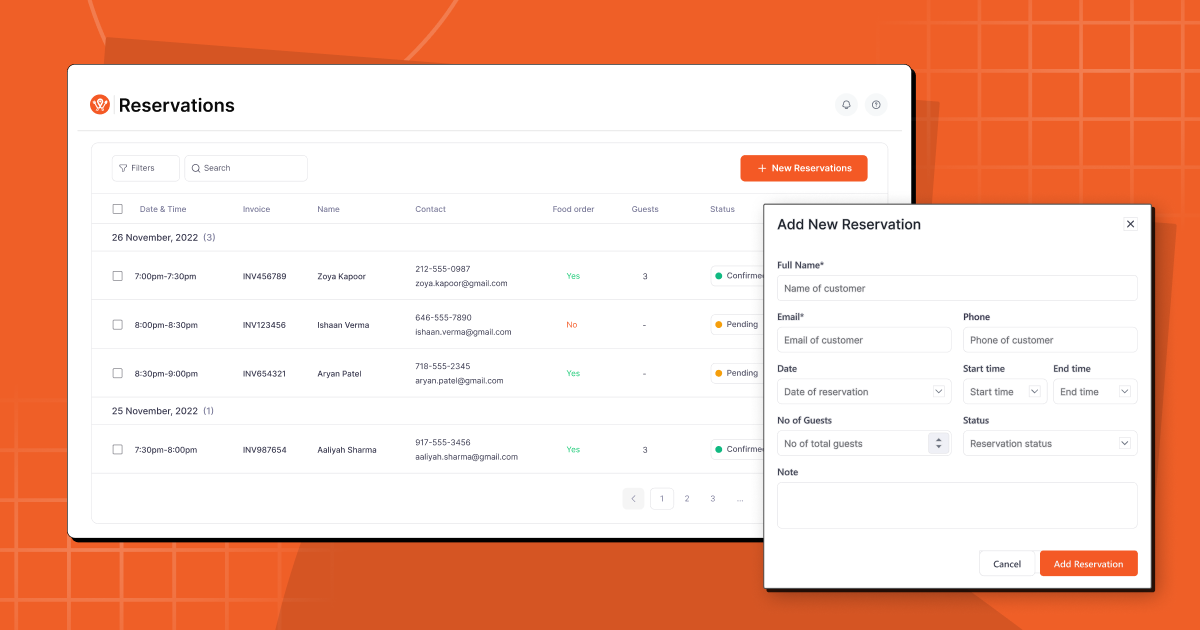
Reservation list management 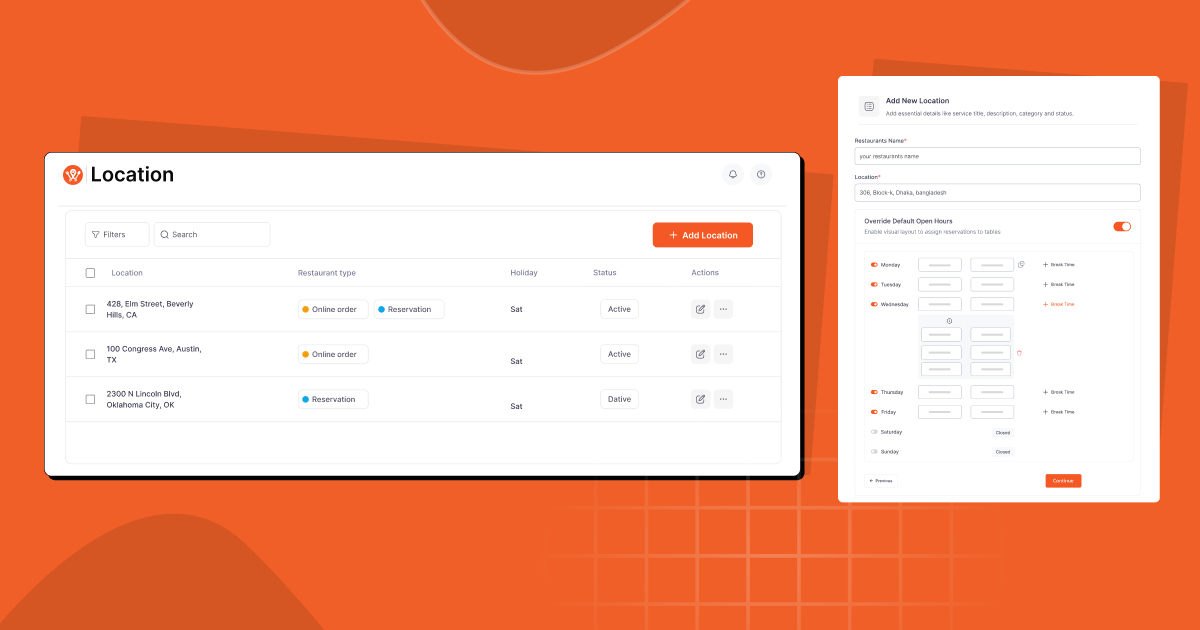
Multi-location management dashboard 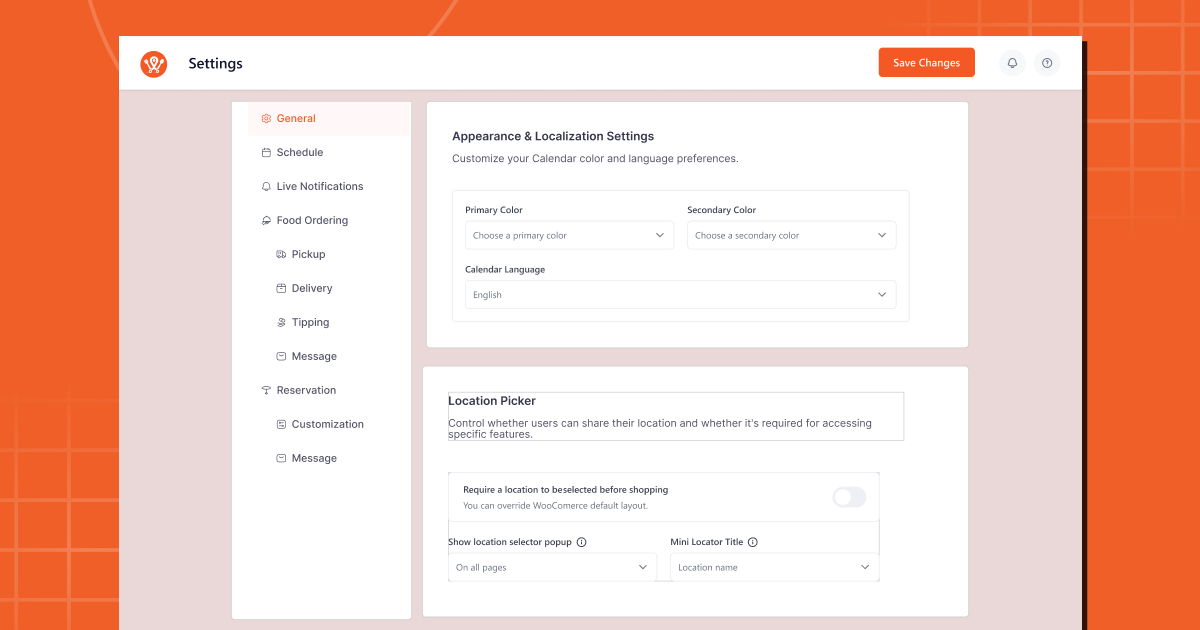
Settings and configuration panel 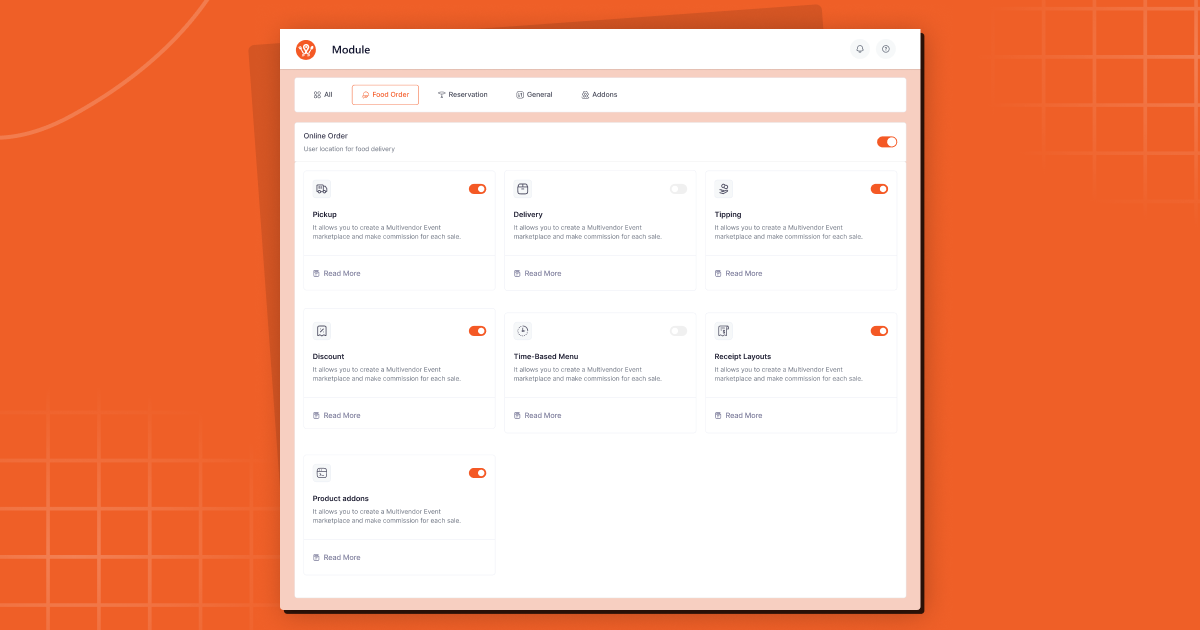
Modules page — enable only what you need
Blocks
This plugin provides 4 blocks.
- WPC Food List
- WPC Food Tab
- WPC Pickup & delivery
- WPC Location
Installation
From the WordPress Plugin Directory (Recommended)
- Go to Plugins > Add New in your WordPress admin.
- Search for “WPCafe”.
- Click Install Now, then Activate.
Manual Installation
- Download the WPCafe plugin zip file.
- Go to Plugins > Add New > Upload Plugin.
- Upload the zip file and click Install Now, then Activate.
Setting up WPCafe in 6 steps
- Install WPCafe — WooCommerce will be detected automatically or prompted for installation if not already active.
- Run the setup wizard — Enter your restaurant name, address, cuisine type, and opening hours.
- Add your food menu — Create menu categories and add dishes with photos, descriptions, prices, and add-on options.
- Configure delivery & pickup — Set your delivery zones, available days and time slots, minimum order amounts, and holiday schedules.
- Set up table reservations — Configure your reservation schedule, seat capacity, and automated email notifications.
- Publish and go live — Add your ordering button and reservation form to any page using shortcodes or Gutenberg blocks.
Note: WooCommerce is required for online food ordering functionality. It is free and will be prompted during setup if not already installed.
FAQ
-
Do I need WooCommerce installed to use WPCafe?
-
Yes. WooCommerce is required for the online food ordering features. It is free, and WPCafe will prompt you to install it automatically during setup if it is not already active on your site.
-
Which payment gateways are supported?
-
WPCafe uses WooCommerce for checkout, giving you access to every payment gateway WooCommerce supports — including PayPal, Stripe, Square, Apple Pay, Google Pay, Razorpay, and hundreds of regional payment methods. You choose the gateway that works for your country and business.
-
How long does it take to set up WPCafe?
-
Most restaurants are ready to accept their first online order within 30 minutes of installation. The onboarding wizard guides you through each step: entering your restaurant details, adding menu items, configuring delivery zones, and publishing your ordering button.
-
Can I manage multiple restaurant locations with WPCafe?
-
Yes. WPCafe Pro supports multi-branch restaurant management. You can assign different menus, delivery zones, pickup schedules, and reservation capacities for each location — all managed from a single WordPress dashboard.
-
Is WPCafe mobile-friendly?
-
Yes. All food menus, ordering flows, and reservation forms are fully responsive. Customers can browse the menu, place orders, and book tables on any device — mobile, tablet, or desktop.
-
Can customers schedule orders for a future date or time?
-
Yes. WPCafe supports pre-ordering and scheduled delivery/pickup. Customers can select a specific future date and time slot — ideal for catering orders, special events, and restaurants that want to manage kitchen flow in advance.
-
Does WPCafe support QR code ordering?
-
Yes. You can generate QR codes for individual tables, your full menu, or your takeaway page. Guests scan the code with their phone and place orders directly — a fully contactless ordering experience.
-
Can I take table reservations and food orders at the same time?
-
Yes. WPCafe Pro supports “Food with Reservation” — customers pre-order their meal while booking their table. When they arrive, their order is already being prepared.
-
Can I migrate from another restaurant plugin to WPCafe?
-
Yes. Our support team can assist with migrating your restaurant menu and settings from other plugins. Submit a request through the WPCafe support forum and our team will help you transition.
-
Does WPCafe work with my existing WordPress theme?
-
In most cases, yes. WPCafe is designed to be compatible with a wide range of WordPress themes. If you experience a conflict, our support team can help resolve it.
-
I’m not receiving reservation or order notification emails. What should I do?
-
This is almost always a WordPress email delivery issue. Please check: (1) verify the notification email address in WPCafe settings is correct; (2) check your spam/junk folder; (3) confirm WordPress itself can send emails via the admin email settings; (4) if the issue persists, install an SMTP plugin such as WP Mail SMTP to improve server email deliverability.
-
Yes. WPCafe includes 34+ pre-built food menu templates with grid, list, tab, and slider layouts. You can customize colors, fonts, column layouts, and category styles. Advanced styling is available in WPCafe Pro.
-
Is WPCafe updated regularly?
-
Yes. WPCafe receives regular updates including new features, performance improvements, and security patches. Version 3.0 (December 2025) was the largest update in the plugin’s history. Follow the roadmap to see what’s coming next.
Reviews


Contributors & Developers
“WPCafe – Restaurant Menu, Online Food Ordering & Table Booking System” is open source software. The following people have contributed to this plugin.
Contributors

“WPCafe – Restaurant Menu, Online Food Ordering & Table Booking System” has been translated into 1 locale. Thank you to the translators for their contributions.
Interested in development?
Browse the code, check out the SVN repository, or subscribe to the development log by RSS.
Changelog
3.0.7 ( March 16, 2026 )
New: Email automation trigger support for reservation status updates.
Security: Security improvements across the plugin.
3.0.6 ( February 01, 2026 )
Fix: Media library not loading in admin dashboard.
Tweak: Sidebar UI for admin dashboard improved.
3.0.5 ( January 27, 2026 )
New: Sidebar UI for admin dashboard.
Fix: Custom time format validation error for reservation.
Fix: Console error for English (US) language fixed.
Fix: Custom time format support for reservation list.
Tweak: Dashboard load speed improvement.
Tweak: Improved error messages for settings page validations.
3.0.4 ( January 22, 2026 )
New: Dark mode support for the admin panel.
Fix: Maximum number of guest selection issue fixed.
Fix: Time conversion error for reservation start time in emails fixed.
Tweak: Major performance improvements across the plugin.
3.0.3 ( January 1, 2026 )
New: Option to attach images to restaurant locations.
Fix: Elementor food menu and tab rendering error fixed.
Fix: Location-wise filtering not working in shop page fixed.
Fix: Location-wise filtering not working in food menu list and tab shortcode fixed.
Fix: 24h time format compatibility added to admin schedule settings.
Fix: 24h time format compatibility added to pickup & delivery time selector on checkout page.
Fix: Reservation timezone issue on reservation details in checkout page fixed.
Tweak: Sidebar menu items now include unique class names.
3.0.2 ( December 23, 2025 )
New: Multi-vendor marketplace support added (Dokan integration).
Tweak: 24-hour format support in time picker UI.
Fix: Guest number selection freezing the reservation form fixed.
3.0.1 ( December 14, 2025 )
Fix: Email automation creating duplicate demo data resolved.
Fix: Old location popup appearing for existing users fixed.
Fix: Minicart not opening issue resolved.
Fix: Incorrect display of reservation start and end times fixed.
Fix: Mobile responsiveness issues for minicart style 1 resolved.
Fix: Empty reservations being created during data migration prevented.
Fix: Sidebar toggler not appearing in mobile view fixed.
3.0.0 ( December 08, 2025 )
New: Dashboard now shows total customer insights.
New: Dashboard section displaying food orders and reservation list at a glance.
New: Dashboard top-selling items list added.
New: Dedicated Food Menu page with guided navigation to menu items, categories, and branch settings in WooCommerce.
New: Single and multi-location management.
New: Automated email notifications for reservation creation, cancellation, and reminders.
New: Global schedule management with override rules for pickup, delivery, and reservation.
New: Fully customizable reservation form builder.
New: Version rollback system for safe version control.
New: Modules page to manage food ordering, reservations, and addons independently.
New: QR code generation for food menus and reservations.
New: Tip feature added to the free version.
New: Elementor addon introduced.
New: OpenStreetMap integration for delivery zones.
New: Deposet integration for deposit and partial payment support.
Tweak: Improved mini-cart settings fields for clarity.
Tweak: Dedicated Integrations page added to centralize all integrations.
Tweak: Shortcode management page updated for better usability.
Tweak: Settings data migration from older versions.
Tweak: Shortcode performance optimized.
2.2.42 ( November 12, 2025 )
Fix: Delivery module toggle not functioning.
2.2.41 ( October 16, 2025 )
Fix: Invalid HTML elements in the head section fixed.
2.2.40 ( September 28, 2025 )
Tweak: Reservation list item filter updated.
2.2.39 ( September 08, 2025 )
Fix: Reservation list filter not working.
2.2.38 ( August 14, 2025 )
Fix: Reservation list time format fix.
2.2.37 ( July 15, 2025 )
New: Reservation list sort by date column added.
Fix: Elementor Food Menu style 3 color control not working.
2.2.36 ( June 04, 2025 )
Tweak: Improved admin UI for better usability.
2.2.35 ( May 21, 2025 )
Tweak: Improved admin dashboard notification experience.
2.2.34 ( May 6, 2025 )
Fix: Reservation form submission without guest issue.
Fix: WordPress 6.8 compatibility.
New: Extra field support in email template tags.
Fix: FluentCRM webhook URL validation filter.
2.2.33 ( April 12, 2025 )
Fix: Mini-cart UX update.
Fix: Custom date format fix.
Fix: Booking cancel feature on reservation forms.
Fix: Dynamic late booking time.
Tweak: Food and reservation list sync improved.
Security: LFI vulnerability patched for Food Menu Tab Shortcode.
2.2.32 ( March 17, 2025 )
Fix: Checkout conflict with third party plugin fixed.
Fix: Local timezone setting improvement.
Security: LFI vulnerability patched for Food Menu Shortcode.
2.2.31 ( December 8, 2024 )
Fix: Reservation list time format fix.
Fix: Multiple items incorrectly added to minicart.
2.2.30 ( September 8, 2024 )
Fix: Reservation list incorrect date format.
Fix: Seat capacity functionality improvement.
2.2.29 ( July 25, 2024 )
Fix: WooCommerce dependency error.
Fix: Shortcode generation issue fix.
Security: LFI vulnerability patched for Food Menu List widget.
Tweak: Improved Gutenberg blocks.
2.2.28 ( July 4, 2024 )
New: Location Gutenberg checkout block.
Security: Gutenberg block security improvements.
Fix: Single product add to cart issue fix.
2.2.27 ( June 13, 2024 )
Security: Reservation form security improvements.
New: Pickup/Delivery Gutenberg checkout block.
Fix: QR Reservation table name not appearing.
2.2.26 ( May 30, 2024 )
Security: Sanitization and validation improvements for reservation form.
2.2.25 ( May 20, 2024 )
Fix: WooCommerce product image visibility.
Fix: Add to Cart functionality not working.
2.2.24 ( May 09, 2024 )
Security: Security performance issue fixed.
2.2.23 ( March 10, 2024 )
Security: Broken Access Control vulnerability fixed.
2.2.22 ( February 13, 2024 )
New: Bricks Builder compatibility added.
Fix: Timepicker issue in reservation.
Fix: Deprecated date time issue.
Fix: Next button inactive issue in reservation form.
2.2.21 ( January 15, 2024 )
New: Filter by Status option added to Reservations list.
Fix: Dashboard markup validation issue fixed.
Fix: Pro settings field condition added.
2.2.19 ( November 05, 2023 )
Fix: Reservation email notification guest number.
Fix: Manual reservation email not delivered to user and admin.
2.2.18 ( October 22, 2023 )
Tweak: PHP & JS script optimization.
Tweak: WordPress compatibility check.
Fix: Multiple form issue fix with reservation form.
2.2.17 ( September 18, 2023 )
Tweak: PHP & JS script optimization.
Fix: Reservation form validation updated.
2.2.16 ( July 20, 2023 )
Fix: WooCommerce mini-cart Ajax functionality issue fixed.
2.2.15 ( June 21, 2023 )
Fix: Astra theme conflict issue.
2.2.14 ( April 26, 2023 )
Tweak: PHP & JS script optimization.
2.2.13 ( April 02, 2023 )
Fix: Reservation exception date timezone issue.
Fix: Elementor widget bug fix.