

Description
Captain Advance Filter helps you create fast and dynamic AJAX-powered filtering and search experiences for any post type. Build custom queries and filter sets through an easy-to-use interface, then display them anywhere on your website using shortcodes, Gutenberg blocks, or Elementor widgets. No coding knowledge is required.
With support for taxonomy and custom field filtering, flexible pagination options, and a modern React-powered admin interface, the plugin makes it easy to build advanced filtering systems for blogs, directories, portfolios, WooCommerce stores, and more.
Core Features
- AJAX-powered filtering and pagination without page reloads.
- Visual Query Builder to select post types, define ordering, and control displayed content.
- Filter Set Builder for creating multiple filter fields connected to a query.
- Support for Checkbox, Radio, Dropdown, Range Slider, Search, and A to Z alphabetical filters.
- Filter posts using WordPress taxonomies and custom fields through WP_Query.
- Multiple pagination options including numbered pagination, Load More, and Infinite Scroll.
- Optional transient caching for improved performance on repeated queries.
- Clean and modern React-based administration panel.
Shortcodes
[captaf-filter id="1"]displays a filter set.[captaf-grid query="query_key"]displays the filtered content grid.[captaf-pagination query="query_key"]displays pagination controls.[captaf-count query="query_key"]displays the total number of matching results.
Builder Integrations
- Elementor includes dedicated Filter, Grid, and Pagination widgets with full styling support.
- Gutenberg includes native Filter, Grid, and Pagination blocks.
- Bricks Builder integration is currently under development and will be available in a future release.
Performance
- Lightweight architecture that loads admin and frontend assets only on pages where Captain Advance Filter is used.
- No jQuery dependency on the frontend, resulting in faster page loading and better performance.
Screenshots
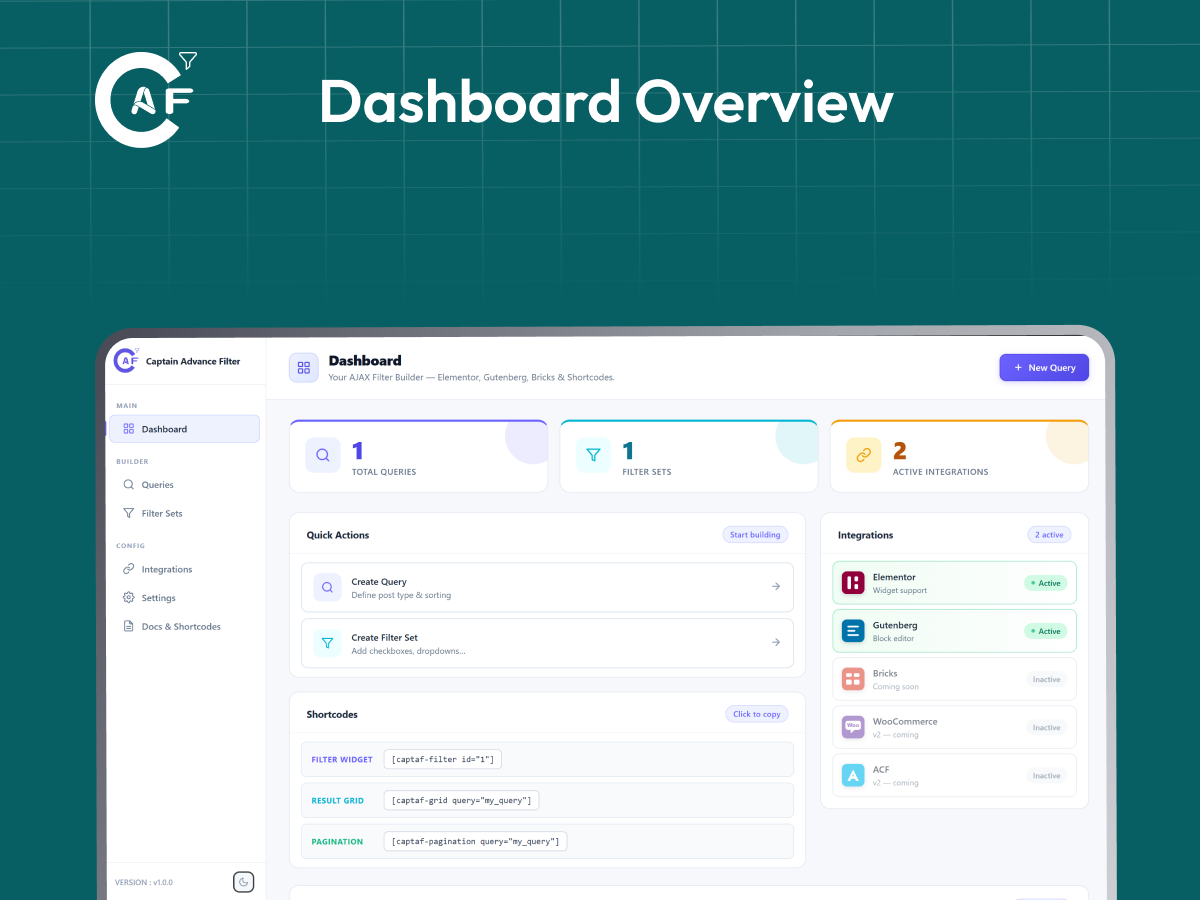
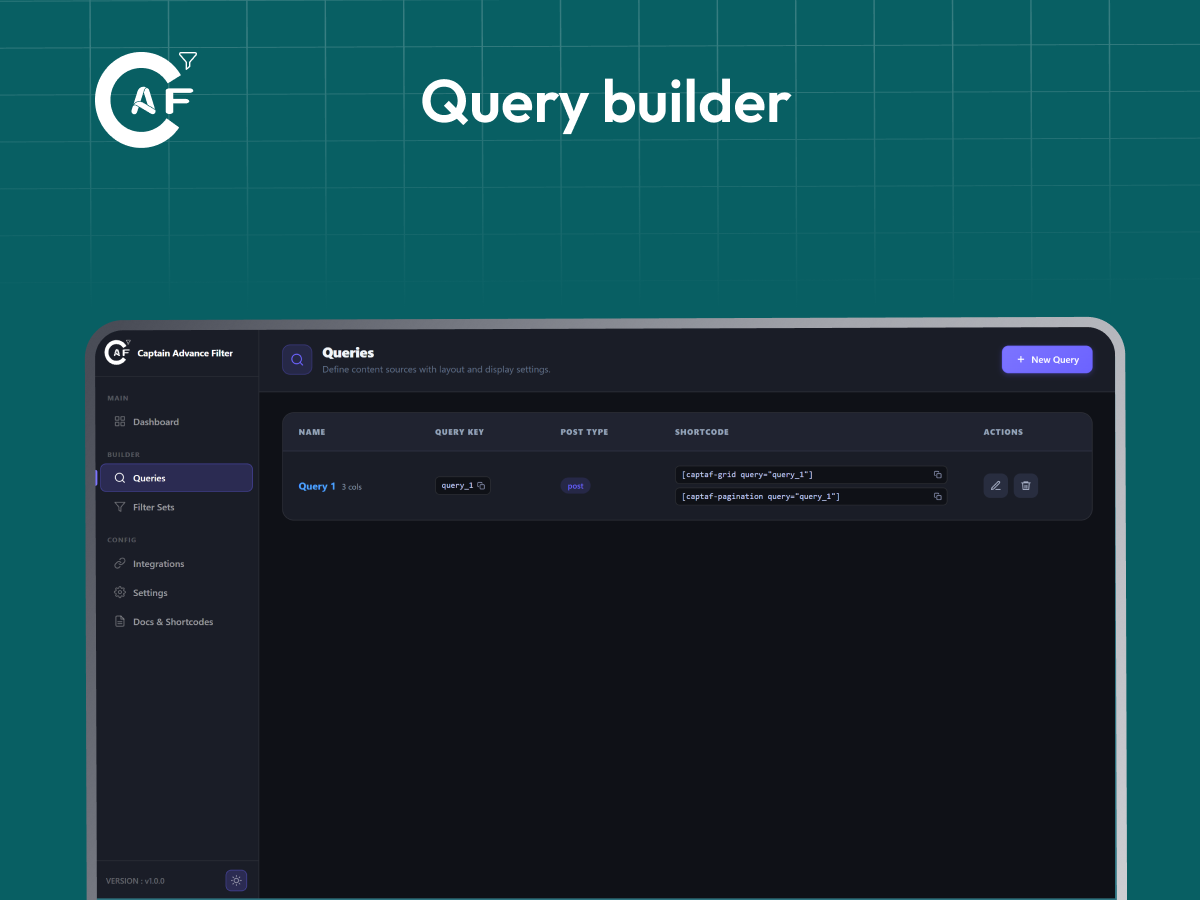
Blocks
This plugin provides 3 blocks.
- Filter
- Grid
- Pagination
Installation
- Upload the plugin folder to
/wp-content/plugins/. - Activate the plugin from the Plugins screen in WordPress.
- Open Captain Advance Filter from the WordPress admin menu.
- Create a query and then create a filter set connected to that query.
- Display your filters and results using the generated shortcodes, such as
[captaf-filter id="1"]and[captaf-grid query="your_query_key"].
FAQ
-
Does it work without Elementor?
-
Yes. Captain Advance Filter works with shortcodes and Gutenberg blocks by default. Elementor support is available as an additional integration.
-
Can I filter custom post types?
-
Yes. You can create filters for any publicly available custom post type registered in WordPress.
-
Are the public REST endpoints secure?
-
Yes. The plugin only returns data for publicly accessible post types and taxonomies. Private content is never exposed through the REST API.
-
Do I need coding knowledge?
-
No. Everything is managed through the visual admin interface. Once you create a query or filter set, the required shortcode is generated automatically.
-
Will the plugin affect my website’s performance?
-
No. Scripts and styles are loaded only on pages where Captain Advance Filter is being used through a shortcode, Gutenberg block, or Elementor widget.
Reviews
There are no reviews for this plugin.
Contributors & Developers
“Captain Advance Filter” is open source software. The following people have contributed to this plugin.
Contributors
“Captain Advance Filter” has been translated into 6 locales. Thank you to the translators for their contributions.
Translate “Captain Advance Filter” into your language.
Interested in development?
Browse the code, check out the SVN repository, or subscribe to the development log by RSS.
Changelog
1.1.0
WooCommerce-ready cards, split filters, and a better mobile admin experience.
- Added: New Card Style tab with Classic, Minimal, Shop Card (WooCommerce), and Dark Overlay layouts.
- Added: WooCommerce product data (price, sale badge, Add to Cart) for Product queries.
- Added: {{price}}, {{sale_badge}}, and {{add_to_cart}} tokens for custom card templates.
- Added: only attribute for [captaf-filter] plus matching Elementor and Gutenberg controls to display individual filters anywhere on the page.
- Added: Per-filter shortcode generator with Copy button in the Filter Sets list and editor.
- Added: Responsive mobile navigation with an off-canvas sidebar for the admin dashboard.
- Changed: Filter Set editor is now an inline page instead of a popup.
- Fixed: Elementor and Gutenberg assets now load correctly on the frontend.
- Fixed: Updated plugin description to clarify Bricks Builder support is coming soon.
- Improved: JavaScript strings are now translation-ready via wp.i18n.
- Improved: Reduced admin CSS size by ~30% and fixed leftover CSS issues.
- Improved: Refined per-filter shortcode UI with better theme and dark mode support.
- Improved: Cleaned up redundant admin menu code.
1.0.0
Initial stable release.
- Added six filter types: Checkbox, Radio, Dropdown, Range Slider, Search, A–Z Alphabetical
- Added three pagination modes: Numbered Pagination, Load More, Infinite Scroll
- Added Elementor widgets.
- Added Gutenberg blocks.
- Added Visual Query Builder for creating reusable post queries.
- Added Filter Set Builder with support for multiple filters.
- Added customizable grid layouts with column switcher support.
- Added AJAX filtering with live result updates.
- Added live result count shortcode.
- Added four frontend shortcodes:
[captaf-filter],[captaf-grid],[captaf-pagination],[captaf-count] - Added caching support for improved performance.
- Added React-powered admin dashboard.
- Added integrations page and plugin settings.
- Added REST API for frontend filtering and admin management.
- Added conditional asset loading for better frontend performance.
- Added security hardening and input sanitization.
- Added dark and light theme groundwork for the admin dashboard (theme switcher UI present, coming soon).