

Description
Fade Slider is a lightweight, modern carousel/slider plugin built on Bootstrap 5.3. It provides smooth fade and slide animations with full responsiveness and works seamlessly with any WordPress theme.
Key Features
- Bootstrap 5.3 carousel component with native animations
- Fade and slide animation modes
- Fully responsive design (mobile, tablet, desktop)
- Adaptive height scaling for different screen sizes
- Touch and keyboard navigation support
- Customizable interval, pause behavior, and autoplay
- Slide titles, descriptions, and clickable URLs
- Indicator dots and navigation arrows
- Responsive caption display with mobile optimization
- Works with any theme (includes Bootstrap or uses CDN)
- Automatic Bootstrap duplicate detection (prevents conflicts)
- Drag and drop slide reordering with visual feedback
- Auto-save slide order when reordered
Custom Options
1. Install and activate the plugin
2. Create a new slider in the admin panel (Fade Slider menu)
3. Configure animation type (Fade or Slide)
4. Set carousel interval (delay between slides in milliseconds)
5. Add slides with images, titles, descriptions, and URLs
6. Set slider height/width (auto-scales to 70% on tablet, 60% on mobile, 50% on small phones)
7. Choose to show/hide captions on small devices
8. **Drag and drop slides to reorder** - Simply click and drag a slide thumbnail to change its display order. Visual feedback shows where the slide will be placed
9. Add shortcode to page/post: [display_fade_slider id=SLIDER_ID]
10. Or use template: <?php fade_slider_template('[display_fade_slider id=SLIDER_ID]'); ?>
Shortcode Usage
[display_fade_slider id=1]
Configuration Options
- Animation: Choose between Fade or Slide effects
- Interval: Set auto-play delay (milliseconds) or turn off with ‘off’
- Hover Pause: Pause slider on mouse hover
- Show Indicators: Display bottom dot navigation
- Show Arrows: Display prev/next buttons
- Description Responsive: Hide captions on mobile devices (only shows on desktop/tablet)
- Slider Height and Width: Auto-responsive scaling
Frequently Asked Questions
-
Which Bootstrap version is required?
Bootstrap 5.3.3 is automatically loaded via CDN. If your theme already includes Bootstrap 5.3+, the plugin will automatically detect and avoid duplication.
-
Do I need to install Bootstrap separately?
No. Bootstrap 5.3 is loaded automatically via CDN. The plugin includes intelligent duplicate detection to prevent conflicts with theme-provided Bootstrap.
-
Does it work on mobile devices?
Yes. The plugin is fully responsive with adaptive height scaling:
- Desktop (≥1200px): Full configured dimensions
- Tablet (768px-1199px): 70% of viewport height
- Mobile (≤767px): 50-60% of viewport height
- Small phones (≤375px): 40% of viewport height
-
Can I customize animations?
Yes. Two animation modes are available: Fade (opacity transition) and Slide (horizontal transition).
-
Is there keyboard/touch support?
Yes. The carousel supports touch gestures, arrow keys for navigation, and full accessibility features.
-
How do I hide captions on mobile?
In slider settings, select “Hide” for “Description Responsive” option. Captions will only show on tablets and desktops (≥768px).
-
How do I reorder slides?
You can easily drag and drop slides to change their display order. Click and hold on a slide thumbnail, then drag it to the desired position. The slide order is automatically saved when you release it. Visual highlighting shows where the slide will be positioned.
-
Can I edit slide images after adding them?
Yes. Click the edit icon (pencil) on any slide thumbnail to change the image. Click the trash icon to remove a slide entirely.
Screenshots
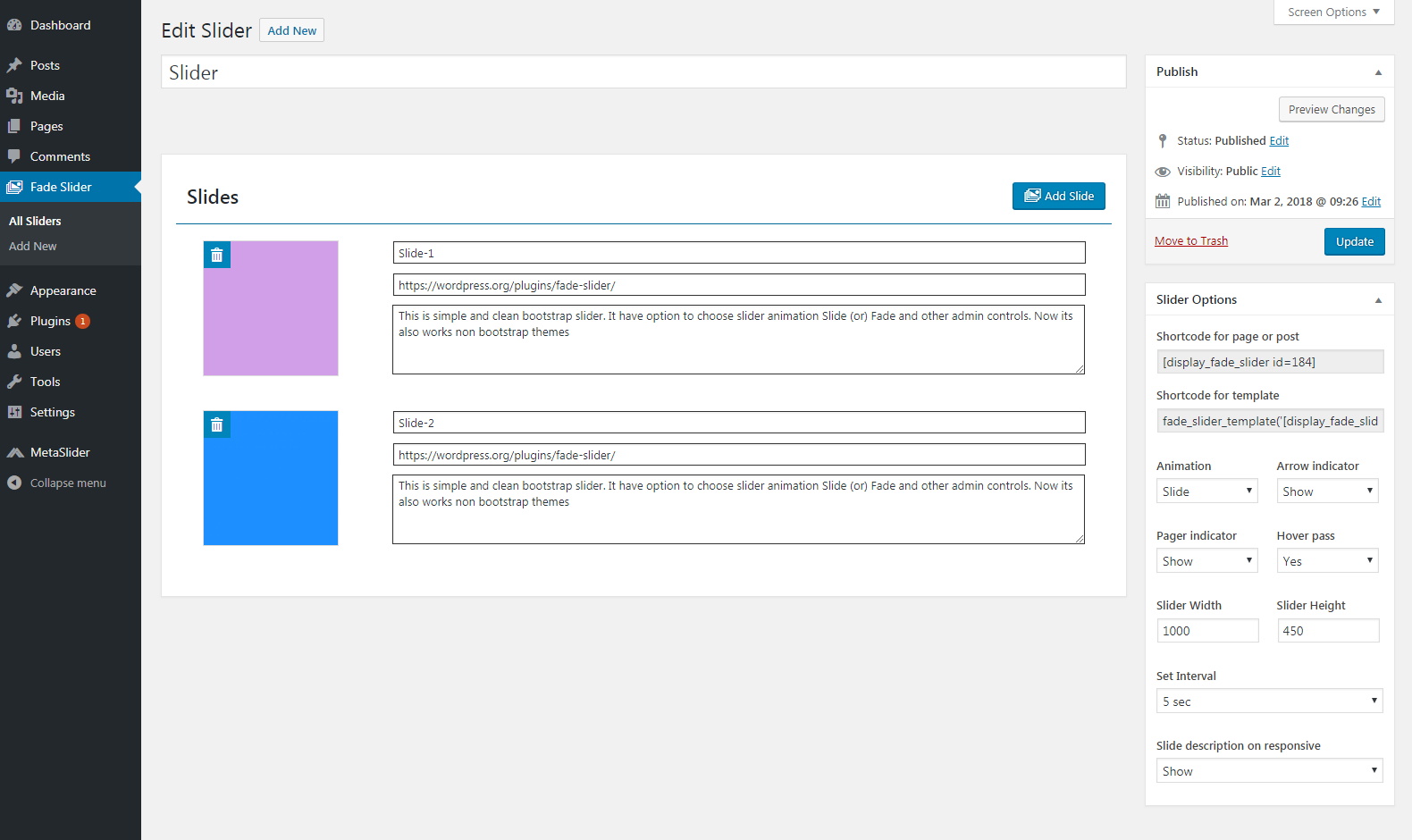
screenshot-1.png 
screenshot-2.png 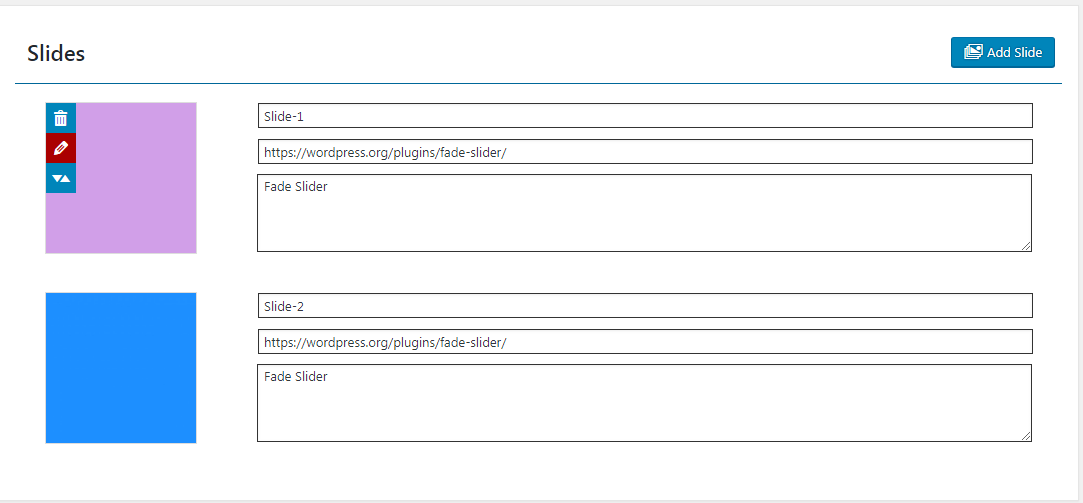
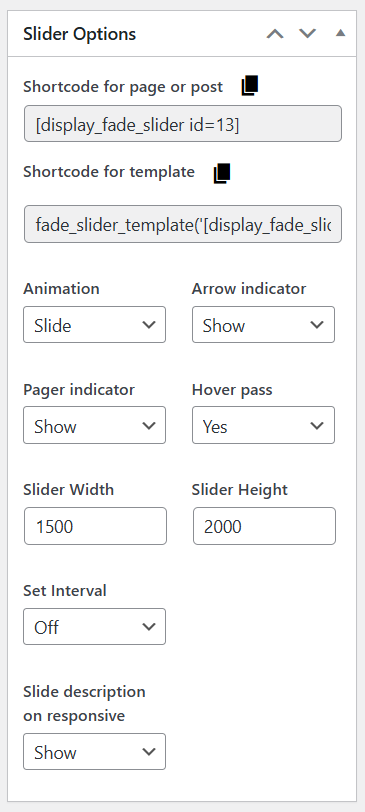
Installation
- Upload the plugin files to
/wp-content/plugins/fade-slider/directory - Activate the plugin through the ‘Plugins’ menu in WordPress
- Go to “Fade Slider” in the admin menu
- Create a new slider and configure your options
- Add slides with images and optional titles/descriptions
- Use the shortcode [display_fade_slider id=SLIDER_ID] in pages or posts
Reviews


Contributors & Developers
“Fade Slider” is open source software. The following people have contributed to this plugin.
Contributors
Translate “Fade Slider” into your language.
Interested in development?
Browse the code, check out the SVN repository, or subscribe to the development log by RSS.
Changelog
1.0
- New: Fade Slider plugin
1.1
- Update Admin options and admin UI
2.0
- Update bootstrap version v3x to v3.3.7x
- Add multisite options
- Add intervel and nav controls
- Support Non Bootsrrap themes
- Multi slide options added.
- Slide title, description and url fields added
- Light weight plugin
2.1
- Admin UI changed
- Update metabox issues
- Silder Width and Height option added
- Slider description have option to show responsive
2.3
- Add edit slide option.
- Add re-order slides option.
- Add regenerate slide sizes.
2.5
- Update bootstrap 4.3.1.
- Fixed slide dimention issue.
2.6
- Major: Update to Bootstrap 5.3.3 with native carousel API
- Fix: Fade and slide animations now working properly
- New: Smooth CSS transitions with proper transform/opacity handling
- New: Responsive height scaling (70% tablet, 60% mobile, 50% small phone)
- New: Auto-responsive caption display with font scaling
- New: Enhanced mobile controls (larger touch targets)
- New: Indicator dots responsive sizing
- New: Bootstrap duplicate detection to prevent conflicts
- New: Drag and drop slide reordering with visual feedback
- New: Auto-save slide order when reordered
- Improved: Better touch and keyboard navigation support
- Improved: Mobile-first responsive design
- Improved: Caption visibility control on small devices