
Description
Site CliniQ scans your WordPress site for PHP errors, SEO issues, oversized images, missing alt tags, broken links, plugin health issues, and more — then optionally uses AI to explain what is wrong and exactly how to fix it.
No more raw error logs. No more cryptic numbers. Just plain English.
What you get in the free version
- AI Auto-Fix for Plugin Errors — Connect your site to a free Site CliniQ account and get up to 5 AI fixes per month. When a plugin causes a PHP fatal error, Site CliniQ asks the AI for a fix, applies it, and keeps your site online.
- AI Error Diagnosis — Reads your PHP error log and explains each error in plain English with a step-by-step fix (requires your own Claude API key).
- Site Health Score — A–F grade based on PHP version, memory limit, WP version, SSL, debug mode, and more.
- Plugin Health Checker — Flags plugins not updated in 2+ years or not tested with your current WordPress version.
- Plugin Bloat Detector — Ranks every plugin by JS/CSS payload so you know which one is slowing your site.
- Update Risk Scorer — Scores each plugin update Safe / Caution / High Risk before you click Update.
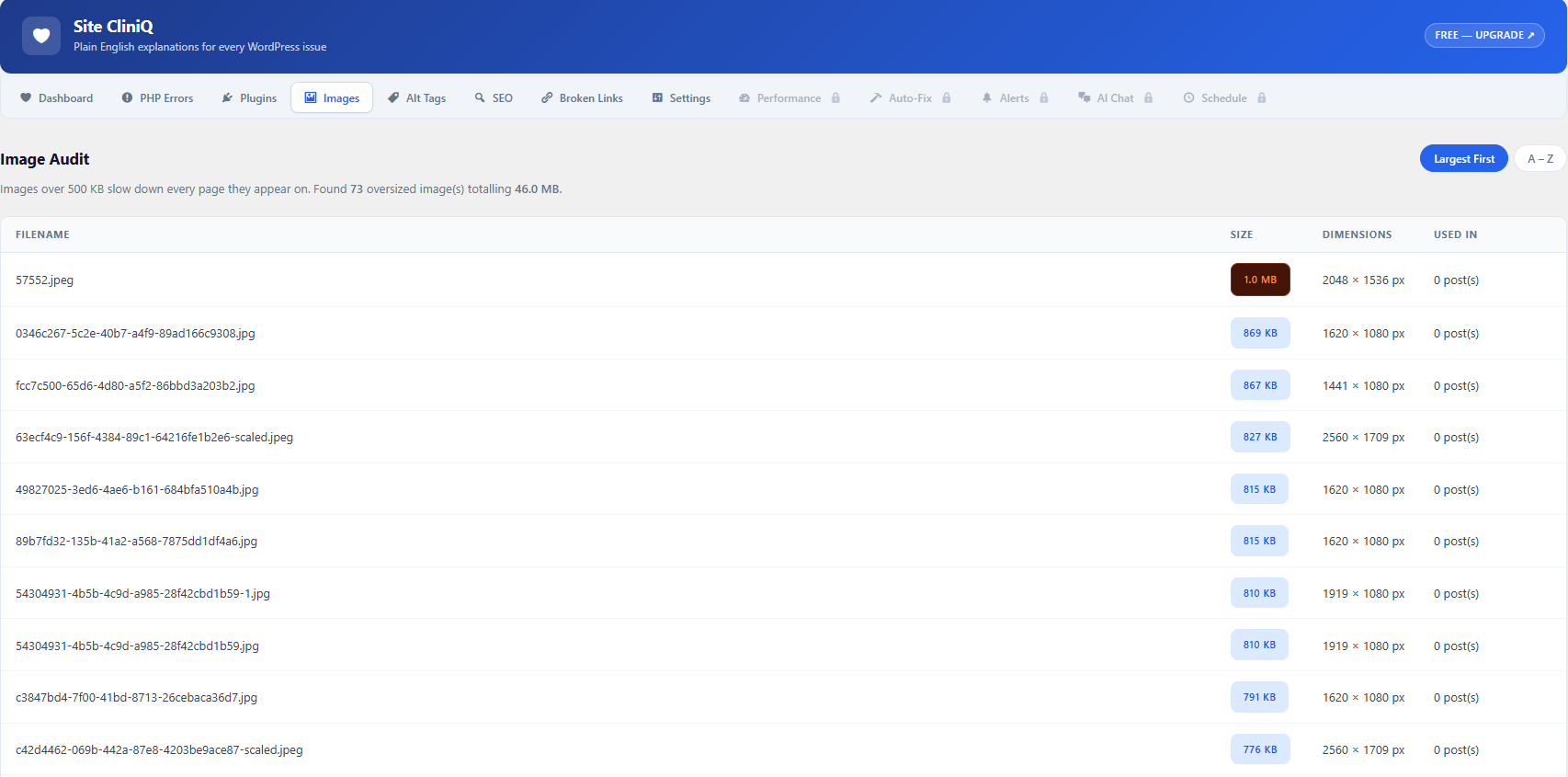
- Image Size Audit — Finds every image over 500 KB and shows which pages use it.
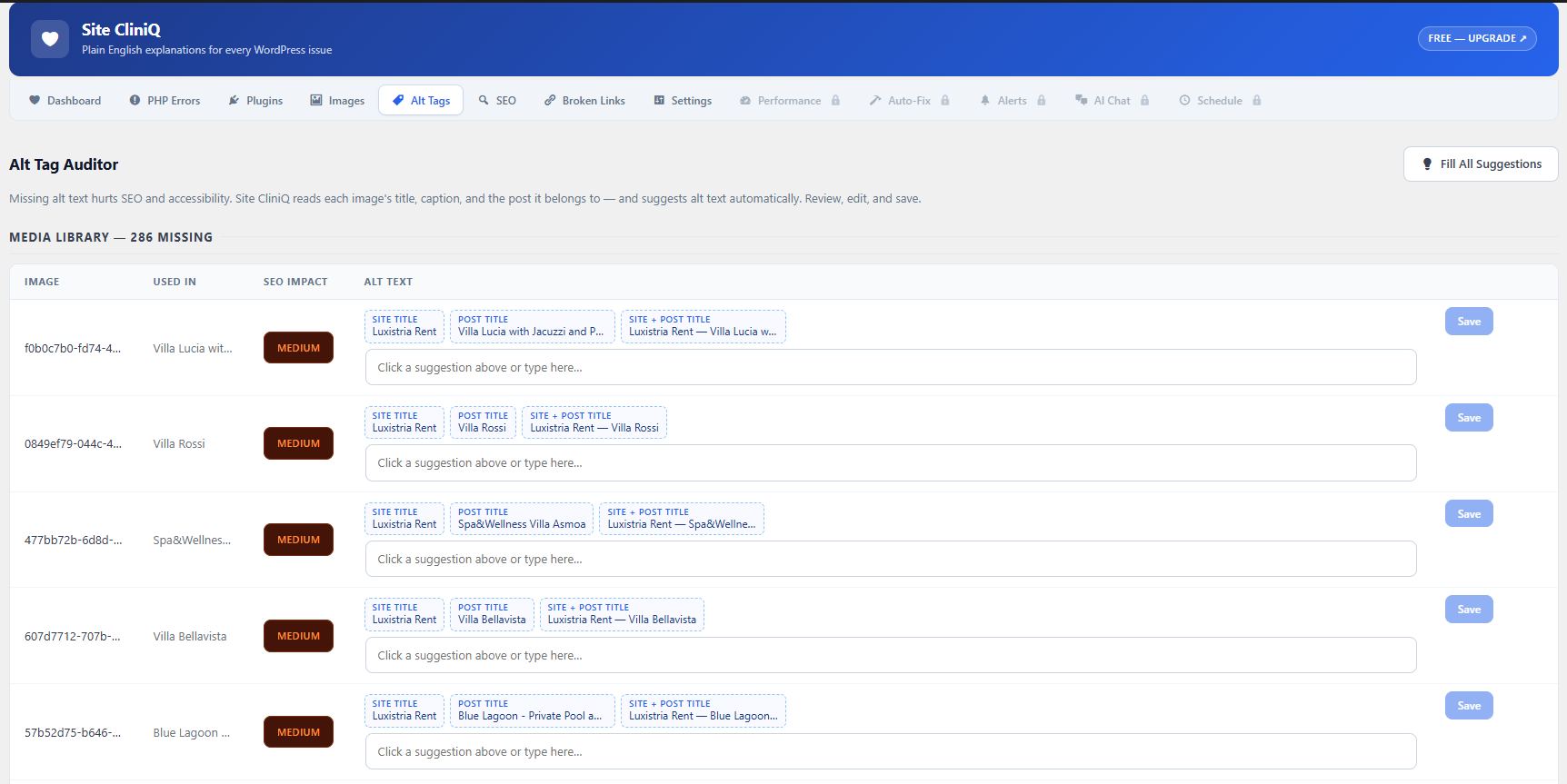
- Alt Tag Auditor — Finds missing alt text in your Media Library and in post and page content. Edit and save alt text directly from the plugin.
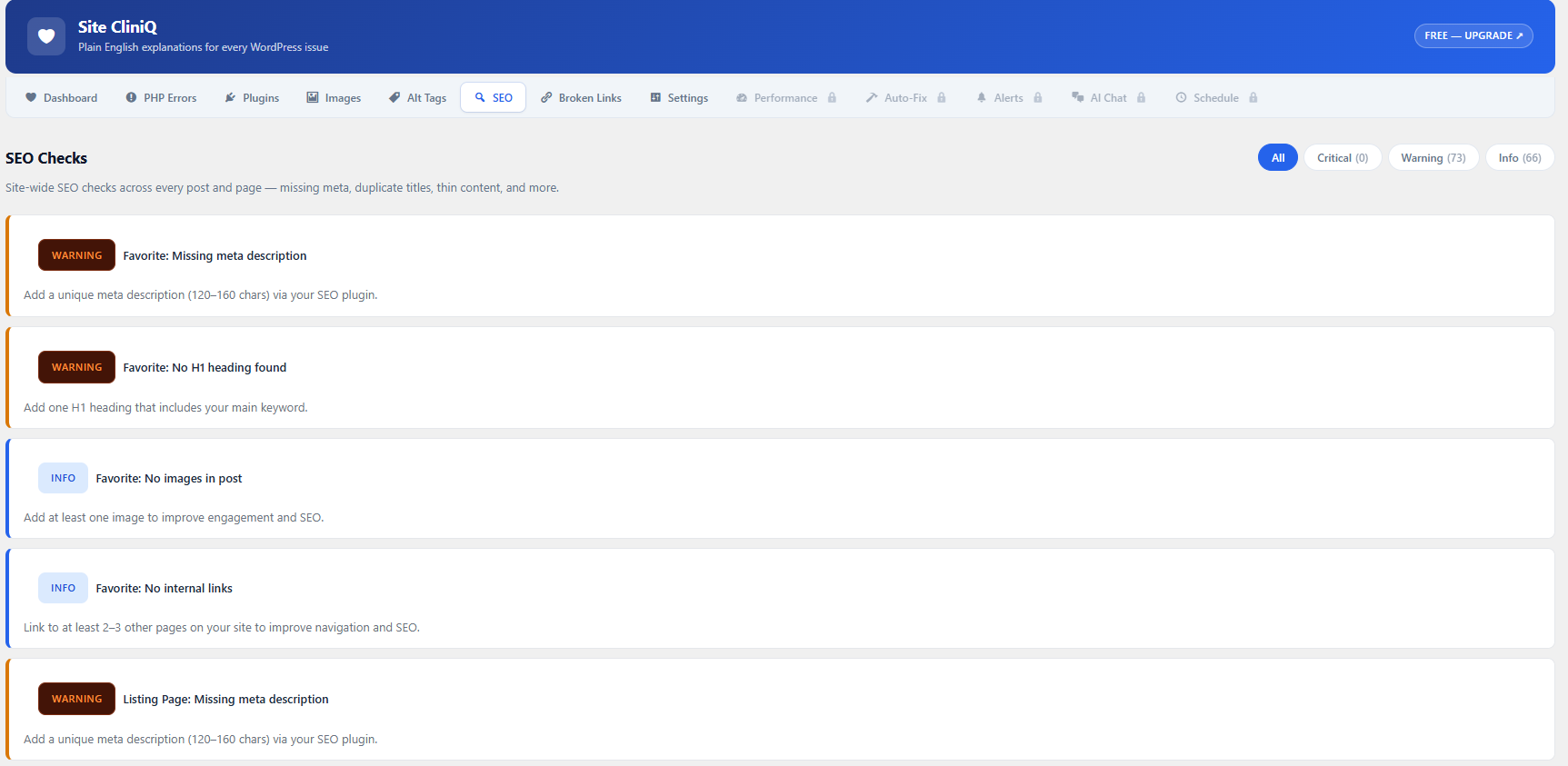
- SEO Checks — Site-wide scan for missing meta descriptions, H1 issues, noindex, thin content, duplicate titles, and more.
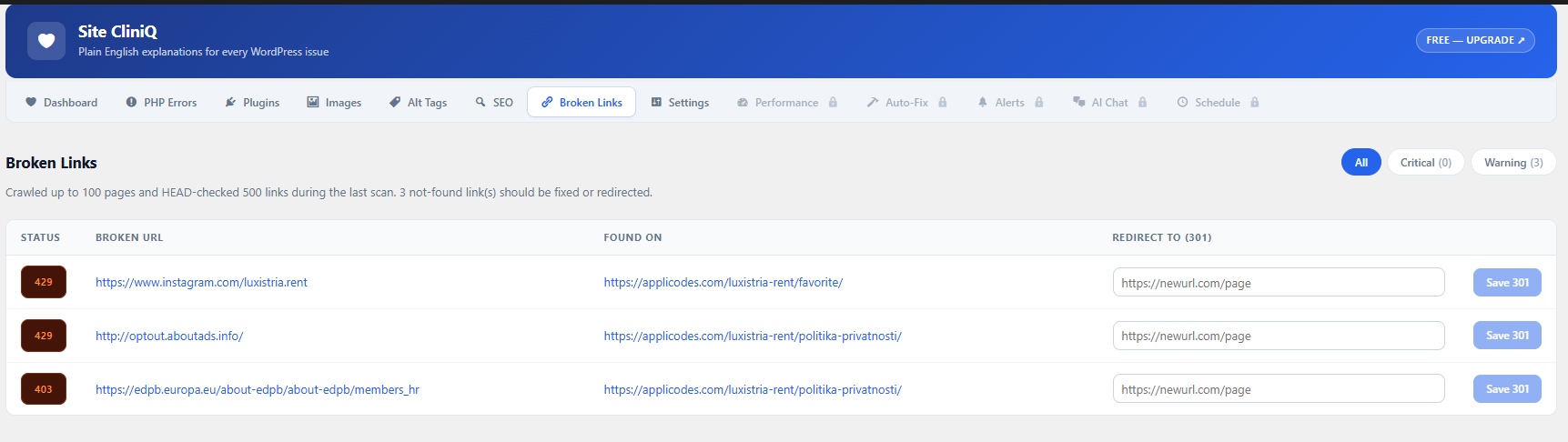
- Broken Link Report — Crawls up to 100 published URLs and flags 404s, 5xx errors, and long redirect chains.
- Scheduled Scans and Email Report — Optional daily or weekly scan, and a formatted health report sent to your admin email.
Screenshots

Installation
- Upload the
site-cliniqfolder to/wp-content/plugins/ - Activate the plugin via the Plugins menu
- Create your free account when asked (one-time connect)
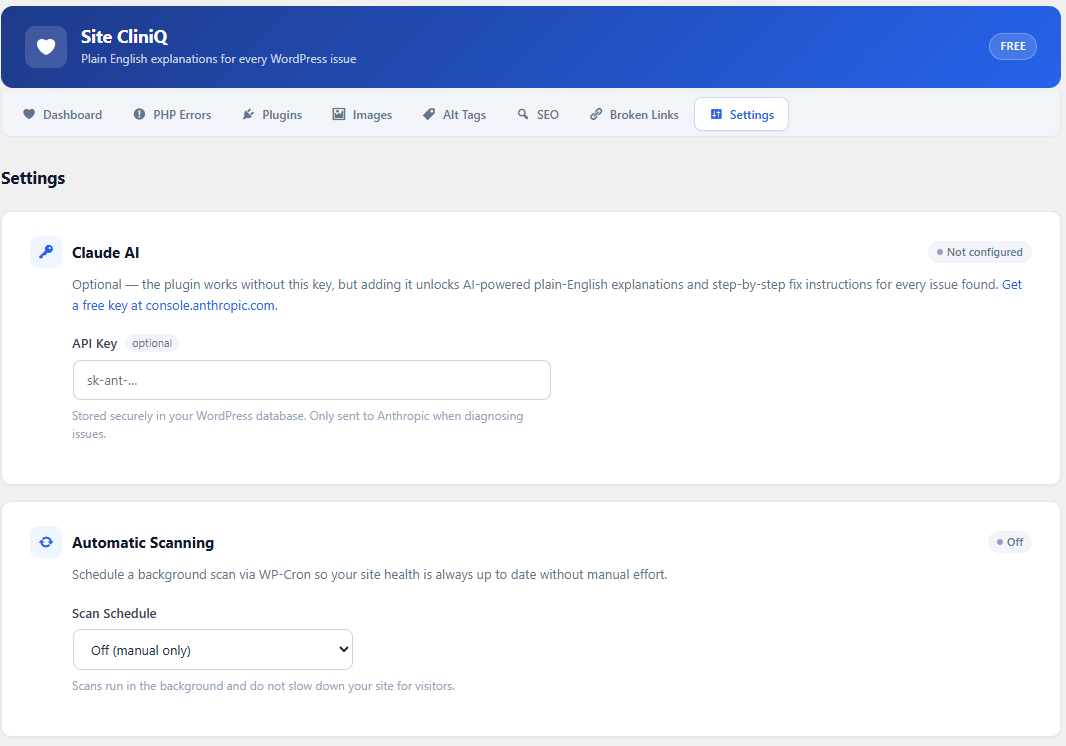
- Go to Site CliniQ Settings and optionally enter your Claude API key
- Click Run Full Scan on the Dashboard
FAQ
-
Is Site CliniQ really free?
-
Yes. The free version includes every scan and report listed above, plus 5 AI auto-fixes per month for plugin errors. It needs a free Site CliniQ account, which you create once when you first open the plugin.
-
Do I need a Claude API key?
-
No. All scans run without one. Adding your own Claude API key in Settings is optional and unlocks plain-English error explanations with step-by-step fixes, and AI-based update risk scoring. Get a key at console.anthropic.com.
-
How many AI fixes do I get?
-
5 per month, per site. The count resets at the start of each month. When the limit is reached, your plugin is left untouched and you still get the standard error email.
-
What happens when a plugin crashes my site?
-
Site CliniQ catches the PHP fatal error and emails you. While you have fixes left, it also asks the AI for a fix, applies it, and keeps your site online. If no fix can be applied, the faulty plugin is deactivated so the site stays up.
-
Will this slow my site down?
-
No. Scans only run when you click Run Full Scan or on the schedule you choose in Settings (off by default). Nothing runs on the front end.
-
Does this work on any host?
-
Yes. It works on shared hosting, managed WordPress, VPS, and cloud hosting. It needs WordPress 6.3+ and PHP 8.0+.
-
Can I schedule scans and reports?
-
Yes. In Settings you can turn on a daily or weekly automatic scan and a weekly email report. Both are off by default.
-
Is my data sent to external servers?
-
Your account details and the list of active plugins go to the Site CliniQ server. When a plugin causes a fatal error, the error details and the failing file are sent to get a fix. If you add your own Claude API key, error messages and plugin names are also sent to Anthropic. No visitor data is ever sent.
-
Why am I asked to connect after updating?
-
Site CliniQ moved to a new server in 1.0.5. Open the Site CliniQ page and click Connect once. If your site was registered before, your plan and monthly usage are kept.
-
Where are the Pro features?
-
Pro features are a separate paid add-on and are not part of this plugin.
Reviews

Contributors & Developers
“Site CliniQ” is open source software. The following people have contributed to this plugin.
Contributors
Translate “Site CliniQ” into your language.
Interested in development?
Browse the code, check out the SVN repository, or subscribe to the development log by RSS.
Changelog
1.0.6
- New: Alt Tag Auditor now shows both missing-alt lists, Media Library images and images inside posts and pages, with live counts.
- New: When the monthly AI fix limit is reached, the error email says so instead of showing “How to Fix”, and your plugin is left untouched.
- New: Deleting the plugin now removes its database tables, options and saved data.
- Fix: The Alt Tags banner count now matches the lists below it.
- Fix: Fatal errors were processed twice, which doubled email and error counts.
- Fix: Connect and reconnect requests now verify the server’s SSL certificate.
- Fix: Alt text detection no longer mistakes data-alt attributes for real alt text.
- Change: Image audit results now include the image URL and thumbnail.
1.0.5
- New: Sites upgrading from 1.0.4 or older are asked to connect once to the new server.
- New: If the site is not connected to the new server, an error notice with a Connect button appears on the Site CliniQ page. The Connect form is prefilled and checks the connection before it finishes.
- New: Sites registered before the server move are reconnected automatically when they connect again, instead of failing with “already registered”.
- New: Site CliniQ can now check which free and Pro versions are installed on your site (authenticated with your site’s API key).
- New: Connect errors now show the real HTTP status and server message instead of a generic “Server error”.
- Fix: A fatal error that was already emailed today now still reaches the AI auto-fix.
- Change: All server requests now go through one server URL setting.
- Change: The plugin now uses the new Site CliniQ server (app.sitecliniq.com).
1.0.4
- Maintenance release.
1.0.3
- Fix: Version constant SITECL_VERSION now matches plugin header.
- Fix: Update Risk scan now runs as part of the full site scan.
- Fix: Homepage images now correctly flagged as high SEO impact in alt tag auditor.
- Fix: Email reports now include a plain-text alternative body for clients that can’t render HTML.
1.0.2
- Maintenance release.
1.0.1
- Maintenance release.
1.0.0
- Initial release — full site scanner, AI error diagnosis, health score, plugin health checker, bloat detector, update risk scorer, image audit, alt tag auditor, SEO checks, broken link report, email report.